
Car Launcher: A Driving Dashboard App for Android
Car Launcher is designed to turn your Android device into a dashboard-friendly hub for driving. Built to work on phones, tablets, and even car head units, it blends quick app launching with an onboard computer that keeps track of your journey. To enable distance and speed calculations over time, the app may request background GPS access. The free version focuses on essential driving aids and customization, while a richer, paid version unlocks widgets, themes, and advanced layouts. This description pulls from core features that make Car Launcher a practical companion for daily commutes and long road trips alike.
What Car Launcher Brings to Your Drive
Device Compatibility
We represent a Launcher specially created for use in the car. You can use this program on a phone, a tablet, or even a car radio/recorder with an Android basis. Along with convenient program start, it combines an onboard computer with a clear overview of your travel metrics. To enable features like passable distance tracking, you’ll need to grant GPS data access in the background.
Free Version Highlights
An opportunity to set as the main Launcher about opening via the HOME button (it is relevant for radio tape recorders)
An opportunity to add any number of applications for quick start on the principal screen. You can set up several folders for the selected applications and it is easy to switch them on the principal screen (PRO).
An opportunity to edit already selected applications.
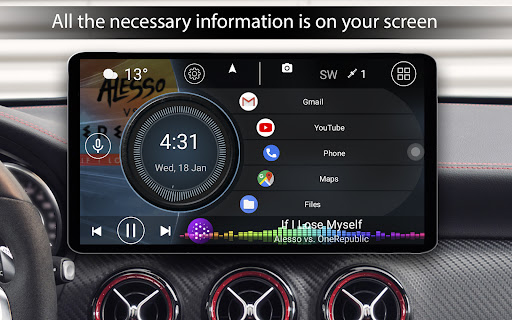
Display of the current speed or the passable distance and a set of other data. On the principal screen, the speed shown is based on GPS data.
Quick start of the menu with the list of all applications with a possibility of sorting: by name, installation date, or date of update. In case of long-press on an icon, the delete option opens.
A slide-out menu with the onboard computer. Press the rounded button to open the slide menu or swipe from the right edge of the screen. You can customize this menu to your liking.
The slide-menu shows key trip metrics: current speed, distance traveled, average pace, total running time, maximum speed, and acceleration metrics (0→60 km/h, 0→100 km/h). You can log or drop trip data at any time.
For each parameter, you can choose display times: trip, today, a week, a month, or all time.
A choice to switch speed display between miles and kilometers.
A StartUp option on device power-on (useful for radio tape recorders).
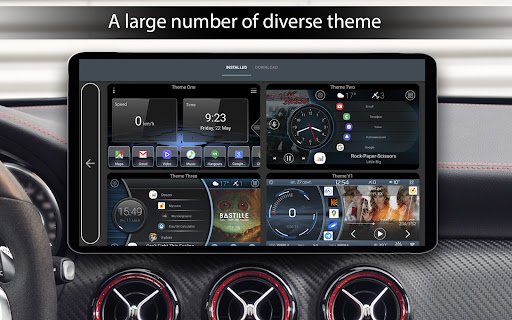
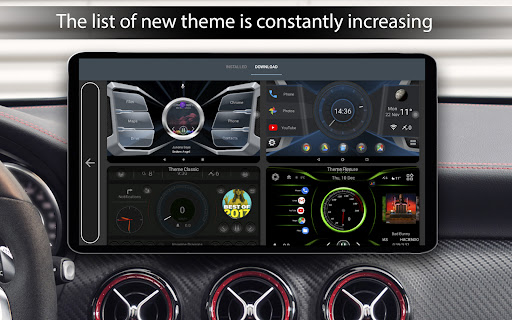
Three default themes for the main screen.
Support for third-party themes created specifically for Car Launcher.
Support for third-party icon packs and covers.
Weather on the main screen (Internet required).
Location information (Internet required).
An option to select a startup image for the program.
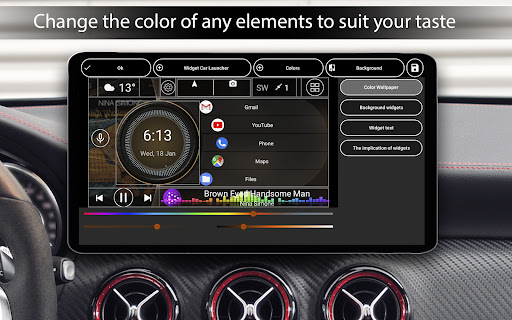
Color gamma customization for the displayed text.
Wallpaper customization or add your own wallpaper.
Automatic brightness control based on time of day.
A screensaver with customizable settings: different prototypes, fonts, date formats, and size/color tweaks. You can remove unused elements or adjust motion and brightness when the screensaver is active.
A screen saver when clicking for hours with a huge number of settings: - Different prototypes on a choice - Several different fonts - Several formats of date - An opportunity to change the size and color on every element - An opportunity to remove unnecessary elements - Data movement on the screen - Reduction of brightness when opening hours
Paid Version Enhancements
In addition to the free features, the paid version offers: system widgets support, a larger set of screens, and the ability to edit any widget with flexibility:
- Stretching, deleting, relocating widgets
- Locking start on widget tap
- Renaming widgets and adjusting text size
- Changing widget backgrounds
Expanded widget suite includes: Visualization, Analog clock, Analog speedometer, Address, Movement time, Maximum speed, Stop time, and Acceleration (0→60 km/h).
Settings for the selected applications include: infinite scrolling, grid sizing, side bends, and flexible angles. You can add and adjust the logo, as well as broaden color gamma options for a personalized look.
User Experience and Design
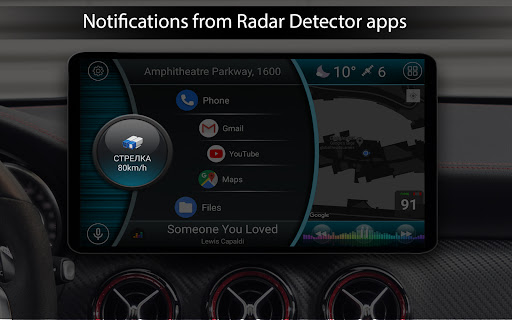
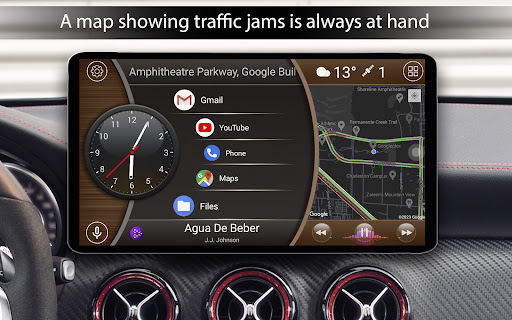
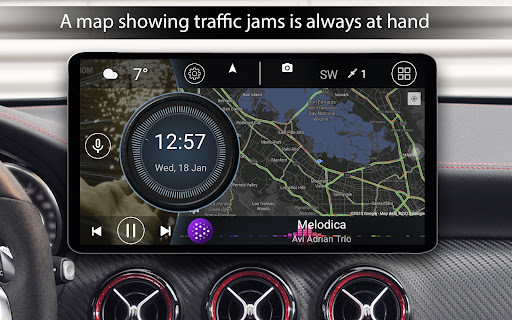
The Car Launcher experience is crafted to minimize distractions while driving. On first launch, the interface appears sleek and intuitive, with large, tap-friendly icons that help you stay focused on the road. The built-in speedometer and GPS navigation feel like a practical co-pilot, especially when offline navigation is needed in areas with poor connectivity. You can integrate popular music services directly into the launcher, allowing you to control playback without leaving the dashboard. An automatic day/night mode reduces eye strain during night drives, while a responsive layout adapts to different screen sizes, ensuring quick access to navigation, music, or contacts. The design emphasizes safety and efficiency, keeping essential information front and center while offering optional widgets and themes for a personalized, distraction-free drive.
Conclusion: A Modern Car Companion
Car Launcher blends convenience, safety, and customization into a single Android-friendly experience. Whether you’re a daily commuter or an enthusiastic road traveler, this dashboard-style launcher helps you stay connected, navigate effortlessly, and enjoy music without compromising attention on the road. With flexible free features and powerful paid options, it’s easy to tailor the launcher to your vehicle and driving style, making every trip smoother and more enjoyable.
Pros
- Customizable interface for personalization
- Supports multiple widgets for convenience
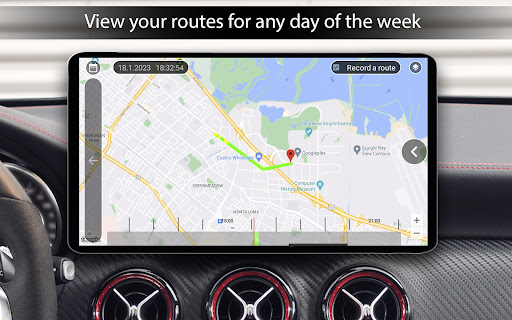
- Enhanced GPS features for navigation
- Optimized for easy driver interaction
- Fast loading time and smooth performance
Cons
- Limited free features without premium
- Occasional ad interruptions
- May drain battery quickly
- Compatibility issues on older devices
- Paid features can be expensive











