
Introducing Car Launcher Pro: The Ultimate Car Dashboard App
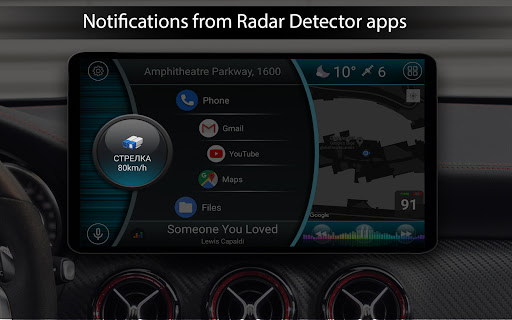
Are you a car enthusiast eager to upgrade your vehicle's interface with a sleek, customizable dashboard? Look no further than Car Launcher Pro. Designed specifically for Android devices, this innovative app transforms your smartphone, tablet, or even your car’s radio receiver into a high-tech control center that combines functionality, style, and convenience. Whether you’re on the road or parked, Car Launcher Pro offers an array of features to enhance your driving experience and keep crucial information at your fingertips.
Seamless Integration and User-Friendly Design
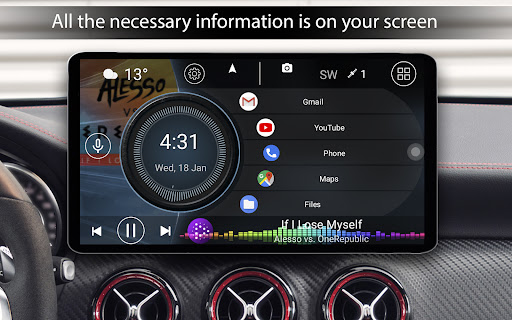
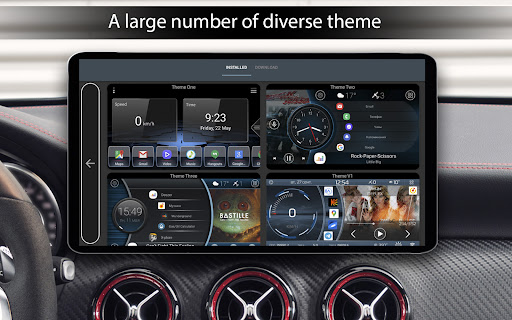
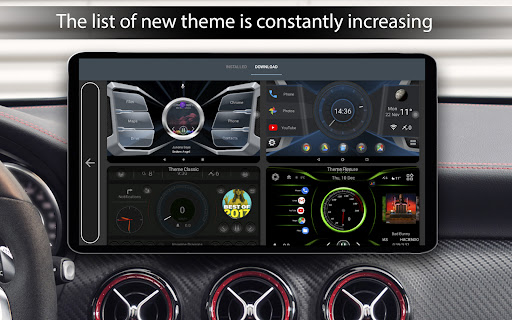
Upon launching Car Launcher Pro, users are greeted with a clean, intuitive interface that is easy to navigate. The app’s design prioritizes safety and accessibility, ensuring that you can operate it without distraction. It supports multiple devices, including phones, tablets, and radio tape recorders running on Android. The customization options are extensive, allowing you to tailor the dashboard to your personal preferences—select from various themes, layouts, and widgets that match your style.
Advanced Navigation and GPS Features
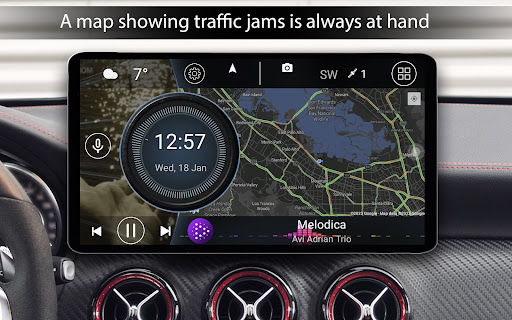
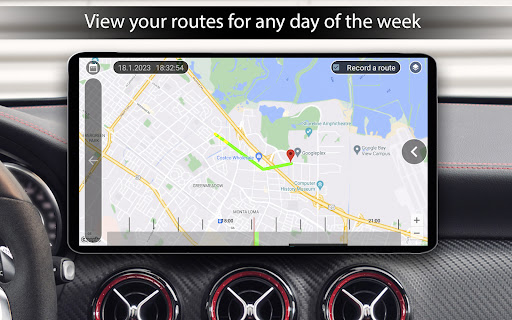
One of the standout features of Car Launcher Pro is its seamless integration with GPS and navigation applications. You can easily switch between different map services, such as Google Maps or others, to get precise directions on the go. The app displays real-time speed based on GPS data directly on the main screen, enabling you to monitor your speed without ever leaving the dashboard interface. It also offers detailed trip statistics, including passable distance, average speed, maximum speed, acceleration metrics, and time durations for various trips—accessible at any moment and configurable for specific date ranges like today, a week, or a month.
Customizable Home Screen and Quick Access
Car Launcher Pro allows you to add multiple applications directly to your main screen, making your favorite apps just a tap away. You can organize these apps into folders, edit or remove icons with a long press, and even customize the layout grid. Quick access to your music player, contacts, or navigation tools ensures that everything you need is within easy reach. Additionally, the app supports third-party themes, icons, and media players, allowing you to create a truly personalized dashboard setup.
Smart Controls and Display Settings
Enhance your driving with smart display options. Car Launcher Pro supports adjustable display units (miles or kilometers), automatic brightness control based on time of day, and multiple wallpaper themes—plus the option to add your own images. The screen saver feature offers various styles, fonts, and date formats, along with the ability to resize elements or remove unnecessary information to declutter your view. The app even has a sleep mode to conserve power when the vehicle is stationary.
Weather and Location Information
Stay informed with live weather updates displayed directly on the main screen. With internet access, Car Launcher Pro can fix your current location via GPS or manual city input, providing weather forecasts and positional data. These features help you plan your journey and adapt to changing weather conditions, making every trip safer and more efficient.
Exclusive Widgets and Customization Options
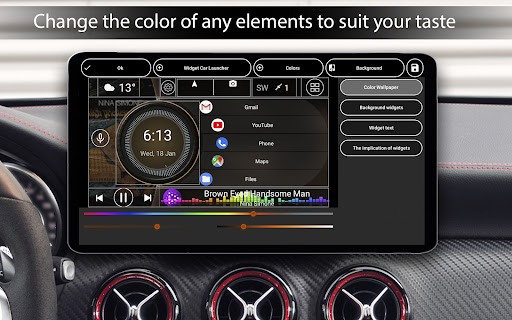
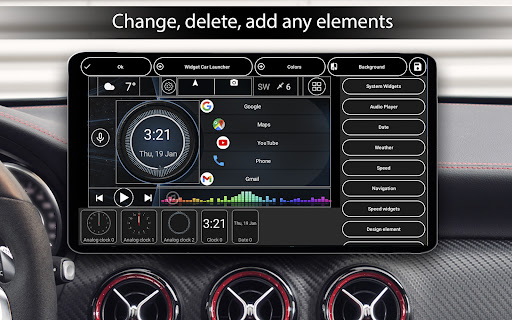
The app includes a broad set of widgets designed specifically for drivers. These encompass classic gauges like analog hours and speedometers, as well as specialized tools such as maximum speed trackers, stop timers, and acceleration meters from 0 km/h to 60 km/h. You can customize each widget’s appearance—changing sizes, colors, backgrounds, and functions. The advanced widget editor supports stretching, relabeling, adding multiple actions, locking, and more, giving you complete control over your dashboard’s look and functionality.
Flexible Settings for Optimal Performance
Car Launcher Pro provides numerous options to fine-tune your experience, including the ability to set startup applications, arrange applications in a grid, and adjust door-side configurations. You can add custom logos, change color themes, and select different background images to match your vehicle’s interior or personal style. The app also supports system widgets and additional screens, further expanding your dashboard’s capabilities.
Why Choose Car Launcher Pro? For a Better Driving Experience
If you’re seeking a versatile app to enhance your vehicle’s onboard interface, Car Launcher Pro is an excellent choice. It combines robust GPS tracking, customizable layouts, rich informational widgets, and aesthetic flexibility—all tailored for a safe and enjoyable drive. Whether you want quick access to your navigation, music, or trip data, this app keeps everything organized and accessible, giving your car a futuristic upgrade at a budget-friendly price. Drive smarter, safer, and more stylishly with Car Launcher Pro.
Pros
- Highly customizable interface
- Smooth and responsive performance
- Supports multiple widgets
- Includes GPS speed display
- User-friendly navigation
Cons
- Limited free version features
- Occasional minor bugs
- No landscape mode support
- Can drain battery quickly
- Ads in free version











