
Bookshelf - Your virtual library
Bookshelf is an app designed to help you organize your book collection with virtual shelves and tags, track reading progress, set goals, manage a wishlist, discover new reads, and share recommendations. It features a sleek, functional, and user-friendly interface with a generous free tier and optional Pro upgrades for advanced features.
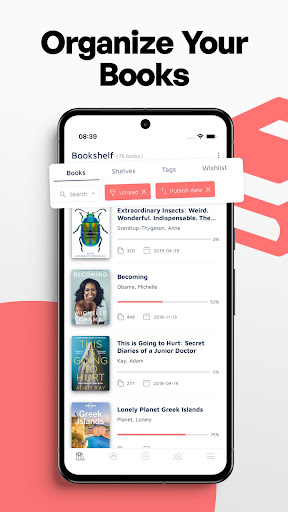
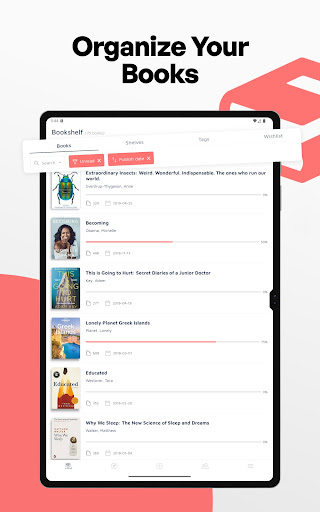
Organize your books
Catalog books using a fast and easy-to-use ISBN barcode scanner; batch scanning to quickly add multiple titles; add books via search (title/author/ISBN); manual entry for old or rare books; import from CSV files generated by other popular book apps; import books from Goodreads.
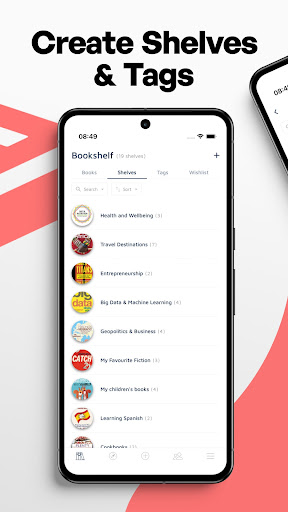
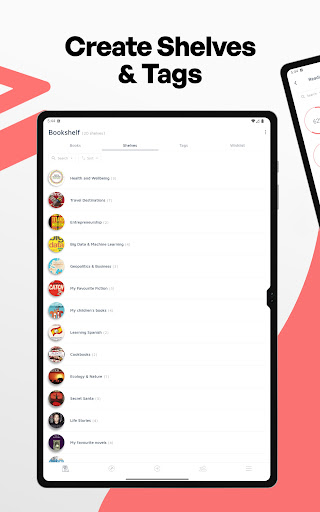
Create shelves and tags
Organize books by creating virtual bookshelves and tags; use search to quickly find items on your shelves; sort by title, author, pages, publication date, etc.; apply filters to display matching titles; track lent and borrowed books; add information about purchases; organize by series and volumes; create personal notes or add other useful information; add quotes by scanning text with an OCR reader; multiple book selection for batch operations; grid view; dark theme.
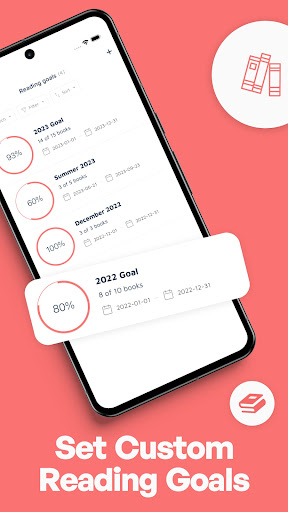
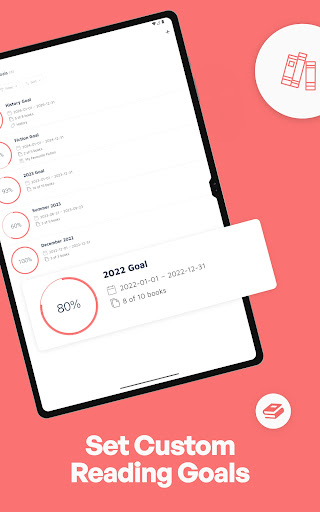
Set custom reading goals
Create annual reading goals to stay motivated; define custom date-range goals and share them with friends.
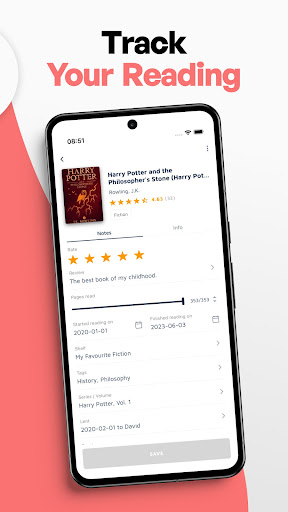
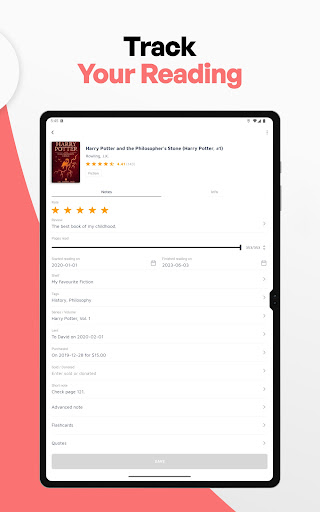
Track your reading
Log how many pages you have read, when you started, and when you finished a book; you can record multiple readings for each book.
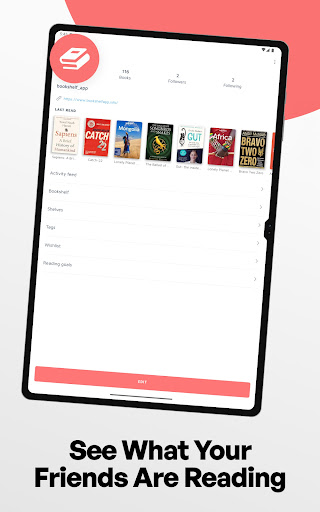
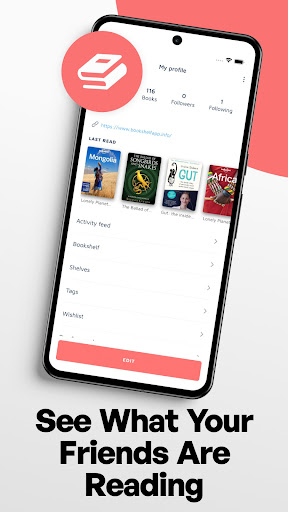
See what your friends are reading
Create your own reading social profile; allow followers to see your last read books, wishlist, and reading goals.
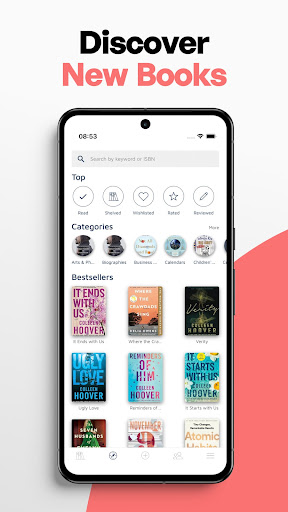
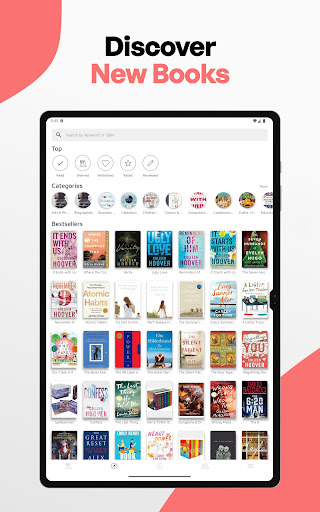
Discover new books
Discover bestselling books across different categories; share your favorite reads with friends on social media.
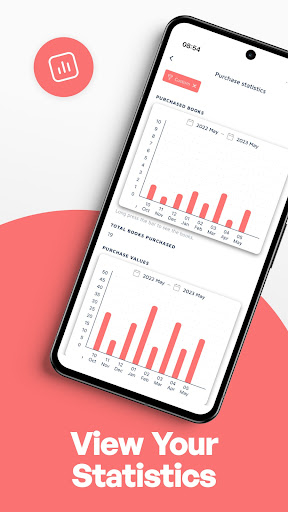
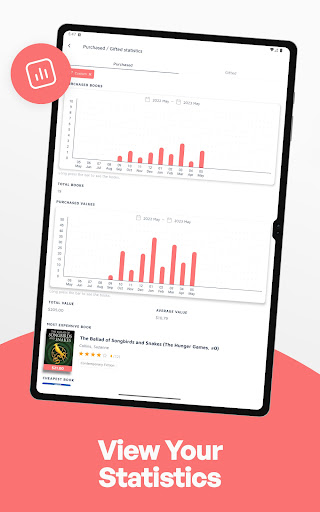
View your statistics
Rich statistics about your books, purchases, reading progress, ratings, top authors, top categories, and more.
Manage your wishlist
Maintain a wishlist of books you want to read; price tracking and price alerts are available in some countries.
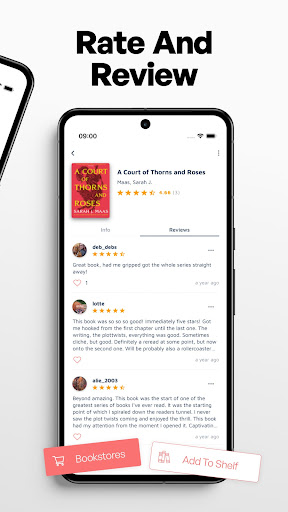
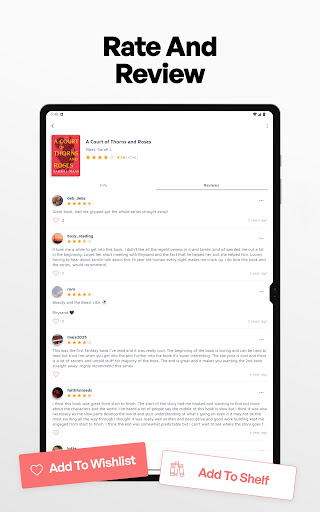
Rate and review
Help others discover great books and find titles for yourself; rate books with a 5-star rating (half-star ratings available); read reviews from others and leave your own opinion.
Never lose your data
Your data is securely stored on our servers and linked to your account; if you change your device or platform, simply log back in with your username; you can export data to CSV for backup or export as an HTML web page for easy printing with cover images.
Bookshelf Pro plans
Bookshelf is free to download and use with no limit on the number of books and all essential features included; some advanced features are covered by Bookshelf Pro subscription plans; Bookshelf Pro includes a 7-day free trial, with monthly, annual, or lifetime options.
Other notes
This is an app to organize your books and to track your reading; reading is not performed within this app.
Getting started with Bookshelf
Imagine having your entire library right in your pocket. This app welcomes you with a clean, visually appealing, and intuitive interface. Start by scanning the barcodes of your physical books, or manually enter the details; the app fetches information such as author, publication date, and genre from the web, acting like a personal librarian at your fingertips.
Features that shine
One of the standout features is the ability to organize books into shelves and keep track of lent items. The reading progress tracker lets you update status and set goals, turning large works into manageable milestones. You can write notes, add quotes via OCR, and share recommendations with friends. The search, filter, and sorting tools help you quickly find titles, while batch operations and grid view keep large collections under control.
The user experience
The design is minimalistic yet efficient, making navigation feel like flipping through the pages of a well-loved book. The app runs smoothly with no technical hiccups, and cross-device synchronization ensures your library stays up to date across phone, tablet, and computer.
Conclusion
For book lovers who want order, discovery, and motivation, Bookshelf - Your virtual library is a compelling choice. It blends practical organization with social features, offering a robust toolkit for serious readers and a delightful experience for casual readers alike. If you’re ready to bring some order to your book collection or simply want to explore new reads, this app is worth checking out.
Blog-style feature description
Imagine carrying your entire library in your pocket. Bookshelf - Your virtual library is built for bibliophiles who want both structure and inspiration. This book management app turns your device into a private, searchable, and highly personalized digital library. You can scan barcodes to add titles in seconds, or manually enter details when you’re offline, and the app fetches author, publication date, genre, and more from the web, acting like a personalized librarian at your fingertips. Create virtual shelves and tags to organize by genre, mood, or purpose—whether you’re curating a “summer reading” list or building a dedicated To-Be-Read (TBR) queue. The ability to track reading progress and set goals helps keep motivation high, transforming daunting novels into manageable milestones. A dedicated wishlist lets you plan future reads, and price tracking helps you catch good deals, especially in regions with dynamic pricing. Social features invite friends to follow your journey, share recommendations, and discuss favorites, turning reading into a shared experience. The interface is clean, responsive, and designed to feel like a well-organized library rather than a cluttered catalog. You can export your data to CSV for backups or even print a customized HTML page with cover images, ensuring your beloved collection is always at hand, even offline. With Bookshelf Pro, you gain access to advanced tools to tailor your library experience, while the free tier remains generous enough for most readers. Cross-device sync ensures your progress, notes, and ratings stay in sync across phone, tablet, and desktop. Whether you’re a casual reader seeking simple organization or a bibliophile building a meticulously categorized library, Bookshelf makes the process enjoyable, efficient, and rewarding. It’s more than a catalog—it’s a personal library assistant that grows with your collection, helping you discover new books, track your reading journey, and connect with fellow readers along the way.
Pros
- Easy to organize your book collection.
- Offers personalized book recommendations.
- Supports multiple formats including PDFs.
- Allows sharing book lists with friends.
- Offline access to your library.
Cons
- Some features require a premium subscription.
- Limited customization for book covers.
- Ads can be intrusive at times.
- Occasional sync issues with cloud service.
- Not all books have detailed metadata.