

Bolt for Tesla - Tasker Plugin: Enhance Your Tesla Experience with Seamless Automation
Are you looking to take your Tesla ownership to the next level? Bolt for Tesla - Tasker Plugin is designed to provide Tesla enthusiasts and tech lovers with powerful tools to automate and control their vehicles directly from their Android devices. With this innovative app, you can effortlessly manage various Tesla features, streamline daily routines, and enjoy a smarter driving experience—all without lifting a finger. Whether you own a Tesla Model S, Model X, Model 3, or Cybertruck, this plugin integrates smoothly with Tasker to unlock a new realm of vehicle automation possibilities.
Transform Your Tesla Control with Easy Automation
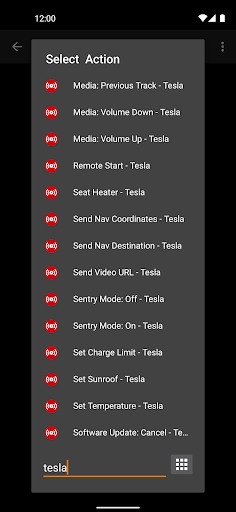
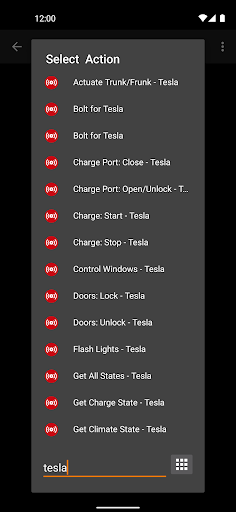
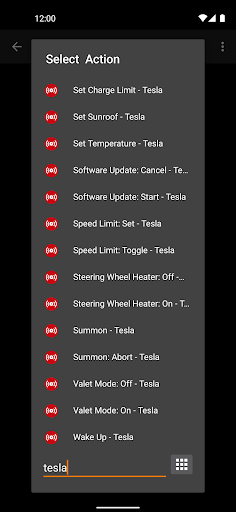
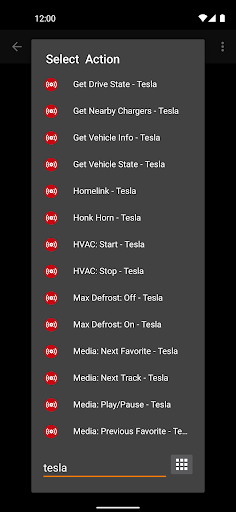
Imagine being able to control your Tesla's functions through simple automated tasks. Bolt for Tesla - Tasker Plugin makes this possible by enabling a wide array of actions such as:
- Open or close the trunk or frunk
- Open or close the charge port
- Start or stop charging your vehicle
- Open or close the windows
- Lock or unlock doors
- Flash headlights or honk the horn
- Activate Homelink or Sentry Mode
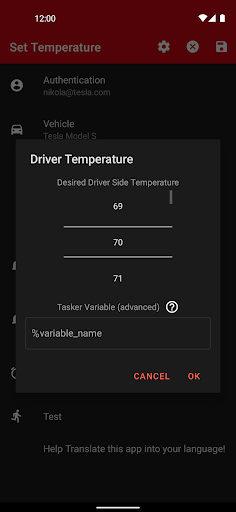
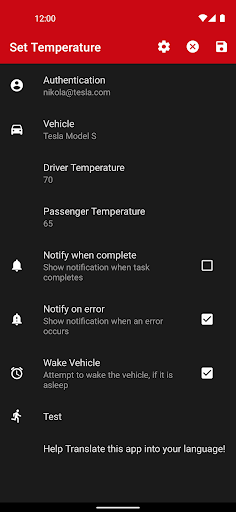
- Control climate settings like starting/stopping the AC or heater
- Enable or disable Max Defrost Mode
- Manage audio functions (play, pause, skip, volume)
- Adjust seat heaters
- Configure software updates and speed limits
- Set the charging limit and scheduled charging
- Control premium features like Sunroof, Bioweapon Defense Mode, Steering Wheel Heater, and more
Real-Time Data and Advanced Vehicle Monitoring
Beyond simple controls, Bolt for Tesla allows you to fetch real-time data from your vehicle, empowering you to create custom dashboards or receive alerts based on your car's status. For example:
- Display real-time vehicle status via widgets
- Set up smart automation workflows based on proximity, temperature, or battery levels
- Receive notifications if your Tesla's security is breached or if maintenance alerts are triggered
Sending Data to Your Tesla for Customized Commands
This plugin also simplifies sending specific data like navigation destinations, GPS coordinates, or video URLs to your Tesla. Need your vehicle to navigate to a particular address or start a pre-set route? Bolt for Tesla - Tasker Plugin makes it straightforward. Location permissions are required for features like Summon and Homelink, ensuring your vehicle only responds when you're nearby—adding an extra layer of security and convenience.
Getting Started: Smooth and Secure Setup
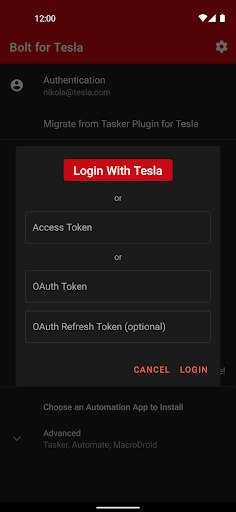
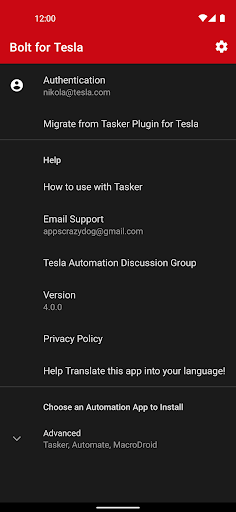
Setting up Bolt for Tesla is intuitive and secure. The process involves connecting the plugin to your Tesla account, with all data transmission secured to protect your privacy. The user-friendly interface makes it easy even for newcomers to start automating their Tesla features quickly. From turning on climate pre-conditioning before a morning drive to automating lock/unlock sequences, the possibilities are endless.
Why Choose Bolt for Tesla - Tasker Plugin?
Whether you're a tech enthusiast eager to experiment or someone who simply wants to enhance daily convenience, this app is a game changer. It synergizes with Tasker to provide robust customization, allowing you to create tailored automation routines—like warming your car at a specific time, remotely starting the AC before arriving home, or setting security modes when parking brazenly in busy areas. The integration boosts your Tesla ownership experience, making it smarter, safer, and more personalized.
Important Note on Subscription Requirement
Please be aware that as of January 24th, 2025, Bolt now requires a subscription for API access, due to Tesla's payment requirements for API usage. This change ensures continued reliable operation and access to vehicle controls. Subscription details are available within the app to keep your automation experience seamless.
Conclusion
If you own a Tesla and love leveraging technology to optimize your vehicle management, Bolt for Tesla - Tasker Plugin is your perfect companion. It offers comprehensive control over your Tesla’s features, real-time vehicle monitoring, and extensive automation possibilities—all from your Android device. Whether you want to simplify daily routines like pre-conditioning your car or secure your vehicle remotely, this plugin provides unmatched convenience and customization. Enhance your Tesla experience today and enjoy the power of automation tailored specifically for electric vehicle enthusiasts.
Pros
- Seamless integration with Tesla vehicles
- Provides automation capabilities via Tasker
- Easy-to-use interface
- Receives regular updates and improvements
- Enhances the functionality of Tesla vehicles
Cons
- Requires Tasker to operate
- May increase battery consumption
- Limited to Tesla vehicles only
- Certain features are available only in premium versions
- Initial setup process can be complicated











