

Discover the Power of BMO Digital Banking
Managing your finances has never been easier with the BMO Digital Banking application. Designed for convenience and security, this app allows you to handle your banking needs right from your Android™ smartphone, anytime and anywhere. Whether you're checking your account balances, transferring funds, or paying bills, the BMO Digital Banking app puts everything you need at your fingertips.
Key Features of the BMO Digital Banking App
Easy and Secure Access
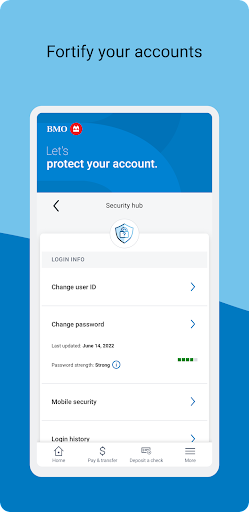
Getting started with the BMO Digital Banking app is simple. Just download it from the App Store or Google Play, log in with your existing credentials, and you’re ready to go. The app offers Biometric Finger Print ID sign-on for even faster access, ensuring your banking remains both quick and secure. Multi-factor authentication and automatic logout features further enhance your account security, giving you peace of mind while managing your finances on the go.
Comprehensive Account Management
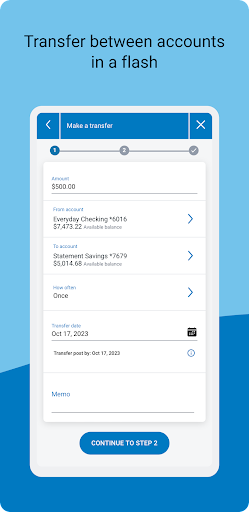
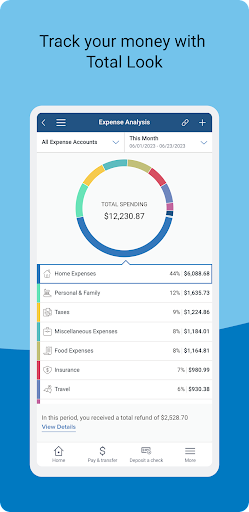
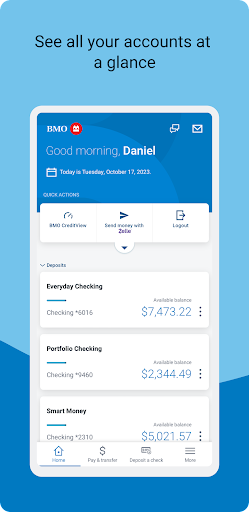
One of the standout benefits is the ability to view all your accounts in one place. Whether it's your checking, savings, or credit cards, you can monitor your balances and activity seamlessly. The app also enables you to transfer money between your BMO accounts, making fund management effortless. Plus, with BMO Total Look, you can track accounts even outside of BMO, giving you a holistic view of your financial health.
Convenient Bill Payments and Transfers
The app simplifies paying bills directly from your mobile device. You can schedule and manage bill payments for utilities, streaming services, and more, ensuring you never miss a due date. Making transfers within your BMO accounts or to other U.S. bank accounts via Zelle® is quick and straightforward, helping you handle everyday transactions smoothly.
Mobile Check Deposit
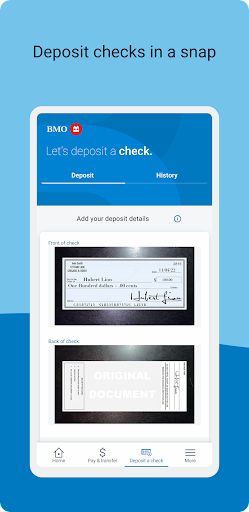
Need to deposit a check? Just snap a picture of your check with your Android™ device camera using the mobile deposit feature. Please note that this service is available to accounts opened for more than five days, and deposits are subject to availability for withdrawal. Mobile deposit provides a convenient way to handle check deposits without visiting a branch.
Real-Time Alerts and Card Controls
Safety and control are priorities with the BMO Card Monitor. You can turn your debit or ATM card on or off instantly and receive real-time alerts about your account activity. This feature helps detect suspicious transactions and provides extra security against unauthorized access, making your banking experience safer and more manageable.
Insightful Financial Overview
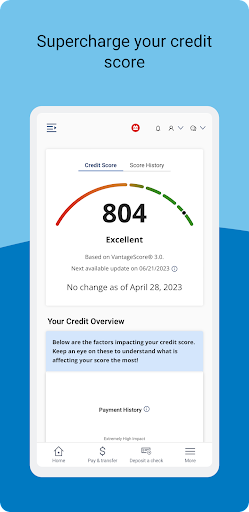
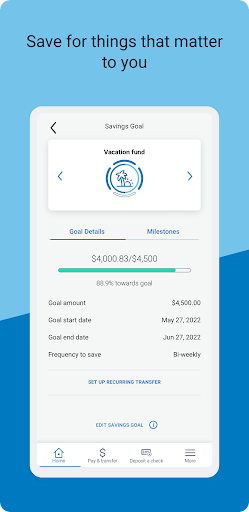
The app offers valuable insights into your spending habits by categorizing expenses, helping you understand where your money goes each month. With this information, you can make more informed financial decisions and set better budgeting goals. The BMO Digital Banking app empowers you to become more in control of your financial life.
Why Choose the BMO Digital Banking App?
If you're seeking a reliable, secure, and feature-rich digital banking solution, the BMO Digital Banking app is an excellent choice. Its intuitive interface and comprehensive tools streamline everyday banking tasks, making financial management less of a chore and more of a convenience. Whether you're paying bills, transferring money, or simply checking your account balances, this app is designed to simplify your digital banking experience.
Embrace the future of banking today with the BMO Digital Banking app — your pocket-sized financial partner that keeps your money at your fingertips.
Pros
- User-friendly interface for easy navigation.
- Quick access to account balances.
- Secure login with biometric authentication.
- Real-time transaction alerts.
- Comprehensive financial management tools.
Cons
- Occasional app crashes on older devices.
- Limited customer support availability.
- Some features require a strong internet connection.
- Mobile deposit limits are relatively low.
- No integration with third-party financial apps.











