
Overview of the Blink Charging Mobile App
The Blink Charging Mobile App was designed with EV owners in mind, aiming to make the charging experience more convenient, seamless, and user-friendly. Whether you're charging your electric vehicle at home or at a public charging station, this app enhances your ability to locate stations, manage charging sessions, and stay updated on your vehicle's charging status. With its intuitive interface and expanding network, the Blink Charging app is quickly becoming an essential tool for EV drivers seeking reliability and ease of use.
Key Features of the Blink Charging Mobile App
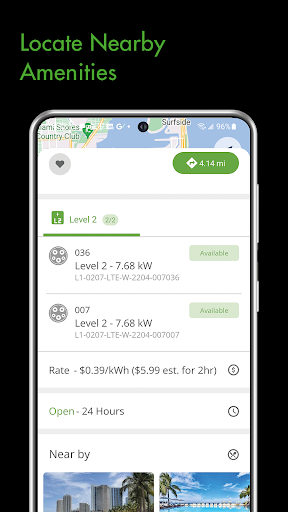
Locate EV Charging Stations
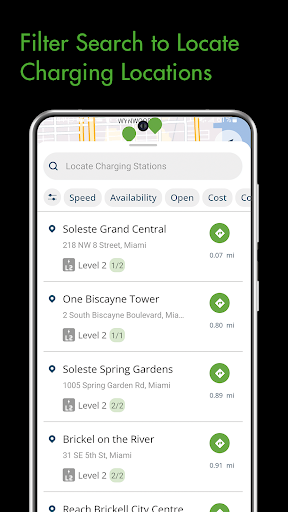
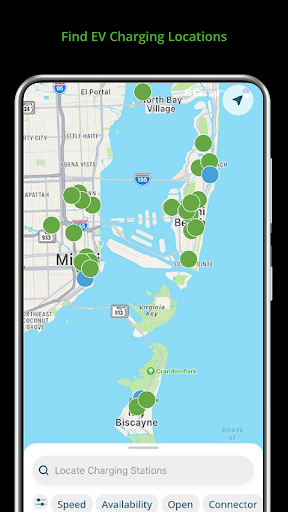
One of the standout features of the Blink Charging Mobile App is its ability to help you find public electric vehicle charging stations effortlessly. By utilizing the app, you can search for charging stations based on • Location, including zip code, city, business name, or physical address. The app's map feature provides real-time updates on station availability, so you can easily identify which chargers are free, currently in use, or out of service. Whether you're planning a trip or need a quick top-up during your daily commute, this feature ensures you're never left searching for a charging point.
Manage Charge Sessions and Receive Alerts
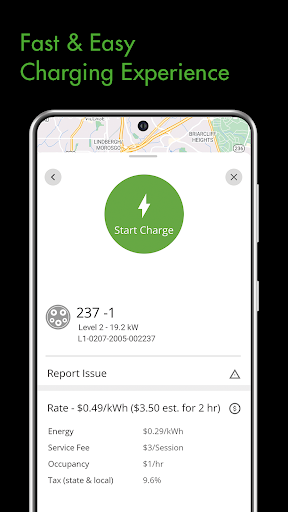
Managing your charge sessions is straightforward with the Blink app. You can monitor live information during a charging session, such as energy delivered, session duration, current charging speed, and the estimated cost. Additionally, users can set • charging status notifications to stay informed about their EV's charging progress. Alerts for states like "charging," "charging completed," or "fault occurrence" help keep you updated without needing to check the app constantly.
Setup and Manage Home Charging Stations
For those using the HQ 200 home charging station, the app simplifies setup and management. You can remotely configure station settings, track your charging history, and manage active sessions—all from your smartphone—making home EV charging more convenient than ever.
Expanded Charging Network
The Blink network continues to grow! Now, • network expansion includes compatibility with SemaConnect charging stations. Existing SemaConnect drivers can easily use the Blink mobile app to locate chargers, initiate charging sessions, and manage their accounts. This means more charging options at public stations, providing greater flexibility for EV owners. You can also manage payment wallets, set up/manage Series 4 stations, and review your entire charging history—all within the app.
Social & Support Connections
The Blink Charging community is active on social media platforms like Twitter, Facebook, Instagram, and LinkedIn. For any questions or customer support, users can contact Blink directly through their website.
Benefits of Using the Blink Charging Mobile App
As an EV owner, having the Blink Charging Mobile App at your fingertips can dramatically improve your charging experience. Imagine being able to locate nearby charging stations quickly, reserve your spot in advance, and pay seamlessly—all from your mobile device. No more guesswork or frustration searching for an open charger. The app is compatible with a wide range of EV models, ensuring that whether you drive a Tesla, Nissan Leaf, Chevy Bolt, or others, you can benefit from its features.
User-Friendly Interface and Seamless Experience
The developers have prioritized a clean, intuitive user interface that makes discovering stations and managing charging sessions effortless. The map feature is particularly helpful, providing clear status indicators such as • available, • in use, or • out of order. This design minimizes the learning curve and maximizes efficiency, ensuring EV drivers spend less time dealing with technical issues and more time enjoying their drive.
Why Download the Blink Charging App?
If you're an EV enthusiast, the Blink Charging Mobile App is an essential addition to your digital toolkit. Its reliable features, extensive network, and easy management tools can save you time, reduce charging stress, and provide peace of mind when on the road. Plus, the app's ability to support both guest users and members ensures flexibility for all users. Whether you're a daily commuter or an occasional road tripper, this app guarantees you'll always have a charging station nearby and be in control of your EV charging experience.
```
Pros
- Real-time updates on available charging stations
- Intuitive and easy-to-use interface
- Multiple options for payment
- Comprehensive charging history records
- Extensive network coverage
Cons
- Limited customer support services
- Occasional app performance issues such as crashes
- Requires creating an account to use the app
- Few offline functionalities available
- Charging rates can vary and are sometimes inconsistent











