

Discover the Power of BimmerLink for BMW and MINI
Are you a passionate BMW or MINI owner looking to tap into your vehicle’s full diagnostic potential? BimmerLink is the ultimate app designed exclusively for enthusiasts who want a hands-on approach to understanding and managing their cars. Whether you’re interested in real-time sensor data, troubleshooting issues, or customizing features, this app transforms your smartphone into a comprehensive diagnostic tool.
What is BimmerLink?
BimmerLink is a specially developed application that connects directly to your BMW or MINI via supported OBD adapters. It’s like having a professional diagnostic scanner right in your pocket, allowing you to monitor various parameters, reset service indicators, and control specific car functions with ease. With support for a wide range of models—from the classic 1 Series to the latest X7 and even MINI vehicles—BimmerLink caters to a broad spectrum of BMW and MINI owners. The app not only enhances your understanding of your vehicle’s performance but also offers practical features that can improve your driving experience.
Key Features of BimmerLink
1. Read and Clear Trouble Codes
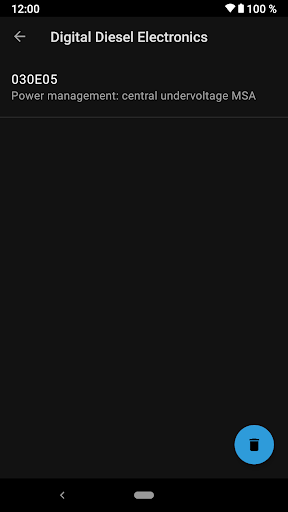
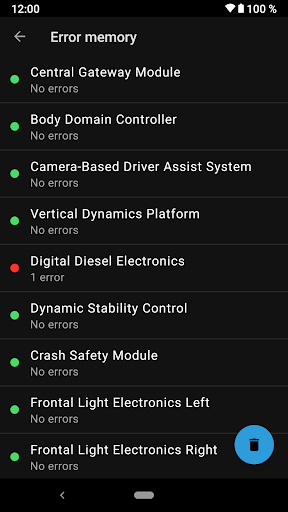
One of BimmerLink"s standout features is its ability to perform comprehensive diagnostics. Unlike generic OBD apps that focus only on emission-related errors, BimmerLink allows you to access all control units within your car. This means you can read and clear diagnostic trouble codes (DTCs) from the engine, transmission, ABS, airbags, and other control modules. Detecting issues early can save you significant repair costs and reduce downtime, empowering you to maintain your vehicle proactively.
2. Monitor Real-Time Sensor Data
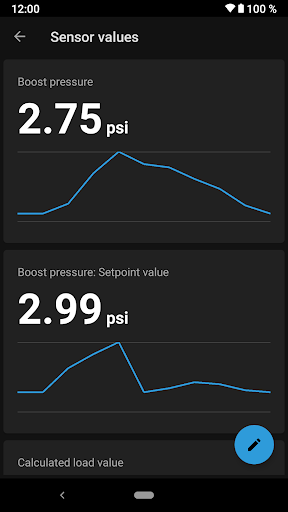
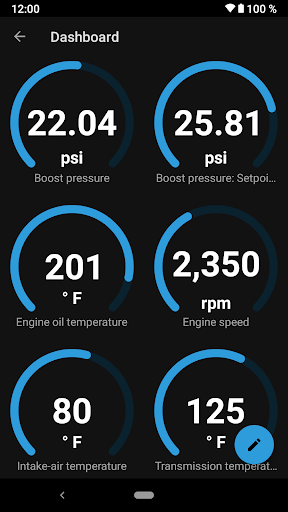
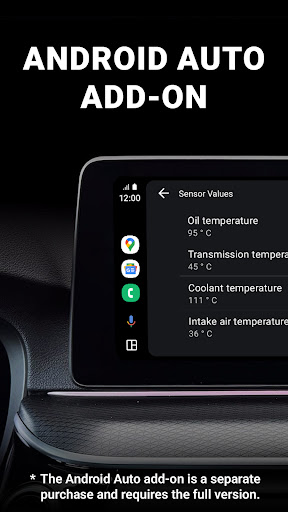
Stay connected with your vehicle’s inner workings through a flexible dashboard that displays real-time sensor values such as oil temperature, boost pressure, DPF status, and more. This feature enables you to keep an eye on critical parameters during your drives, helping optimize performance and prevent potential problems. The customizable display makes it easy to focus on the data that matters most to you.
3. Remote Control of Exhaust Flap and Sound Tuning
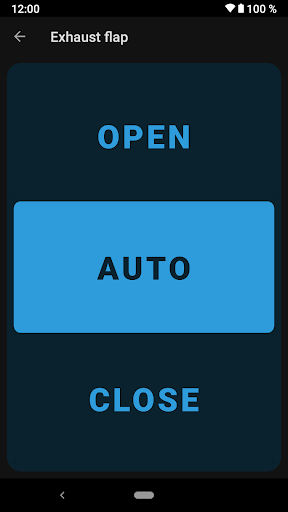
For models equipped with an exhaust flap, BimmerLink grants you remote access to open or close it, providing a dynamic way to change your exhaust tone on demand—a feature especially popular among driving enthusiasts. Additionally, if your vehicle has Active Sound Design, you can mute or disable these artificial engine sounds, allowing a more authentic driving experience or a quieter cabin. Other sound tuning options include disabling exhaust burbles in cars with the S55 engine (such as M2 Competition, M3, M4), offering tailored acoustic control.
4. DPF Regeneration and Battery Registration
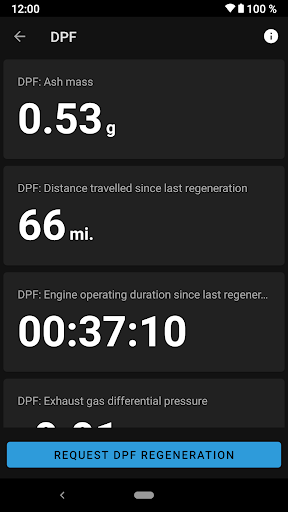
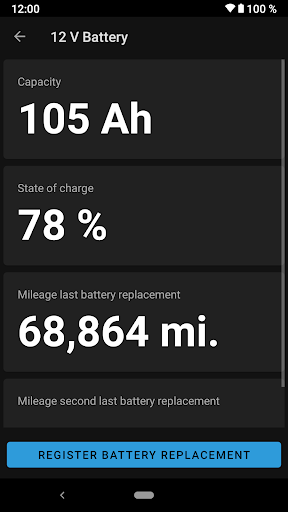
Diesel vehicle owners will appreciate the ability to view the status of their diesel particulate filter (DPF), check ash accumulation, and initiate regeneration directly through the app. Likewise, if you’re replacing your car’s battery, BimmerLink simplifies the process by allowing you to register the new battery with your vehicle’s control unit without visiting a service center.
5. Service and Maintenance Features
Conveniently reset service indicators after routine maintenance such as oil changes or brake pad replacements. Additionally, activate the parking brake service mode or reset short circuit locks for lighting systems—all from your smartphone with minimal effort, streamlining your DIY maintenance routine.
Easy Setup and Compatibility
Using BimmerLink requires a supported Bluetooth or WiFi OBD adapter, making connection straightforward across various devices. This flexibility ensures you can enjoy the app’s full capabilities regardless of your preferred hardware. Just pair your adapter, connect to your vehicle, and you’re ready to explore all the features.
Supported Vehicles
The app covers a broad lineup of BMW models—including 1 Series from 2004 onward, 3 Series, 5 Series, 7 Series, X-Series, Z4, and i-series. It also supports MINI vehicles from 2006+ and even some Toyota models like the Supra (2019+). Special features such as exhaust flap control, Active Sound Design, and DPF regeneration are available only on compatible models equipped with factory-installed systems.
Why Choose BimmerLink? – The Perfect Companion for BMW & MINI Enthusiasts
If you’re a dedicated BMW or MINI owner who enjoys tinkering or simply wants a better understanding of your vehicle’s health, BimmerLink offers unmatched versatility and convenience. It bridges the gap between professional diagnostics and everyday driving, giving you insights and control previously limited to service shops. Whether you’re diagnosing issues, customizing sound profiles, or monitoring critical engine data, this app elevates your ownership experience.
Final Thoughts
Embrace smarter maintenance and more engaging driving with BimmerLink for BMW and MINI. Its powerful features—ranging from trouble code management to real-time sensor monitoring—combine to offer a comprehensive toolkit for car enthusiasts and casual owners alike. While the initial investment in a quality OBD adapter is recommended, the long-term benefits—cost savings, increased vehicle insight, and personalized control—make it well worth the effort. Ready to unlock your car’s full potential? Give BimmerLink a try and take your driving experience to new heights.
Pros
- Comprehensive diagnostic tool
- User-friendly interface
- Real-time data display
- Supports multiple vehicle models
- Customizable settings
Cons
- Requires Bluetooth connection
- Limited to BMW and MINI
- Subscription required for full access
- May drain vehicle battery quickly
- Initial setup can be complex











