

Discover the Power of BimmerCode for BMW and MINI
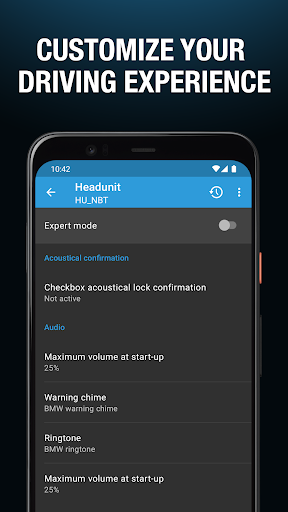
Are you looking to unlock the full potential of your BMW or MINI? The BimmerCode app is a revolutionary tool that allows car enthusiasts and everyday drivers alike to personalize and enhance their driving experience through simple coding techniques. With BimmerCode, you can access hidden features, tweak existing functionalities, and customize various aspects of your vehicle to match your preferences, all from your smartphone.
What Can You Achieve with BimmerCode?
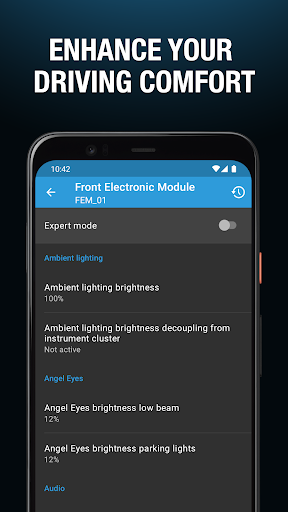
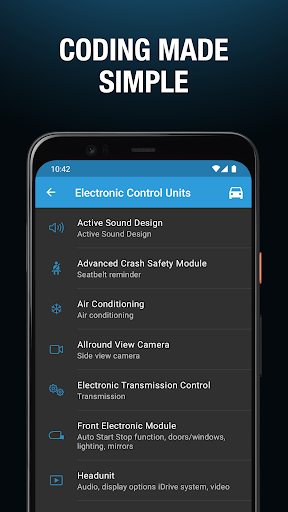
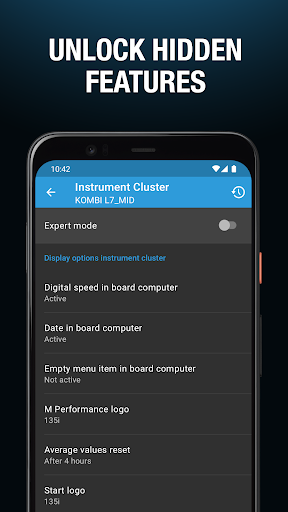
The app empowers users to modify their cars in numerous ways. For example, you can activate the digital speed display in the instrument cluster or enable your passengers to watch videos through the iDrive system while on the move. Want to disable the Auto Start/Stop feature for a smoother drive or turn on the Active Sound Design to enjoy a more dynamic engine sound? With BimmerCode, all these adjustments and more are within reach, whether you're a casual user or a seasoned car tech enthusiast.
Beyond mere customization, BimmerCode is praised for its ability to unlock hidden vehicle functions that typically require expensive dealership visits or advanced diagnostics. From automatic mirror folding to interior lighting tweaks, the app offers a wide array of options to enhance convenience, safety, and driving enjoyment.
Supported Vehicles
BimmerCode supports a broad range of BMW and MINI models across multiple generations, including:
- 1 Series (2004+)
- 2 Series, M2 (2013+)
- 2 Series Active Tourer (2014-2022)
- 2 Series Gran Tourer (2015+)
- 3 Series, M3 (2005+)
- 4 Series, M4 (2013+)
- 5 Series, M5 (2003+)
- 6 Series, M6 (2003+)
- 7 Series (2008+)
- 8 Series (2018+)
- X1 (2009-2022)
- X2 (2018+)
- X3, X3 M (2010+)
- X4, X4 M (2014+)
- X5, X5 M (2006)
- X6, X6 M (2008+)
- X7 (2019-2022)
- Z4 (2009+)
- i3 (2013+)
- i4 (2021+)
- i8 (2013+)
- MINI (2006+)
- Toyota Supra (2019+)
For a comprehensive list of supported models and coding options, visit the official BimmerCode supported cars list.
Essential Accessories for BimmerCode
To operate BimmerCode effectively, you'll need a compatible OBD adapter. The app recommends specific adapters that seamlessly connect your smartphone to your vehicle's diagnostics port, enabling smooth coding sessions. For more information about recommended adapters, visit the BimmerCode adapters page.
The Ultimate Car Customization Tool
If you've ever wished to unlock the full potential of your BMW or MINI, BimmerCode stands out as the go-to solution. This intuitive app transforms your smartphone into a powerful coding tool, giving you the ability to adjust various vehicle settings with ease. Whether it’s changing the ambient lighting to match your mood, enabling automatic mirror folding, or disabling the aggravating engine start-stop feature, BimmerCode can do it all.
Designed for convenience and accessibility, BimmerCode features a sleek, user-friendly interface that makes navigation a breeze—even for those new to car coding. Its compatibility across iOS and Android ensures most users can benefit from its capabilities without hassle.
What truly sets BimmerCode apart is its active development and vibrant community of users. The app frequently receives updates to support new models and add innovative features. Additionally, online forums provide a space where users share insights, tips, and coding cheat sheets, turning the app into part of a larger ecosystem of automotive customization. The responsive support team also helps resolve issues swiftly, making BimmerCode a reliable choice for both hobbyists and automotive professionals.
In summary, BimmerCode for BMW and MINI offers a comprehensive platform for personalizing your vehicle directly through your smartphone. If you're eager to give your BMW or MINI a unique touch, enhance its functionality, or discover hidden features, BimmerCode is the perfect companion. Embrace the world of car coding and make your driving experience truly yours.
Pros
- Simple interface suitable for users of all experience levels.
- Compatible with a broad selection of BMW and MINI vehicle models.
- Offers various coding options for multiple features.
- Provides regular updates that introduce new capabilities.
- Accessible and helpful customer support.
Cons
- Requires a compatible OBD adapter to function.
- Incorrect use may potentially void the vehicle's warranty.
- Limited features are available without payment.
- Risk of incorrect coding if not performed properly.
- Some functionalities depend on a stable internet connection.











