Discover the Power of Beacon Game Launcher
Are you an avid gamer looking for a streamlined and efficient way to manage your gaming experience on Android? Beacon Game Launcher is your ultimate solution, designed to optimize your gaming sessions while providing a clutter-free interface and advanced management features. With its sleek design and user-friendly features, Beacon Game Launcher elevates your Android gaming experience to a whole new level.
Key Features of Beacon Game Launcher
Intuitive and Customizable Interface
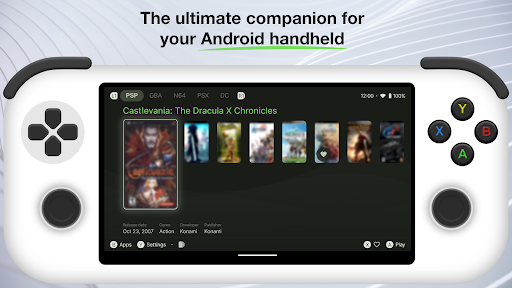
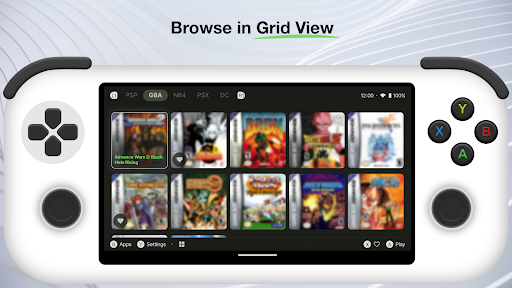
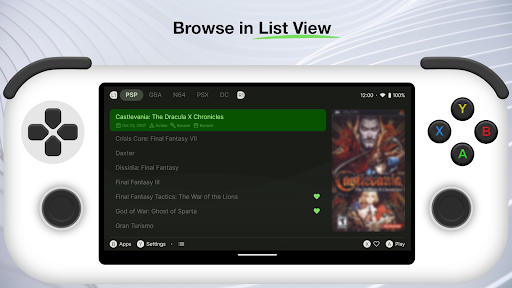
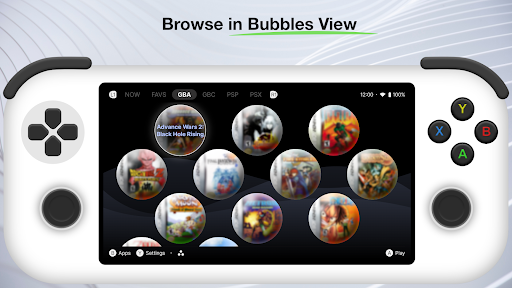
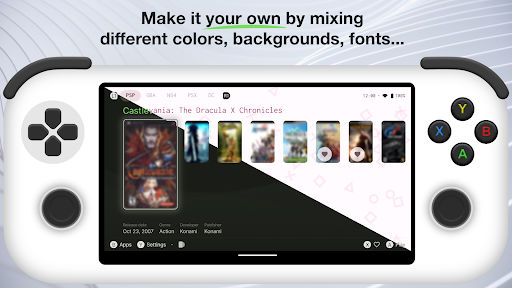
Beacon Game Launcher offers a modern, clean interface that allows users to organize their game library effortlessly. With customizable categories and themes, you can tailor the appearance to match your personal style, making your gaming dashboard both functional and visually appealing.
Game Management and Optimization
This launcher provides advanced tools for managing your games, including quick access to your favorite titles, game-specific settings, and performance enhancements. It helps optimize memory usage and CPU scheduling, ensuring smooth gameplay with minimal lag.
Enhanced Gaming Experience
Enjoy features such as do not disturb modes, screen recording, and quick toggles during gameplay. Local notifications related to game updates or achievements keep you engaged without interruption, all managed seamlessly within the launcher.
Built-in Game Library
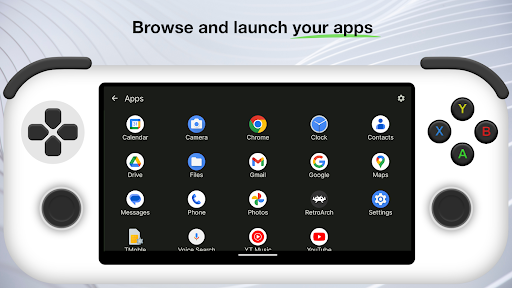
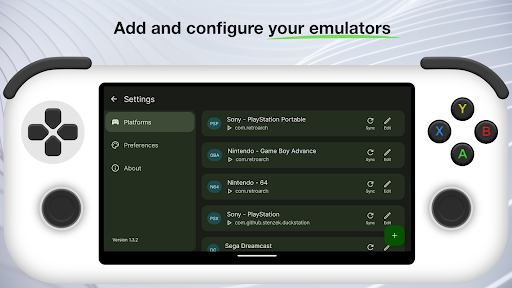
Manage your entire game collection effortlessly with the integrated library. Organize your games by categories, monitor storage space, and quickly launch titles directly from the launcher, saving you time and effort.
Performance and Battery Optimization
Beacon Game Launcher is optimized to conserve battery and improve system performance during gaming sessions. Its intelligent background activity management ensures your device remains responsive without draining resources.
Why Choose Beacon Game Launcher?
Made for Gamers
If you want a launcher specifically tailored for gaming enthusiasts, Beacon Game Launcher delivers. It combines performance optimization with a modern aesthetic, providing an ideal environment for immersive gaming.
Seamless User Experience
With a straightforward setup process and intuitive controls, users can start customizing their gaming hub immediately. The launcher is designed for speed and efficiency, reducing unnecessary complexity and making gaming on Android smoother than ever.
Reliable Performance and Updates
Beacon Game Launcher is regularly updated with new features, bug fixes, and performance improvements. It ensures a reliable and consistent experience, keeping your games organized and your device running at peak performance.
Privacy and Security
The launcher respects user privacy, with no intrusive permissions. Your game data remains secure, and the app operates efficiently in the background, contributing to a secure gaming environment.
Getting Started with Beacon Game Launcher
Installing Beacon Game Launcher is simple—just download it from the Google Play Store, customize your game library, and enjoy a personalized gaming interface. Whether you’re a casual gamer or a dedicated pro, the launcher adapts to your needs with easy setup and minimal hassle.
Support and Refund Policy
If you encounter any issues or aren't satisfied with the launcher, support is available to help you resolve problems promptly. The refund policy follows official store guidelines, available within 48 hours of purchase or by contacting support afterward.
Connect with Us
We value your feedback and aim to enhance your gaming experience continuously. Reach out through our social channels:
- X (Twitter): https://x.com/AppsLab_Co
- Telegram: https://t.me/AppsLab_Co
- Email: help.appslab@gmail.com
Pros
- User-friendly interface that is easy to navigate
- Fast performance and quick loading times
- Wide selection of features to enhance user experience
- Regular updates with new functionalities and improvements
- Reliable customer support available for assistance
Cons
- Occasional bugs that can affect usability
- High learning curve for advanced features
- Limited customization options for certain settings
- Premium features require additional payment
- Some users experience app crashes or stability issues