


Coinbase Wallet: NFTs & Crypto — Your Gateway to the Onchain Ecosystem
In the rapidly evolving world of digital assets, having a reliable and secure wallet is crucial. Coinbase Wallet has recently transitioned to Base, a platform designed to provide a seamless experience for users to create, trade, and earn within the global onchain community. This transition carries forward all existing Coinbase Wallet features, making it an ideal choice for both newcomers and seasoned crypto enthusiasts.
What is Base and How Does It Enhance Your Crypto Experience?
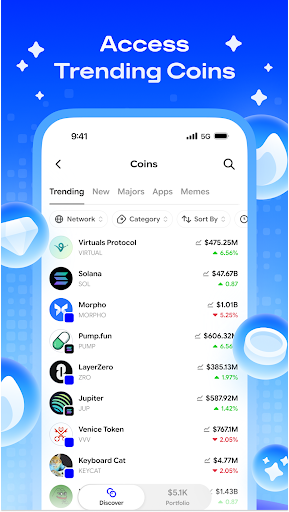
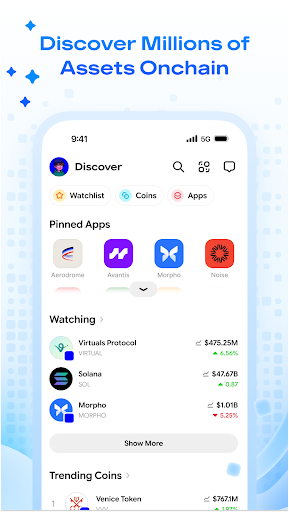
Base is your personal onchain hub that combines a secure wallet with a Web3 browser, empowering you to explore the crypto and NFT ecosystems confidently. It simplifies managing a diverse range of digital assets—from Bitcoin (BTC) and Ethereum (ETH) to multi-chain interoperability, including Solana (SOL), Polygon (MATIC), and more.
Whether you're interested in staking USDC to earn passive income, engaging in DeFi activities, or collecting and showcasing NFTs, Base offers a comprehensive platform designed to keep your crypto assets secure and accessible. With support for >170 countries and 25 languages, this app makes the world of crypto more inclusive and user-friendly.
Key Features of Coinbase Wallet: NFTs & Crypto
Support for a Wide Range of Assets
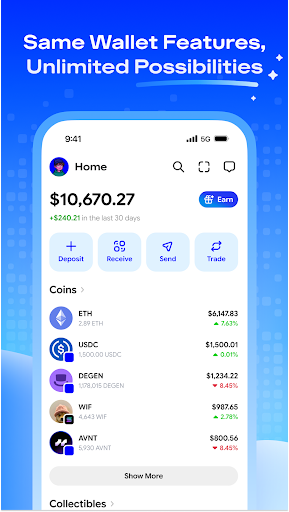
The wallet supports millions of tokens and all Ethereum-compatible chains, allowing you to securely store, send, and receive assets like Litecoin (LTC), ERC-20 tokens, and more. Your NFT collection is automatically integrated, enabling seamless management of your digital art and collectibles.
Effortless Onchain Rewards
Earn rewards with stablecoins like USDC—eligible users can earn up to 4.1% APY just by holding USDC in their wallet. These rewards are liquid and accessible anytime, providing a passive income stream alongside your other crypto activities.
Enhanced Security and Backup Options
Security is at the heart of Coinbase Wallet: NFTs & Crypto. Features such as biometric authentication, cloud backups for your passkeys, and support for recovery phrases ensure your assets remain safe. Additional safeguards protect you from phishing scams and malicious sites.
Explore Decentralized Apps and NFTs
The integrated in-app browser makes exploring decentralized applications (dApps) straightforward without leaving the platform. You can participate in DeFi projects, join DAOs, or showcase your NFT collection within a stylish gallery, adding a personalized touch to your digital assets.
Getting Started with Coinbase Wallet: NFTs & Crypto
Setting up the app is simple and quick. Available on both Android and iOS, the installation process is user-friendly, even for first-time users. The onboarding experience emphasizes security, guiding you through creating your wallet and recovery options.
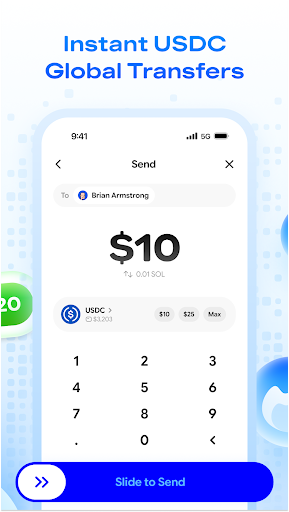
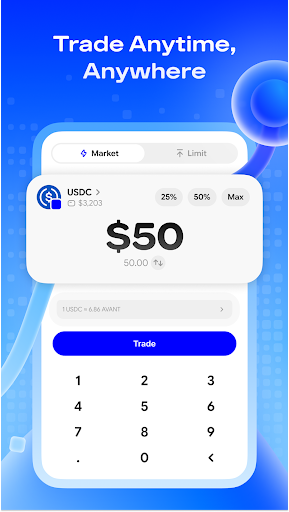
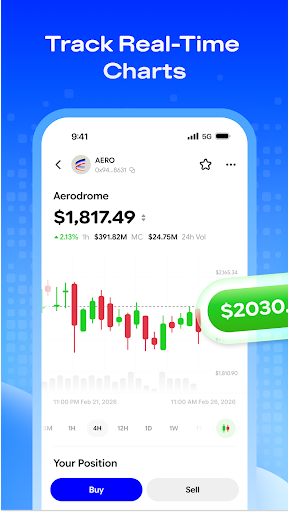
The intuitive interface ensures smooth transactions and easy navigation, whether you’re transferring assets or exploring new crypto opportunities. The app’s design prioritizes speed and reliability, making your crypto journey enjoyable and hassle-free.
Why Choose Coinbase Wallet: NFTs & Crypto?
In a competitive landscape, Coinbase Wallet: NFTs & Crypto stands out by providing a robust, security-focused platform that bridges the gap between traditional finance and decentralized technologies. Its support for a vast array of assets, seamless dApp integration, and wealth of features make it an essential tool for anyone looking to dive into blockchain-based assets.
If you’re seeking a trusted and user-friendly crypto wallet that supports NFTs, offers passive earning opportunities, and ensures your assets are protected with industry-leading security measures, this app is a compelling choice. It truly acts as a gateway to the future of finance, empowering users to explore the endless possibilities of the onchain ecosystem.
Pros
- User-friendly interface suitable for beginners.
- Supports a wide variety of cryptocurrencies.
- Includes an integrated DApp browser.
- Provides security through biometric authentication.
- Facilitates easy connection to DeFi services.
Cons
- Limited options for customer support.
- Occasional high transaction fees.
- No available desktop version.
- Advanced features can be complex to use.
- Limited educational resources provided.











