
AutoZen-Car Dashboard & Launcher: Your Ultimate Driving Companion
When it comes to navigating the hustle and bustle of everyday driving, having the right tools at your disposal can make all the difference. Introducing AutoZen - Car Dashboard & Launcher, a versatile app that transforms your smartphone into a sophisticated driving assistant. Designed with safety and convenience in mind, this app is ideal for drivers seeking an Android Auto replacement or an alternative to Apple CarPlay. Whether you spend hours commuting or enjoy road trips, AutoZen offers a seamless blend of navigation, media control, and hands-free communication to elevate your driving experience.
Intuitive and User-Friendly Interface
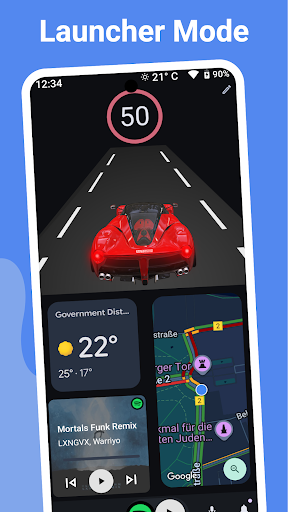
The first thing you’ll notice about AutoZen is its sleek, minimalistic design tailored for drivers. The interface features large icons and easy-to-read text, ensuring minimal distraction while behind the wheel. Whether you're checking navigation, controlling music, or managing calls, everything is just a tap or voice command away. This focus on safety and ease of use makes AutoZen an excellent car launcher for Android, transforming your device into a smart dashboard that keeps your eyes on the road.
Robust Navigation and Routing Features
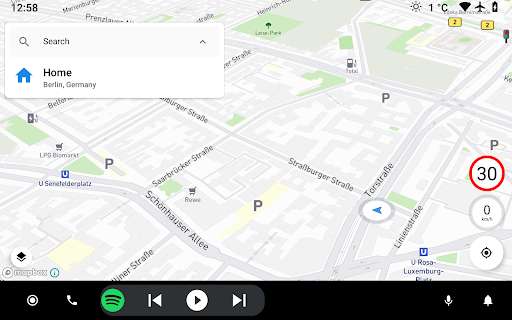
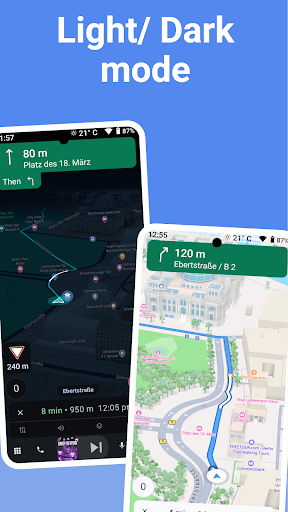
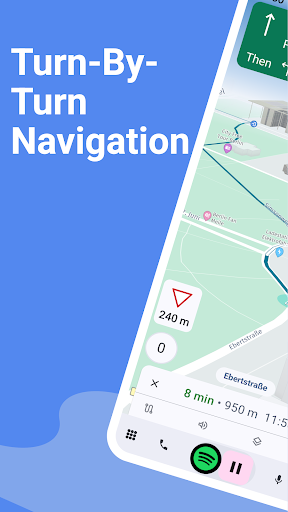
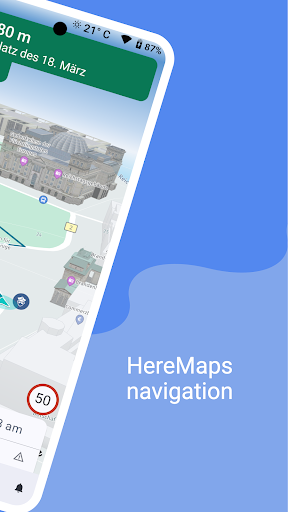
Navigate with confidence using AutoZen's advanced auto navigator. It seamlessly integrates with popular map apps like Google Maps, Waze, and HERE Maps, providing precise turn-by-turn navigation. Get real-time traffic updates, route suggestions, and alerts for speed cameras. The app's intelligent design adjusts brightness for day or night driving, ensuring visibility without glare. Whether you're headed to a new address or familiar destination, AutoZen guarantees smooth guidance every step of the way.
Media and Music Control
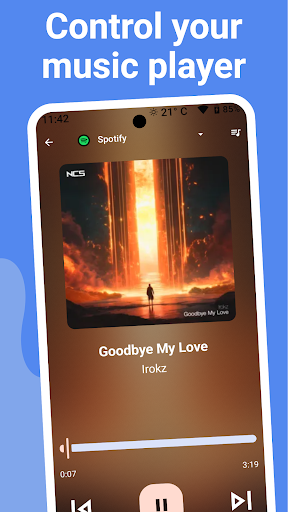
Enjoy your favorite tunes while driving with AutoZen's built-in car media player. The app can automatically connect to your Bluetooth devices, allowing effortless control of music apps like Spotify, Deezer, Pandora, and Tidal. Stream podcasts, radio stations, and more, all without taking your hands off the wheel. This integration ensures a safer, more comfortable driving environment, making AutoZen an ideal car media player app.
Hands-Free Communication and Messaging
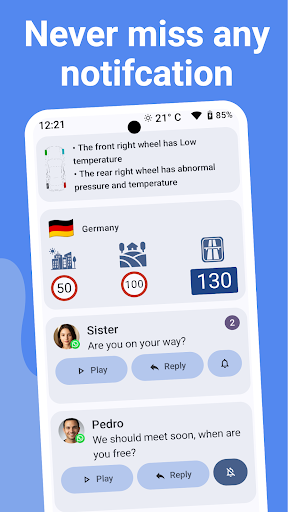
Manage your contacts, make calls, and send messages without distraction. AutoZen includes a hands-free calling feature that lets you manage your contacts with a tap and speak to dial. Additionally, it can read incoming messages aloud, allowing you to listen without glancing at your screen. You can reply via voice commands, supporting popular messaging platforms like WhatsApp, Telegram, Facebook Messenger, and SMS. This comprehensive messaging feature ensures you stay connected safely on the road.
Voice Command and Auto Assistant
Take driving convenience to the next level with voice command support. You can operate AutoZen using built-in voice recognition or Google Assistant. Whether you need directions, make a call, or control media, voice commands make it effortless to keep your focus on driving. This feature is especially useful in auto mode when your hands need to stay on the wheel.
Customization and Dashboard Modes
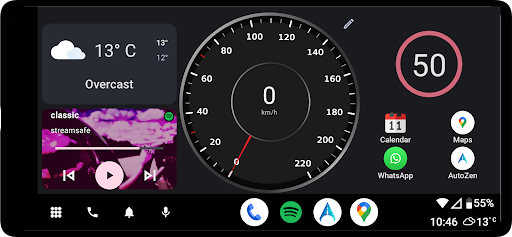
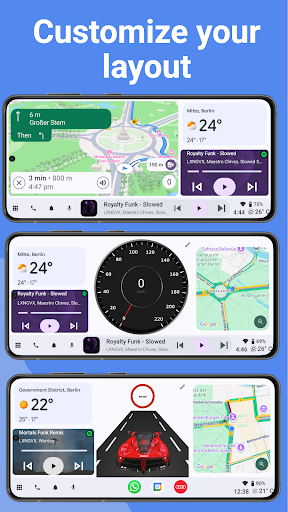
Create a personalized driving interface by customizing widgets, themes, and layouts. Choose between various dashboard styles like cockpit, speedometer, maps, or inspired layouts like Cool Walk. Enable car launcher mode for optimized display during trips and select different auto-drive modes suitable for auto or motorcycle use. Additional features include TPMS to monitor tire pressure and glanceable info such as weather, battery level, and clock—all accessible at a quick glance.
Additional Features for an Enhanced Driving Experience
AutoZen also supports mirrorlink for auto infotainment, allowing screen mirroring to your car’s display. While it cannot connect directly to factory-installed car screens like some Android Auto systems, it functions as a standalone app that transforms your phone into a smart dashboard. The app can automatically detect your vehicle type, whether auto or motorcycle, adapting features accordingly. This makes AutoZen a truly versatile car dashboard app that enhances your driving safety and enjoyment.
Conclusion
In today's fast-paced world, having a reliable auto navigation, car media control, and hands-free communication system integrated into your Android device is essential. AutoZen - Car Dashboard & Launcher meets these needs with its intuitive design, comprehensive features, and seamless app integrations. It’s more than just a car launcher app; it’s a full-fledged driving assistant that prioritizes safety and convenience. Next time you get behind the wheel, consider turning your smartphone into a smart car dashboard with AutoZen and make every journey safer and more enjoyable.
Pros
- User-friendly interface improves driving experience
- Customizable dashboard tailored to personal preferences
- Effective voice command integration
- Supports various navigation applications
- Battery-saving features suitable for extended drives
Cons
- Basic version offers limited free features
- GPS signal may drop occasionally
- Voice command responses can be slow
- Requires a constant internet connection
- Some functionalities are behind a paywall











