
Autolink: The Ultimate Car Connectivity and Smart Driving Companion
In today’s fast-paced world, staying connected while on the move is more important than ever. Autolink is an innovative mobile application designed to seamlessly integrate your smartphone with your vehicle, transforming your driving experience into a safer, more efficient, and more enjoyable journey. This app is particularly renowned for its user-friendly interface, robust features, and ability to bridge the gap between your mobile device and your car’s multimedia system.
Effortless Smartphone Integration with Your Vehicle
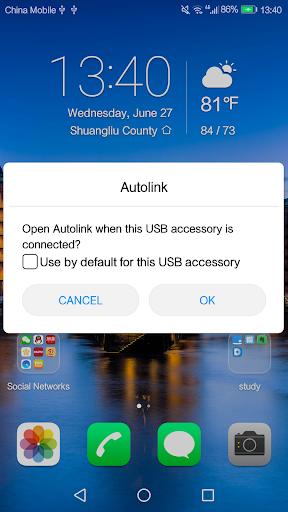
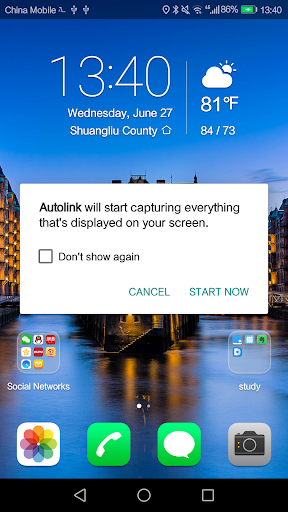
One of the core functionalities of Autolink is its ability to connect your mobile phone to your vehicle through a simple USB connection, utilizing mirror link technology. Once connected, your phone's screen is displayed on the vehicle’s infotainment system, enabling you to operate your smartphone via the car’s touchscreen. This method makes it incredibly convenient and safe to manage calls, messages, or apps while driving—reducing distractions and helping you adhere to road safety regulations.
When driving on the road, Autolink ensures that controlling your mobile device is both effortless and secure. The system also allows you to enjoy all your phone's multimedia functions through your vehicle’s audio system. Whether you're listening to music, navigating with maps, or managing notifications, this integration greatly enhances your driving environment without compromising safety or convenience.
Comprehensive Car Connectivity Management
Beyond media and safety features, Autolink offers a suite of tools that streamline vehicle management and diagnostics. The app provides real-time diagnostics, so when a warning light illuminates on your dashboard, you can quickly access detailed information directly from your smartphone. This feature acts like a portable mechanic, saving you time and potentially avoiding costly repairs by identifying issues early.
Another innovative aspect of Autolink is its integration with your calendar, allowing the app to analyze traffic conditions and suggest optimal travel times. This proactive approach helps you plan your trips more efficiently, reducing delays and fuel consumption—creating a more sustainable driving experience.
Enhanced Driving Experience with Smart Features
Driving becomes more enjoyable with Autolink thanks to its seamless integration with popular navigation and music apps. You can control your playlists, access directions, and switch between apps effortlessly via your car’s touchscreen—eliminating the need to fumble with your phone during critical moments on the road. This integrated control makes every trip smoother and more pleasant.
Additionally, the app offers valuable fuel-saving tips by analyzing your driving habits. It suggests efficient driving techniques, encouraging greener habits while helping you save money on gas. This feature aligns with the increasing demand for eco-friendly automotive technology, making Autolink a smart choice for environmentally conscious drivers.
Final Thoughts: Your All-in-One Car Companion
In conclusion, Autolink is more than just a connectivity app—it’s your comprehensive automotive companion. From facilitating a safe and effortless connection between your mobile device and your vehicle to providing real-time diagnostics, driving tips, and multimedia controls, it transforms the way you interact with your car. Whether you’re a tech enthusiast eager to harness the latest in automotive technology or a driver seeking greater convenience and safety, Autolink offers a powerful solution that enhances every aspect of your driving experience. Install it today and discover how this innovative app can seamlessly integrate into your daily routine, making every drive more efficient, safe, and enjoyable.
Pros
- User-friendly interface for easy and fast navigation.
- Works smoothly with other platforms.
- Provides real-time updates to improve user experience.
- Offers highly customizable settings.
- Supports users effectively with an efficient customer support team.
Cons
- Occasional bugs may impact overall performance.
- Limited functionality when offline.
- Subscription costs can be high.
- Needs frequent updates to function properly.
- May have compatibility problems on older devices.











