


Introduction to the Allstate Mobile App
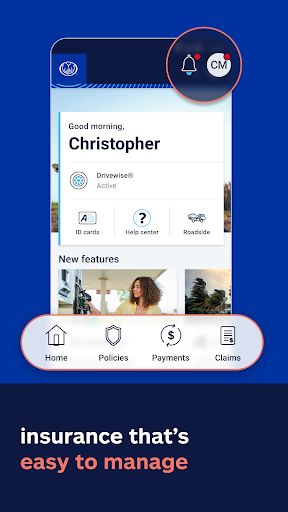
If you're an Allstate customer looking for a convenient way to manage your insurance policies, the Allstate Mobile app is designed to bring the services of a full insurance office right to your fingertips. This user-friendly application offers quick access to ID cards, seamless bill payments, and comprehensive policy management, all in one easy-to-navigate platform. Whether you're on the go or at home, the Allstate app ensures you're always in control of your insurance needs.
Getting Started with the Allstate Mobile App
Setting up the Allstate Mobile app is straightforward. Once downloaded, the app guides you through a simple login process with clear instructions. Its clean, intuitive interface allows both new and existing users to find what they need instantly, avoiding any frustration often associated with complex apps. This simplicity enhances your experience and ensures you can quickly access vital insurance features when needed.
Key Features of the Allstate Mobile App
Manage Your Insurance Anytime, Anywhere
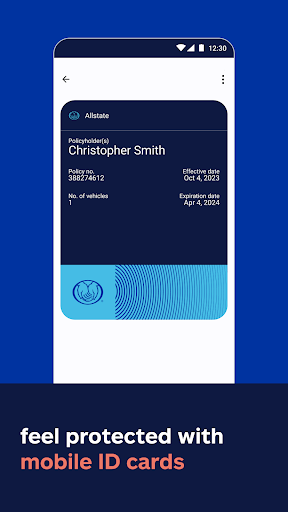
The app offers quick access to digital ID cards that can be added to Apple Wallet*, facilitating easy proof of insurance during traffic stops or when required. You can effortlessly pay bills, view policies, and manage claims with just a few taps. This ability to control your insurance coverage remotely adds a layer of convenience and peace of mind.
Smart Driving Rewards and Safety Tools
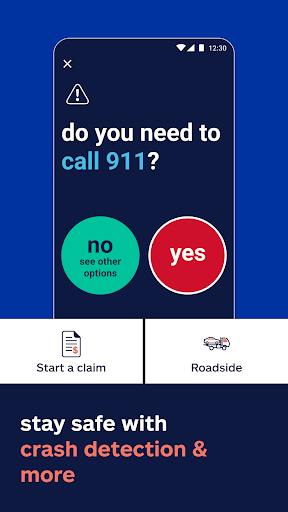
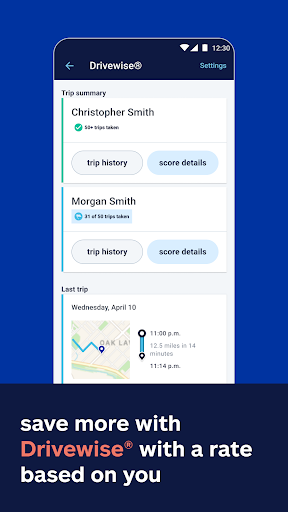
One standout feature is Drivewise®, which monitors your driving habits and rewards safe drivers with incentives. This personalized feedback helps you improve your driving behavior while potentially saving money on your premiums. Additionally, with crash detection technology, the app can quickly connect you with assistance during emergencies, making roadside help readily accessible when you need it most. Using these tools not only promotes safer driving but also enhances your overall insurance experience.
Additional Protection and Cost Savings
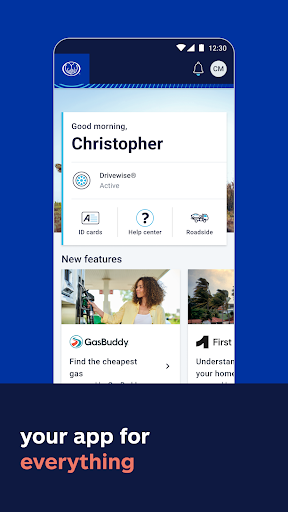
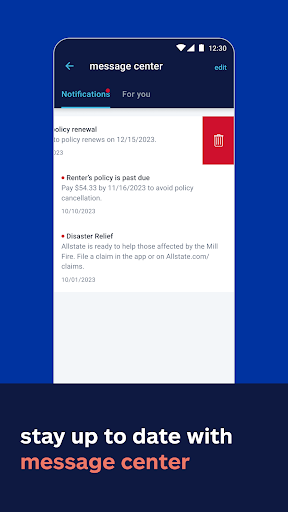
Find the best gas prices with GasBuddy®, saving you money on fuel. The app also helps you stay prepared for extreme weather with alert notifications, identifies climate risks for your home, and provides 24/7 roadside assistance. Moreover, with Allstate Identity Protection, your personal information is monitored for fraud, adding another layer of security to your coverage.
Claim Filing Made Easy
The QuickFoto Claim feature simplifies the process of filing claims. By snapping photos of damages and submitting them directly within the app, you eliminate the need for lengthy paperwork or phone calls, thus saving valuable time during stressful situations.
Why Choose the Allstate Mobile App?
The Allstate Mobile app is more than just a management tool; it’s a comprehensive insurance companion. Its features promote responsible driving, streamline claim procedures, and keep you informed about potential hazards—all from a single, easy-to-use platform. Whether checking your policies, making payments, or enhancing your safety, this app puts control firmly in your hands.
Conclusion
In today’s fast-paced world, managing insurance shouldn’t be complicated. The Allstate Mobile app makes it simple, efficient, and accessible—delivering powerful tools that help you stay protected and save money. If you’re an Allstate policyholder, downloading and exploring this app could significantly enhance your insurance experience and offer peace of mind wherever you go.
Pros
- User-friendly interface
- Extensive coverage options
- Fast claims processing
- Integration with roadside assistance
- Customizable widget options
Cons
- Occasional app crashes
- Limited offline features
- Slow response from customer support
- Reported login problems
- High data consumption











