

Introducing AAWireless for Android Auto™: Your Wireless Car Experience
Are you tired of dealing with cumbersome cables every time you want to connect your smartphone to your vehicle's infotainment system? AAWireless for Android Auto™ is a game-changing app designed to enhance your driving experience by enabling seamless wireless connectivity between your Android device and your car's Android Auto™ system. This innovative app, in combination with the AAWireless adapter, transforms your traditional wired connection into a convenient wireless setup, making every journey smoother and more enjoyable.
Why Choose AAWireless? Key Features and Benefits
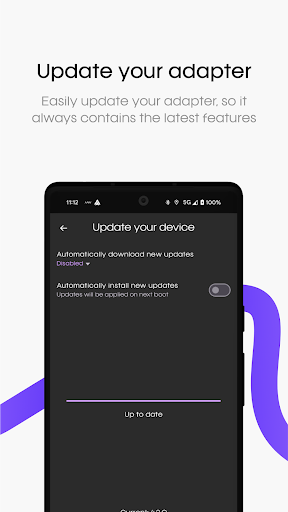
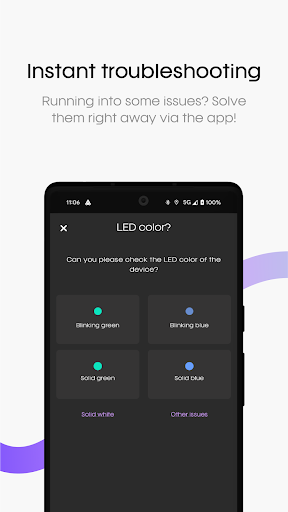
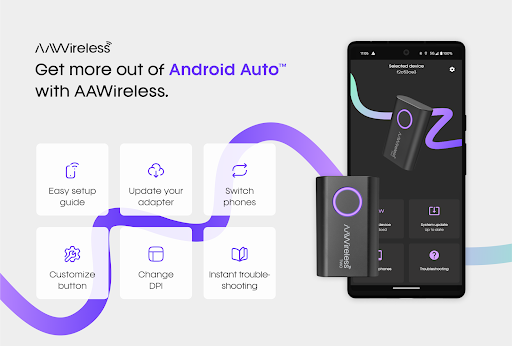
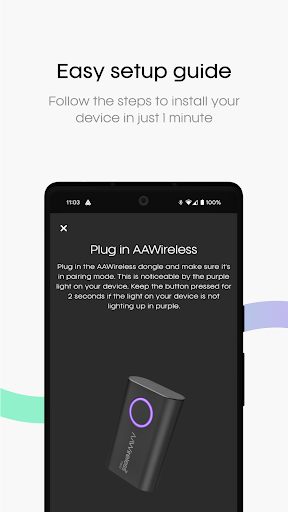
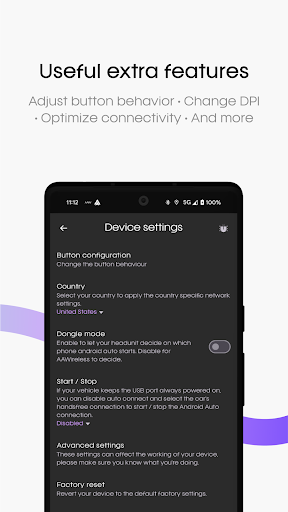
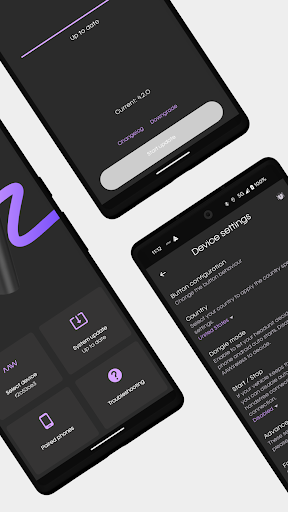
The AAWireless app offers a plethora of features crafted to maximize the potential of your wireless Android Auto™ experience. Setting up is straightforward, and the app provides instant troubleshooting tips to resolve any connectivity issues with minimal effort. You can effortlessly update your AAWireless adapter, ensuring compatibility with the latest smartphone models and vehicle systems. Customization is at your fingertips—modify button functions, change DPI settings for better display, and personalize your interface to suit your preferences. With these versatile features, AAWireless for Android Auto™ aims to provide a streamlined, user-friendly experience that elevates your in-car entertainment.
Embark on a Cable-Free Journey with AAWireless
Who doesn't want the freedom of a wireless connection? With AAWireless, users can say goodbye to tangled cables and enjoy a clutter-free dashboard. Once the AAWireless adapter is plugged into your vehicle’s USB port and paired with your smartphone via the app, you’re ready to experience true wireless Android Auto™. The pairing process is so simple that it feels almost like pairing a Bluetooth device—just follow the on-screen prompts, and you're good to go. The result? A more organized, safer, and more convenient driving environment, all without sacrificing access to navigation, music, and other Android Auto™ features.
Performance You Can Trust
Wireless connections sometimes come with concerns about lag or disconnects, especially during long drives. However, users of AAWireless report consistent, reliable performance. The app ensures smooth transitions between apps, voice commands, navigation, and media streaming, delivering a experience comparable to wired connections. This impressive stability means you can rely on AAWireless for daily commutes, road trips, or long journeys without interruptions or frustrating delays.
Compatibility and Continuous Updates
One of the standout features of AAWireless is its broad compatibility. It supports most vehicles that are compatible with Android Auto™, making it accessible to a wide range of users. Additionally, developers regularly release updates, ensuring compatibility with the newest phones and car infotainment systems. This ongoing support underscores the app’s commitment to quality and longevity, giving you confidence that your wireless Android Auto™ setup will stay current and functional for years to come.
Elegant Design and Portability
The AAWireless adapter features a compact, discreet design that seamlessly blends into your vehicle's interior. Its small size makes it easy to leave plugged in without cluttering your dashboard or distracting you while driving. The unobtrusive appearance coupled with straightforward functionality enhances your overall user experience, making it both practical and aesthetically pleasing.
Conclusion: Make Your Car Rides Smarter and Simpler
If you value convenience, organization, and a modern tech-savvy approach to your in-car entertainment, AAWireless for Android Auto™ is an excellent investment. Its easy setup, dependable performance, and continual updates make it a top choice for anyone looking to transition to a wireless Android Auto™ experience. Say goodbye to the mess of cables, and say hello to a more streamlined, enjoyable drive—where technology works seamlessly to keep you connected and entertained.
Pros
- Seamless Android Auto connectivity
- Compact and portable device
- Easy setup with user-friendly app
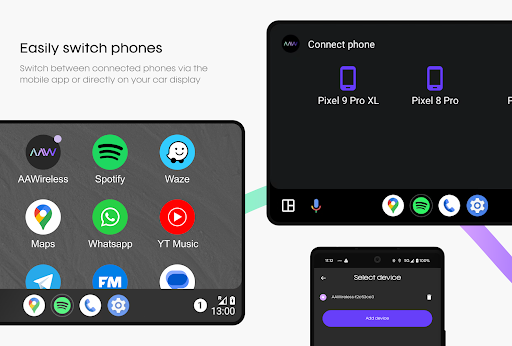
- Supports multiple devices
- Regular firmware updates
Cons
- May experience occasional disconnections
- Limited to Android devices
- Requires initial Bluetooth pairing
- Dependent on the car's USB port
- Battery drain with prolonged use











