

Discover the Power of 850 OBD-II: The Ultimate Car Diagnostics App
If you've ever wondered what’s really happening behind the scenes of your vehicle, the 850 OBD-II app might just become your best automotive companion. Designed to transform your smartphone into a professional-grade diagnostics tool, this innovative application offers a comprehensive window into your car’s performance — all without the need for visiting the mechanic. Whether you’re a car enthusiast or a cautious driver, the 850 OBD-II app helps you understand your vehicle better, detect issues early, and even perform some programming tasks, making car maintenance smarter and more accessible than ever before.
Getting Started with 850 OBD-II
Setting up the 850 OBD-II app is simple and user-friendly. The core requirement is an ELM327 adapter, which connects to your vehicle’s OBD-II port—usually located under the dashboard—and pairs with your smartphone via Bluetooth, Wi-Fi, or USB. Once connected, download the app and follow the straightforward on-screen instructions to establish a stable connection. The interface is designed to be intuitive, allowing both seasoned mechanics and casual users to learn and operate with ease.
Key Features of 850 OBD-II
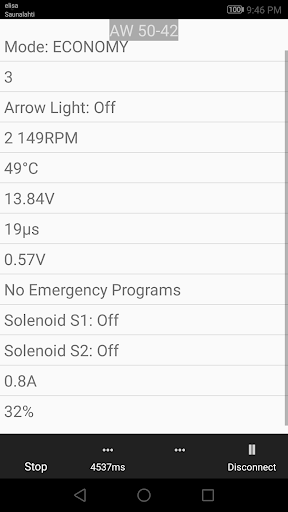
This powerful diagnostics app offers a suite of features that go well beyond standard OBD-II capabilities. Not only can you read and clear diagnostic trouble codes (DTCs), but you can also access detailed live sensor data in real-time, providing insights into engine RPM, vehicle speed, fuel consumption, and more.
One of the standout functions is the ability to read Volvo-specific DTCs and translate them into understandable insights—covering models like the P80, S70, V70, XC70, and more. You can even record freeze frame data, capturing a snapshot of your vehicle’s status precisely at the moment a fault occurs. This is especially helpful for diagnosing intermittent issues that are challenging to replicate.
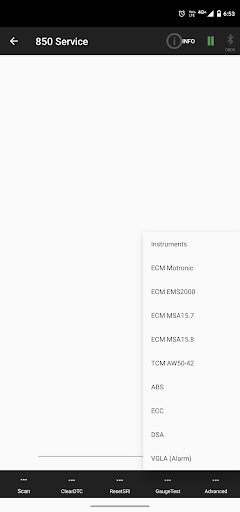
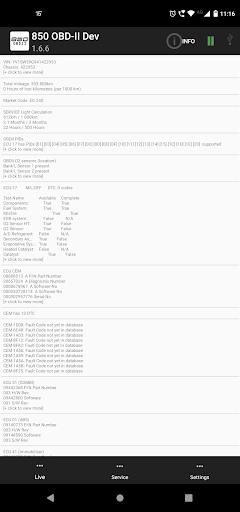
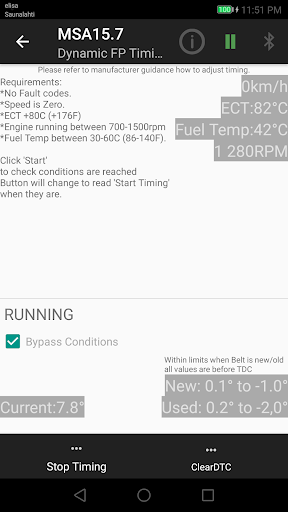
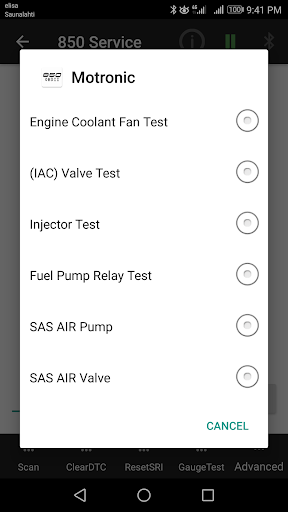
The app also supports module programming and parameter adjustments for certain modules such as the ABS, dashboard, and other ECUs—on select Volvo series including the 850/900 series. With advanced commands like injector testing, fuel pump timing, and remote programming, it essentially acts as a mini workshop tool. More excitingly, it supports multi-module diagnostics, revealing details about ECUs, part numbers, and system configurations.
However, note that some features like Yazaki dashboards, MFI systems, and certain engine control modules (like Fenix 5.2 ECM or cruise control systems) are not reachable through the app, due to hardware limitations.
Supported Vehicles and Modules
The 850 OBD-II app works particularly well with P80, P1, P2, and S/V70 series (up to model years 2004). For models since 2000, support extends to modules such as CEM, BCM, TCM, ME7, and more. The app also supports S80 (from 1998+) and later since you might need to tweak the "CAN Bus year" setting to handle newer modules.
Enhanced Diagnostics & Live Data
The 850 OBD-II offers extensive live data monitoring, presenting scrolling real-time sensor information for key systems like ABS, SRS (airbag), instrument clusters, and the automatic transmission. This feature allows you to see instantaneous readings, making troubleshooting much more manageable.
You can also perform component activation tests, such as turning on the fuel pump, testing the immobilizer, or activating specific modules directly through the app’s interface. The ability to send custom commands directly to your vehicle’s ECUs enhances its utility—turning your smartphone into a detailed diagnostic terminal.
Additional Capabilities & Flexibility
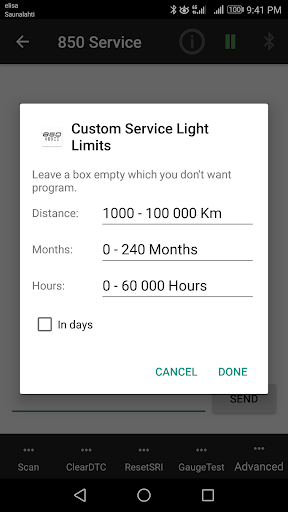
Beyond diagnostics, the 850 OBD-II app enables programming and tuning tasks like resetting service lights (SRI), programming modules, or adjusting parameters. Whether it’s resetting the SRS warning lights or performing advanced module configuration, the app packs a diverse range of functionalities.
You can also use the app to send custom written commands to your vehicle’s ECUs, which is valuable for advanced users wanting more control. The app maintains an open design for these operations, supporting multiple simultaneous commands, and providing a scripting-like environment in the service tab.
Limitations & Ongoing Improvements
While the app is feature-rich, it does have limitations. Certain systems like Yazaki dashboards, MFI systems, and some specific engine controls are currently unreachable due to hardware constraints. Additionally, since testing is mostly conducted on personal vehicles and bench setups, occasional bugs may occur. The developer encourages feedback for future updates and improvements.
Your Volvo’s Diagnostic Companion
In summary, the 850 OBD-II app is a comprehensive diagnostic tool tailored primarily for Volvo enthusiasts and owners of models from the late 90s and early 2000s. It surpasses basic OBD-II scanners by supporting module-specific commands, live data, complex fault code analysis, and minor programming functions. The app is designed to be a powerful yet accessible tool that turns your smartphone into a workshop companion, providing detailed insights and control over your Volvo’s electrical and engine systems.
Final Thoughts
Whether you're troubleshooting a check engine light, performing routine maintenance, or exploring the inner workings of your vehicle, the 850 OBD-II app offers versatile features that cater to both novices and seasoned mechanics. With continuous updates, support for a range of Volvo models, and the flexibility to execute advanced commands, it’s an indispensable tool for automotive enthusiasts passionate about understanding and maintaining their cars. Take charge of your vehicle’s health—download the 850 OBD-II app today and experience the difference of true do-it-yourself diagnostics!
Pros
- Real-time engine diagnostics.
- User-friendly interface.
- Comprehensive error code database.
- Affordable price point.
- Supports most car models.
Cons
- Limited advanced features.
- Requires additional hardware.
- Occasional connection issues.
- No offline mode available.
- Basic user manual.











