
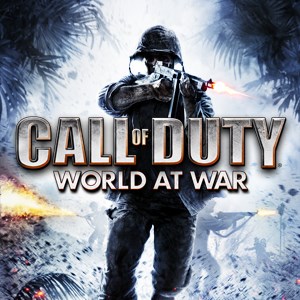
- Name Call of Duty®: World at War (2008)
- Category Shooter
Introduction to Call of Duty®: World at War (2008)
Step into the brutal and gritty world of WWII with Call of Duty®: World at War, a game that combines cinematic storytelling with intense combat. Developed by Treyarch and published by Activision, this title remains a classic in the WWII shooter genre, offering players a visceral experience of war's chaos and heroism.
Core Features That Make It Stand Out
Realistic WWII Combat Experience
The game immerses players in historically inspired battles across Pacific and Eastern Front theaters. Its detailed weaponry, authentic sound design, and meticulously recreated environments transport players right into the heart of WWII, providing a compelling and historically grounded shooting experience.
Dynamic Campaigns & Cooperative Gameplay
World at War breaks traditional single-player mold with its gripping campaigns that emphasize story-driven missions. Additionally, its cooperative mode lets friends team up for multiplayer missions, adding a layer of camaraderie and replayability that keeps players coming back for more.
Innovative Gameplay Mechanics
This edition introduces mechanics like environment-based tactics—such as throwing grenades into enemy foxholes or utilizing destructible cover. The adrenaline of intense firefights combined with strategic depth offers a balanced challenge for both newcomers and seasoned shooters.
In-Depth User Experience Analysis
Design & Interface
The UI is straightforward, fitting naturally into the WWII theme—think vintage military interfaces and worn leather textures. Menus are intuitive, allowing quick access to multiplayer modes, campaign progress, and customization options. Visual design is functional rather than flashy, emphasizing clarity to keep players immersed in combat without distraction.
Gameplay Smoothness & Learning Curve
The game runs smoothly on modern PCs, with responsive controls that translate well from console-to-PC, ensuring a seamless experience. The learning curve is moderate; beginners will find the controls accessible, while veteran players can master tactical nuances like grenade throws and cover use easily. Difficulty settings accommodate a broad spectrum, offering both casual fun and challenging warfare.
Unique Selling Points & Differentiation
What truly sets World at War apart from other WWII shooters is its gritty, unflinching portrayal of warfare coupled with a focus on visceral storytelling. Unlike some titles that glamorize combat, it emphasizes realism—harsh environments, limited ammo, and the chaos of battle. Its cooperative campaign also stands as a noteworthy feature, fostering teamwork in a genre often dominated by solo experiences. These elements give it a distinctive edge, particularly for players seeking authenticity and camaraderie.
Final Verdict & Recommendations
Call of Duty®: World at War is a solid choice for enthusiasts of historical military shooters. Its detailed environments, realistic mechanics, and cooperative gameplay make it a compelling package. While it retains some dated graphics by today's standards, its core mechanics and storytelling remain engaging. I recommend it to players who appreciate immersive WWII narratives and tactical combat. Beginners should start on easier difficulty settings, but veterans will find enough challenge to keep them hooked.
Overall, if you're looking for a game that combines historical authenticity with intense action and teamwork, World at War deserves a spot in your library. It's like stepping into a war documentary but with the adrenaline of a high-stakes shooter—an experience worth exploring carefully and thoughtfully.
Pros
- Engaging single-player campaign with varied missions
- Smooth gameplay optimized for various hardware
- Intuitive controls suitable for touchscreen devices
- Multiplayer mode offers competitive fun with friends
- Regular updates and bug fixes improve stability over time
Cons
- Limited graphical options on lower-end devices
- Some users report occasional connectivity issues in multiplayer
- Lack of detailed tutorial for new players
- In-app purchase options may tempt impulsive buying
- Limited content compared to PC/console versions











