
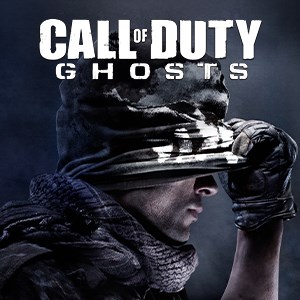
- Name Call of Duty®: Ghosts (Windows)
- Category Shooter
An Intense First-Person Shooter Experience on Windows
Call of Duty®: Ghosts for Windows offers a compelling mix of cinematic storytelling and adrenaline-pumping action, making it a standout title for FPS enthusiasts seeking immersive gameplay on their PCs. Developed by Infinity Ward and published by Activision Publishing Inc., the game aims to deliver a modern military combat experience that immerses players into a relentless warzone.
Key Features That Make Call of Duty®: Ghosts Shine
Dynamic Campaign Mode
Embark on a gripping single-player storyline set in a destabilized world post-invasion, where players command an elite squad against powerful enemies. The campaign's narrative is rich with cinematic sequences, giving players a sense of being part of a high-stakes movie, with varied missions spanning diverse terrains—from urban war zones to remote wilderness.
Robust Multiplayer Experience
Call of Duty®: Ghosts' multiplayer is its crown jewel, offering a wide array of customizable loadouts, dynamic maps, and competitive modes. The game's netcode and matchmaking system are finely tuned to provide smooth, responsive combat, keeping players engaged in intense firefights that require strategic thinking and quick reflexes.
Innovative Favorite Extinction Mode
Beyond traditional modes, Ghosts introduces Extinction—an exciting cooperative experience where players team up to fend off waves of alien enemies. This mode stands out for its engaging gameplay loop, requiring teamwork and tactics, contrasting the typical human VS human combat seen in multiplayer modes.
Immersive User Interface and Experience
The interface of Call of Duty®: Ghosts maintains a sleek, militaristic aesthetic that resonates with the game's theme. Navigating menus is intuitive, with quick access to multiplayer, campaign, and customization options. The game's graphics are visually impressive, with detailed character models and realistic environments that pull players into the action. The controls are responsive, ensuring fast-paced firefights feel natural and precise, even for newcomers. Learning curve is moderate; seasoned FPS players will find the mechanics familiar, while newcomers can adapt with a few matches under their belt.
What Sets It Apart from Other Shooters?
One of the most distinctive aspects of Ghosts is its focus on tactical team-based gameplay. The game emphasizes coordinated squad movements and calls in support assets, which elevates it beyond mere run-and-gun mechanics. Additionally, the Extinction mode offers an exclusive cooperative challenge that diversifies gameplay and encourages replayability. Its narrative-driven campaign also integrates cinematic storytelling seamlessly with action sequences, providing a more immersive experience compared to some peers that lean heavily on multiplayer or arcade-style play.
Recommendation and Usage Suggestions
Overall, Call of Duty®: Ghosts stands out as a well-crafted FPS with strong multiplayer, engaging campaign, and innovative modes. It's particularly suited for players who enjoy tactical combat and story-rich experiences. For those looking for a game that combines cinematic aesthetics with competitive and cooperative elements, Ghosts is highly recommended. However, players who prefer more arcade-like or less story-focused shooters might find the game slightly demanding in terms of strategic planning. For the best experience, ensure your system meets the recommended specifications and consider playing with a controller or mouse and keyboard setup that offers quick responsiveness, crucial in high-stakes firefights.
Pros
- Immersive single-player campaign
- Smooth gameplay performance
- Excellent visual graphics
- Wide range of multiplayer modes
- Regular updates and bug fixes
Cons
- Large storage requirements
- Initial download can be slow
- In-game microtransactions are not transparent
- Limited customization options for controls
- Occasional connectivity issues in multiplayer











