
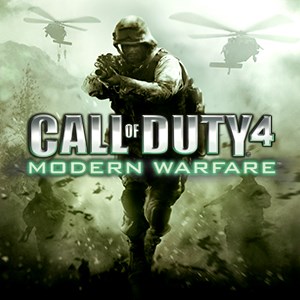
- Name Call of Duty® 4: Modern Warfare® (2007)
- Category Shooter
Introducing Call of Duty® 4: Modern Warfare® (2007): A Legacy of Intensity
Since its release in 2007, Call of Duty® 4: Modern Warfare® has stood as a benchmark in first-person shooter gaming, blending cinematic storytelling with compelling multiplayer action. Developed by Infinity Ward and published by Activision, this game promises an adrenaline-pumping experience that transports players into the heart of contemporary warfare, offering a seamless combination of storytelling and competitive play.
Core Features That Define the Experience
Immersive Campaign with Cinematic Flair
The game's single-player narrative is a masterclass in tension and pacing. Players are thrust into a gripping storyline that oscillates between urban battlegrounds and covert operations, with Hollywood-quality cutscenes and voice acting. The campaign's design encourages strategic thinking, demanding players adapt quickly to diverse scenarios, much like a cinematic action sequence unfolding in real-time.
Multiplayer Mode – Competitive Battlefield
Multiplayer remains the heart of Modern Warfare, boasting a variety of modes such as Team Deathmatch, Search and Destroy, and Capture the Flag. The refined gameplay mechanics promote fast-paced combat and tactical teamwork. Unique features like customizable loadouts, unlockable weapons, and progression systems keep players engaged, transforming every match into a dynamic chess game on digital terrain.
Outstanding Graphics and Audio Design
Though originating in the early console era, the game's graphics still impress with detailed textures and realistic effects that deepen immersion. The sound design enhances this experience—explosive gunfire, commanding voice-overs, and immersive ambient sounds make each combat scenario feel visceral and genuine, almost like standing amid chaos on the battlefield.
User Experience: Intuitive, Yet Challenging
Playing Modern Warfare on Windows offers a surprisingly smooth experience, especially considering its age. The interface is clean and straightforward, allowing even newcomers to navigate menus and settings effortlessly. The controls translate well to keyboard and mouse, providing precise aiming and movement, while the learning curve remains welcoming—intuitive enough for casual players yet deep enough for veterans seeking mastery.
Unique Selling Points Compared to Other Shooters
What sets Call of Duty® 4 apart from its contemporaries is its balanced approach to realism and accessibility. Unlike some more arcade-like shooters, it emphasizes tactical combat with weapon recoil mechanics and cover-based shooting. Its cinematic storytelling integrates seamlessly with multiplayer features, creating a cohesive universe that immerses players into modern warfare—not just as spectators but as active participants. Moreover, the game's engine, while now classic, still delivers crisp gunplay and impactful sound effects that newer titles struggle to replicate at the same level of visceral authenticity.
Final Verdict: Recommended for Tactical Shooters Enthusiasts
Overall, Call of Duty® 4: Modern Warfare® on Windows offers a compelling blend of engaging single-player campaigns and highly competitive multiplayer modes. Its intuitive interface, coupled with the game's realistic mechanics and memorable narrative style, makes it a timeless choice for fans of military shooters. Whether you're a veteran looking to revisit a classic or a newcomer seeking an accessible yet deep FPS experience, this game remains a solid recommendation. Just keep in mind—it's best paired with a good headset and a dedicated gaming session for the full immersive experience.
Pros
- Immersive single-player Campaign
- Excellent multiplayer experience
- High-quality graphics and sound design
- Smooth gameplay performance
- Wide community and active player base
Cons
- Limited control customization options
- Occasional server connection issues
- Small community in some regions
- Lack of modern content updates
- Graphics may be dated compared to newer titles











