
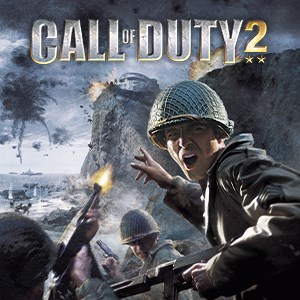
- Name Call of Duty® 2 (2005)
- Category Shooter
Unleashing Classic Warfare: An In-Depth Look at Call of Duty® 2 (2005) for Windows
Step back into the fierce battlegrounds of World War II with Call of Duty® 2 (2005), a game that combines immersive historical storytelling with intense tactical combat. As a veteran of wartime shooters, this title offers players a vintage yet compelling experience wrapped in modern compatibility, making it a must-try for enthusiasts seeking a nostalgic but polished FPS adventure.
What's Under the Hood? Basic Info and Highlights
Developed and published by Activision Publishing Inc., Call of Duty® 2 hits the mark as a gritty WWII shooter designed to deliver cinematic wartime moments. This classic title, originally launched in 2005, has since been preserved and ported to Windows, giving modern players a chance to experience its historically inspired chaos. The game's main features include highly detailed graphics for its time, an array of authentic weaponry, and diverse campaign missions that span across iconic WWII theaters. Its target audience primarily includes historical FPS fans, tactical shooters aficionados, and gamers looking to appreciate the roots of modern military games.
Engaging Combat: A Dive Into Core Gameplay
A Glimpse into Battlefield Realism
Calling Call of Duty® 2 a ‘walk in the park' would be a disservice—it's more like a trek through a muddy, war-torn landscape where every step counts. The game excels in immersing players with its intense, visceral combat sequences. From the deafening roar of machine guns to the chaos of exploding artillery, each firefight feels raw and relentless. The campaign's design mimics historical events with careful attention, making players feel like they're directly involved in legendary battles, such as the Battle of Stalingrad or Normandy landings.
Detail-Oriented Battle Mechanics
One of the game's standout features is its authentic weapon handling. Unlike some modern titles that streamline realism, COD2 offers players the sensation of weight and recoil for each firearm, adding a layer of tactical depth. Whether sniping enemy positions or storming fortified bunkers, players need to think and adapt on the fly. The AI behavior also adds to the challenge—enemies take cover, flank, and work in groups, demanding strategic thinking instead of mindless shooting.
User Interface, Flow, & Learning Curve
The interface remains straightforward, reminiscent of a 2005 design, with intuitive menus and easy access to weapons and equipment. The game runs smoothly on contemporary systems, thanks to well-optimized code, providing a fluid experience from start to finish. Its learning curve is moderate—new players will quickly grasp basic controls but must develop skills for tactical gameplay, especially on higher difficulty levels. Visual cues and feedback are clear, aiding player orientation amidst the chaos.
What Sets It Apart? Unique Selling Points
While many WWII shooters flood the market, Call of Duty® 2 distinguishes itself through its meticulous attention to historical realism and its atmospheric presentation. The game's campaign design emphasizes narrative-driven missions that evoke emotional engagement, unlike many modern arcade-style shooters. Moreover, the game's use of diverse theaters across WWII, from snow-covered Russia to North African deserts, offers a wide array of visual and tactical environments. Its emphasis on authentic weaponry and battlefield tactics makes it not just a trigger-happy affair but a strategic combat simulation of its era.
Final Verdict: To Play or Not to Play?
If you're a fan of historical settings, tactical decision-making, and classic FPS gameplay, Call of Duty® 2 (2005) remains highly recommended. It's an excellent choice for those interested in the roots of modern military shooters, providing a balanced mix of accessibility and depth. However, it's worth noting that its graphics and interface may seem dated compared to today's standards—but this only adds to its charm for enthusiasts seeking nostalgia or a slice of gaming history. For casual players, a moderate skill development will be necessary, but devoted FPS fans will find it a rewarding challenge.
Pros
- Authentic WWII experience
- Engaging single-player missions
- Smooth gameplay mechanics
- Historical accuracy
- Mod support
Cons
- Aged graphics quality
- Limited multiplayer options
- Compatibility issues on newer OS
- Lack of modern controls
- Occasional bugs or crashes











