
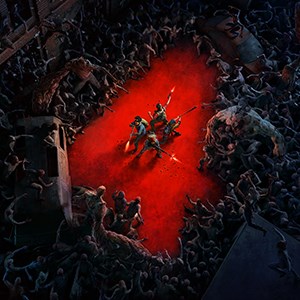
- Name Back 4 Blood
- Category Shooter
Back 4 Blood for Windows: A Cooperative Zombie Shooter That Strives for Depth
Back 4 Blood, developed by Turtle Rock Studios and published by Warner Bros. Games, positions itself as a modern zombie cooperative shooter that emphasizes team strategy and replayability. With dynamic encounters and a focus on community-driven gameplay, it aims to carve out its niche amid various first-person shooters of today.
Core Features: A Closer Look at What Sets It Apart
Strategic Cooperative Gameplay with Card-driven Modifications
One of Back 4 Blood's standout features is its innovative card system, which acts like a deck of modifiers that players can customize before each run. Think of it as a strategic loadout with a twist—altering enemy behavior, player abilities, and environmental factors. This not only ensures that no two missions are identical but also promotes teamwork as players can coordinate which cards to bring for optimal synergy. This layer of strategic planning elevates the experience beyond pure shooting skill, requiring players to adapt and make tactical decisions on the fly.
Intense Enemy Encounters with Dynamic Difficulty
The game boasts a diverse roster of infected enemies, ranging from the common Ridden to more formidable foes like the Bruiser and Reeker, each presenting distinct challenges. The AI adjusts dynamically based on player performance, making encounters unpredictable and requiring adaptive tactics. The chaos is carefully choreographed—think of it as a well-rehearsed dance of gunfire amid a swarm—keeping players constantly on their toes, especially in multiplayer co-op where coordination is essential.
High-Quality Cooperative Experience with Deep Customization
The cooperative aspect is the backbone of Back 4 Blood. Up to four players can team up to tackle frantic campaigns. The game offers a range of characters with unique skills, and players can unlock various weapons, perks, and equipment to suit their playstyle. The interface is intuitive, making it easy for newcomers to jump in, yet deep enough to provide meaningful progression. This creates a sense of community and shared accomplishment, akin to surviving a chaotic but well-orchestrated defense mission with friends.
Panoramic View of User Experience
The game features a sleek, gritty interface that immerses players into its apocalyptic world without overwhelming them with clutter. Navigation feels smooth, with responsive controls that make shooting and moving fluid and satisfying—crucial in high-octane firefights. The learning curve is gentle enough for beginners but layered with enough complexity for veterans to master the card system and enemy tactics. This balance is reminiscent of a well-calibrated weapon—neither too heavy nor too light, allowing for confident and precise handling.
What Makes It Stand Out? A Unique Blend of Strategy and Action
Compared to other shooter titles, Back 4 Blood distinguishes itself primarily through its card system, transforming each run into a strategic deck-building game. This feature injects variability and personalization, ensuring that players can tailor their approach and experience fresh gameplay on every attempt. Additionally, its focus on team synergy—requiring players to communicate and coordinate effectively—sets it apart from more solo-centric shooters. The game balances frantic firefights with thoughtful planning, making it a richly layered experience rather than just a run-and-gun affair.
Final Verdict: Is Back 4 Blood Worth Your Time?
For cooperative shooter enthusiasts seeking a game that combines visceral action with strategic depth, Back 4 Blood is a commendable choice. Its innovative card system and dynamic enemy encounters offer a fresh take within a familiar genre. While it's accessible enough for newcomers, veterans will appreciate the layers of complexity and customization. I would recommend it to players who enjoy team-based gameplay, strategic planning, and a tense, adrenaline-filled atmosphere. If you're prepared to invest in collaboration and adaptive tactics, this title can provide many hours of engaging gameplay—think of it as a well-planned zombie defense operation with your friends as your squad.
Pros
- Engaging Cooperative Gameplay
- High-Quality Graphics and Visual Effects
- Extensive Weapon Customization
- Consistent Content Updates
- Smooth Performance on Moderate Hardware
Cons
- Occasional Server Connectivity Issues
- Some UI Navigation Challenges
- Limited Solo Content
- In-Game Microtransactions
- Occasional Bugs and Glitches











