
Introducing the Xbox Family Settings App: Your Ultimate Tool for Managing Kids' Gaming
The Xbox Family Settings app is a must-have digital solution designed to help parents monitor and control their children’s gaming activities on Xbox consoles. With the rise of online gaming and digital entertainment, ensuring a healthy balance between screen time and responsible gaming has become more crucial than ever. This app offers a comprehensive suite of features that allow for easy management of gaming habits, content restrictions, and online interactions, all from the convenience of your mobile device or computer.
Seamless Setup for Peace of Mind
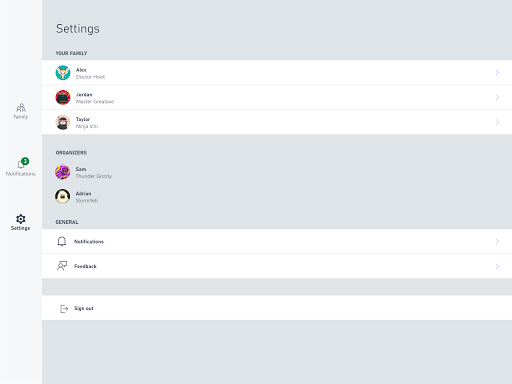
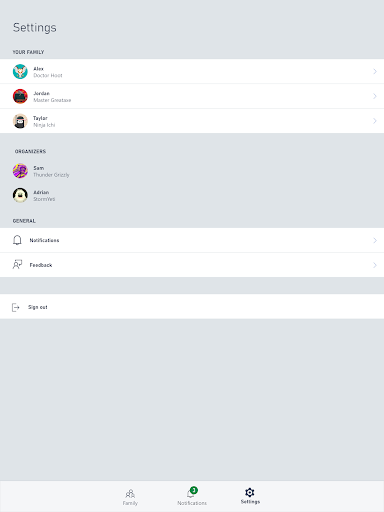
Getting started with the Xbox Family Settings app is surprisingly simple and user-friendly. Once you create or log into your Microsoft account, you can effortlessly link your family members to your account. The app guides you step-by-step through creating individual profiles, enabling you to assign specific permissions, set screen time limits, and establish content restrictions based on age ratings. Its intuitive interface ensures that even parents with limited tech experience can easily navigate and configure settings without hassle.
Key Features That Simplify Parenting in the Digital Age
Customizable Screen Time Management
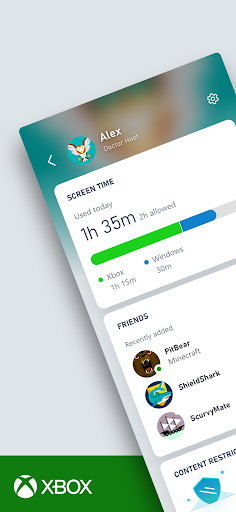
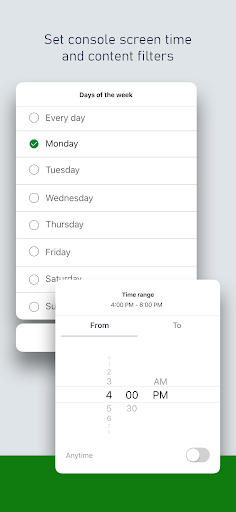
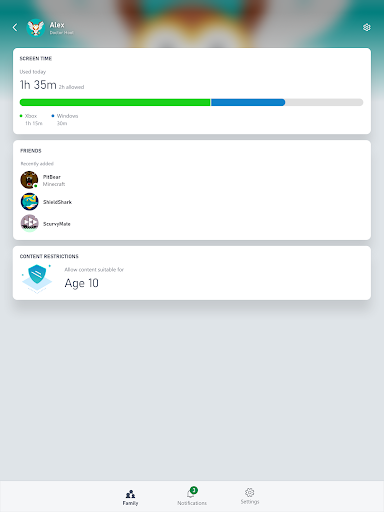
One of the core features of the Xbox Family Settings app is the ability to set daily screen time limits. You can tailor these limits for each day of the week, making it easier to enforce weekend gaming rules or weekday homework time. By customizing these limits, parents can prevent prolonged gaming sessions and promote a balanced lifestyle, all without constant negotiations.
Remote Approval of Friend Requests
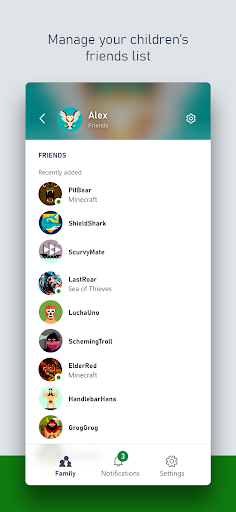
Maintaining oversight over your child's online interactions is critical. The app allows you to approve or decline friend requests remotely, ensuring that your children are connecting with trusted individuals. Notifications are sent directly to your device, keeping you informed of social activities on the console in real time.
Content Filtering and Age Restrictions
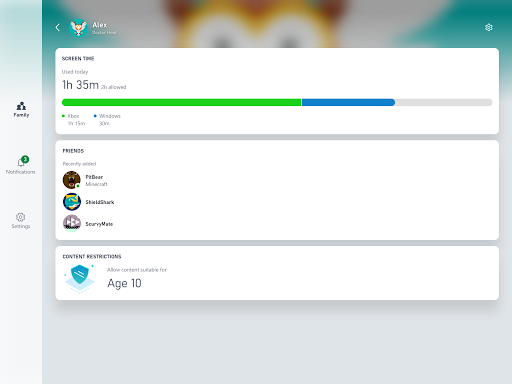
The content restrictions feature automatically blocks access to games and media that are incompatible with your child’s age. Whether it’s preventing access to horror or mature content, the app helps create a safe gaming environment. You have the flexibility to adjust default settings to better fit your family’s preferences, providing peace of mind during gaming sessions or sleepovers.
Real-Time Monitoring for a Healthy Gaming Experience
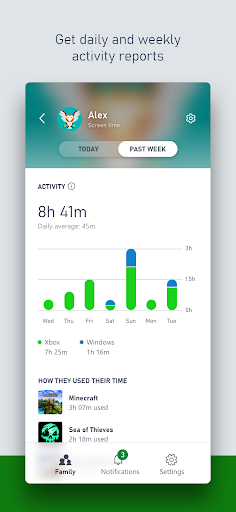
The real-time activity reports are invaluable for busy parents. They allow you to see what games are being played and how much time your children spend on each. These insights foster responsible gaming habits and open up meaningful conversations about balanced screen time and safe online behavior. Additionally, the app encourages positive reinforcement by enabling parents to reward good behavior with extra screen time, making gaming both fun and educational.
Why the Xbox Family Settings App is a Game-Changer for Parents
In today’s digital world, managing children’s gaming habits can be challenging. The Xbox Family Settings app offers a perfect blend of control and flexibility, giving parents the tools they need to promote responsible gaming while allowing kids to enjoy their favorite titles. It’s an essential app for tech-savvy parents seeking to maintain a healthy balance between technology and real-world activities. The convenience of remote management, combined with robust features like content filtering and activity reports, makes this app a powerful addition to any family’s digital toolkit.
Conclusion: A Must-Have for Modern Parenting
Overall, the Xbox Family Settings app is more than just a parental control tool; it’s a comprehensive platform that supports family gaming habits responsibly. By providing simple setup, customizable controls, and real-time updates, it helps foster a safe and positive gaming environment for children. Whether you’re new to parental controls or looking to enhance your existing strategies, this app offers valuable features that can make gaming a safe, enjoyable, and balanced activity for your family.
Pros
- User-friendly interface that simplifies navigation.
- Enables setting screen time limits for children.
- Offers customizable filters for content.
- Provides real-time activity reports.
- Alerts for new friends or purchases.
Cons
- Limited functionality when offline.
- Some settings can be difficult to locate.
- Occasional problems with syncing data.
- Only compatible within the Xbox ecosystem.
- Supports a limited range of languages.