

Samsung Wallet/Pay (Watch): The Ultimate Smartwatch Payment Solution
If you're a Samsung smartwatch user looking for a seamless and secure way to manage payments directly from your wrist, Samsung Wallet/Pay (Watch) is a game-changer. This official app transforms your Samsung smartwatch into a versatile digital wallet, capable of handling tap-to-pay, passes, loyalty cards, and more, all with the convenience and security you expect.
Key Features of Samsung Wallet/Pay for Watch
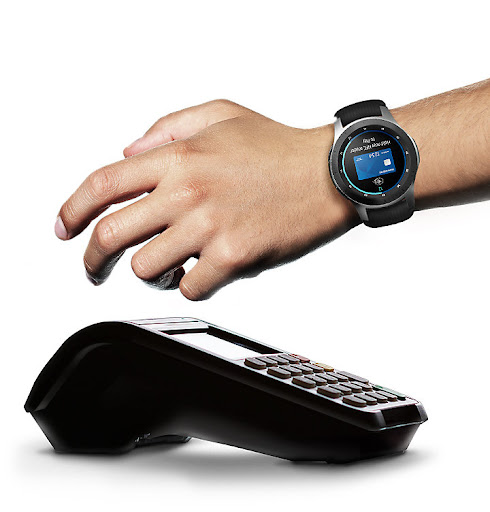
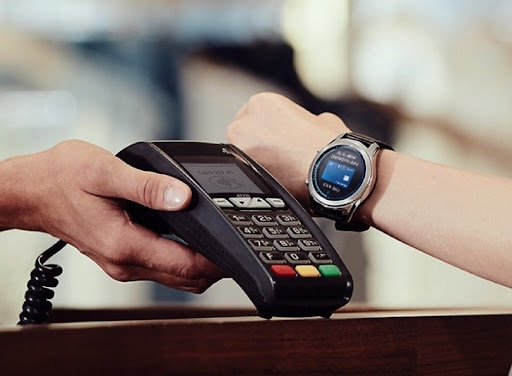
Designed to offer unmatched convenience, Samsung Wallet for Watch supports the same payment services as its smartphone counterpart, making it easy to make transactions on the go. When activated, a simple press of the “Back” button on your smartwatch launches the app, allowing you to select your preferred card and pay by holding your watch near an NFC terminal. No need to dig through your bag or pockets—just a quick, tap-and-pay action right on your wrist.
This app not only simplifies payments but also stores loyalty cards, boarding passes, and other digital passes, turning your watch into a digital wallet hub. Compatibility extends across a wide range of merchants and NFC-enabled locations, making it a versatile addition to your daily life. However, certain features or services may vary depending on your country or device, and some restrictions may require you to use your smartphone’s Samsung Wallet app for full functionality.
Security and Privacy You Can Trust
Security is a top priority with Samsung Wallet. When you make a payment, your actual account number isn’t shared with the retailer. Instead, one-time digital card numbers are transmitted to ensure your financial details remain confidential. Coupled with Samsung KNOX® security and PIN authentication, your transactions are protected against unauthorized access, providing peace of mind every time you use the app.
This layered security approach makes the Samsung Wallet/Pay app a safe choice for managing your payments from a smartwatch, especially when combined with biometric verification features supported by compatible devices.
Getting Started with Samsung Wallet/Pay on Your Watch
Setting up the app is straightforward. Download the Samsung Wallet app on your Samsung smartwatch, link your credit and debit cards via a simple, intuitive interface, and you’re ready to use the service. The setup tutorial guides you through each step, making onboarding quick and hassle-free.
Once set up, making a payment is as simple as opening the app and holding your watch close to a compatible NFC terminal. The process is designed for maximum ease, whether you're buying coffee, groceries, or quick access passes. With support for various bank cards and participating financial institutions, Samsung Wallet/Pay offers a widespread acceptance network, making your payments smooth and contactless.
Supported Banks and Cards
It’s important to note that Samsung Wallet supports select banks and credit cards. Availability of certain features may vary based on your region and device compatibility. Registration and terms may apply, so check the official Samsung website for the latest list of participating banks and cards.
Ongoing Improvements and Service Notes
While the Samsung Wallet/Pay app on your smartwatch offers a robust set of features, some functionalities available on smartphones may not yet be supported on the watch. The development team is continually working to enhance the app’s capabilities, ensuring users can enjoy even more seamless experiences in future updates. Regional restrictions may also influence feature availability, so the app’s full functionality might differ depending on your location.
Conclusion: Why Choose Samsung Wallet/Pay (Watch)?
If convenience, security, and innovation are on your list of priorities, Samsung Wallet/Pay on your smartwatch is an excellent choice. It combines the power of contactless payments, digital passes, and loyalty cards into one sleek, easy-to-use app. Whether you're rushing through your day or just prefer the ease of paying from your wrist, this app makes your life simpler and more efficient.
Embrace the future of digital payments with Samsung Wallet/Pay for Watch—your stylish, secure, and smart companion for everyday transactions. With continuous improvements and wide compatibility, it’s designed to keep pace with your lifestyle, providing a seamless experience every time you pay.
Pros
- Seamless integration with Samsung devices.
- Supports a wide variety of cards.
- User-friendly interface with intuitive design.
- Robust security features for safe transactions.
- Fast and convenient payment process.
Cons
- Available only to Samsung device users.
- Occasional compatibility issues with some banks.
- Requires a stable internet connection to function.
- May cause increased battery drain on certain devices.
- Acceptance is more limited compared to other payment applications.










