





Tinybeans Private Family Album icon

Tinybeans Private Family Album

4.98K
3.8
Installs
0.50M
Version
5.9.8-prod
Advertisement
Tinybeans Private Family Album screenshot
Advertisement

Tinybeans Private Family Album: A Privacy-First Digital Keepsake for Families

Join millions of parents who use the FREE Tinybeans app to privately capture and organize photos and videos of their kiddos and share them with loved ones—by invite only. Tinybeans champions privacy and simplicity, turning everyday moments into a secure family memory book that stays within a trusted circle.

A Tinybeans digital photo album is easy for parents to use and even easier for loved ones to engage with. It’s been described as “a new mom’s best friend” and “a grandparent’s treasured time capsule”, with millions of families embracing a thoughtful, private way to connect and reminisce.

Key Features

Private Photo Sharing

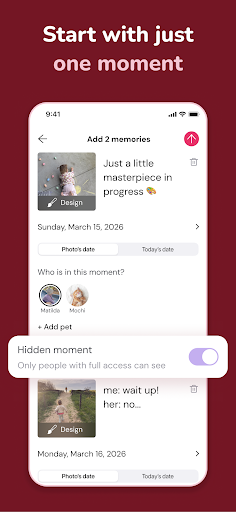
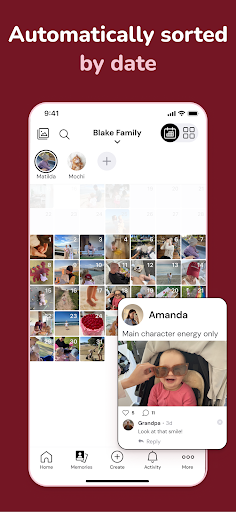
Safely share every adorable baby photo and video with the family and friends you choose. Only your followers can view, react, and comment, keeping your moments intimate and in control.

Updates for All

Invite all your kiddo’s biggest fans so everyone receives the same updates—no more time wasted sending each photo to seven group chats. Great for grandparents and busy relatives who want to stay in the loop.

Milestone Tracker

Track more than 300 milestones as your child grows—from those first weeks to age 6. It’s the perfect visual diary to browse when you’re feeling nostalgic or planning future memories.

Edit Photos

Have fun with photo sharing by adding text, stickers, filters, and effects. Find something for every moment with milestone and holiday stickers to celebrate special occasions.

Easy to Use

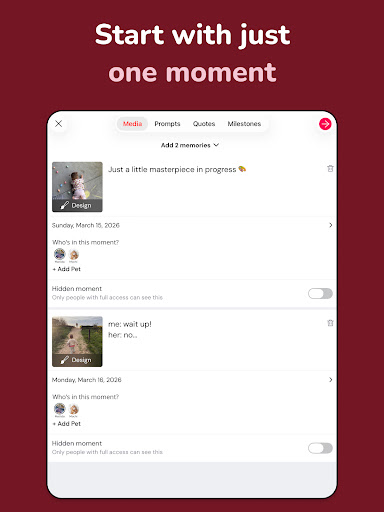
Not only is it simple to capture and organize memories, but it’s also easy for loved ones to access updates via the app or email—perfect for grandparents—and react and comment freely.

Calendar View

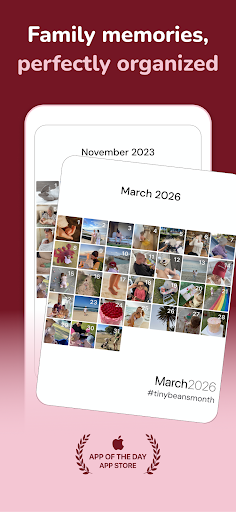
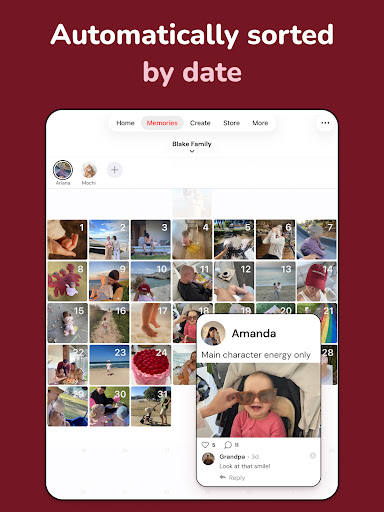
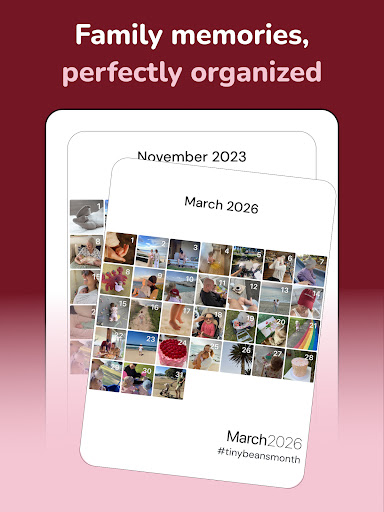
Relive your favorite moments in a calendar view, where all photos, videos, and milestones are conveniently organized by date for quick browsing.

Curated Smart Albums

If organizing your photos doesn’t spark joy, let Tinybeans curate memories by theme or date so you can share highlights from family trips, birthdays, or specific stretches of time with loved ones.

Journal Prompts

We’ll nudge you when it’s time to update a photo, and we’ll also inspire you to jot down a meaningful memory from time to time—perfect for capturing those little moments you don’t want to forget.

Automated Recaps

Family and friends feel like they’re along for the ride thanks to daily or weekly email updates recapping your little one’s sweetest moments and milestones.

Photo Books

Pull photos and captions straight from your Tinybeans albums to bring your memories to life in beautiful, physical photo books.

Privacy and Simplicity

A Tinybeans digital photo album is easy for parents to use and even easier for loved ones to engage with. Privacy remains a top priority as families connect and capture everyday moments—big and small.

Over 150,000 Five Star Reviews! Featured as App of the Day and seen in outlets such as the New York Times, MSN, Parents, Fatherly, US Weekly, Forbes, and more.

All plans let you upload, store, and share memories privately and securely with only the people you invite. Tinybeans+ expands capabilities—no limits on memories, larger file sharing, and more. Subscriptions automatically renew unless auto-renew is turned off, and you can manage this from your iTunes account settings.

Note: This description focuses on the app’s features and does not include contact details. If you’re searching for a private, user-friendly way to document your family’s adventures, Tinybeans offers a thoughtful digital scrapbook experience that scales with your family’s memories.

Blog-style takeaway: Tinybeans is more than a photo album; it’s a trusted family memory keeper. It blends privacy with practical tools like milestone tracking, automated recaps, and easy sharing to relatives who may not use the app. With curated smart albums and journaling prompts, you’ll find yourself revisiting moments you might have forgotten, turning daily snapshots into a lasting family archive.

Pros

  • User-friendly interface suitable for all ages
  • Secure platform for private photo sharing
  • Easy collaboration with family members
  • Multiple options for uploading photos
  • Customizable memory milestones and dates

Cons

  • Limited storage without a subscription
  • No video uploads in the free version
  • Notification settings can feel overwhelming
  • Occasional app crashes have been reported
  • Some features are locked behind a paywall

Download From Google Play
Advertisement

Frequently Asked Questions

What is Tinybeans Private Family Album and how does it work?

Tinybeans Private Family Album is a secure, private platform for families to share photos, videos, and milestones. It lets you create a personal family album accessible anytime. Privacy is ensured by inviting only family members to view content, creating a safe space for sharing precious moments without public exposure.

Is Tinybeans a free app, or does it require a subscription?

Tinybeans has a free version with basic features like uploading photos and videos and tracking milestones. For an enhanced experience with unlimited storage, ad-free browsing, and advanced sharing options, you can subscribe to the premium plan on a monthly or annual basis.

How secure is my data on Tinybeans?

Security is a priority. The app uses encryption for data in transit and at rest, and only invited family members can access your shared content, keeping your photos and videos private.

Can I access Tinybeans on multiple devices and platforms?

Yes. Tinybeans is available on Android and iOS, with a web version for desktop access. This multi-platform support lets you upload, view, and share memories from anywhere, on any device.

What features does Tinybeans offer to enhance family sharing?

Features include personalized photo albums, tracking your child's growth and milestones, private sharing with family, and a journaling option to document moments and add context to photos and videos.

You May Like










