

Introducing Alli360 by Kids360: A Parent's Digital Helper
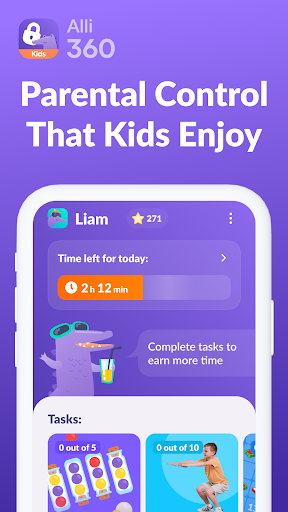
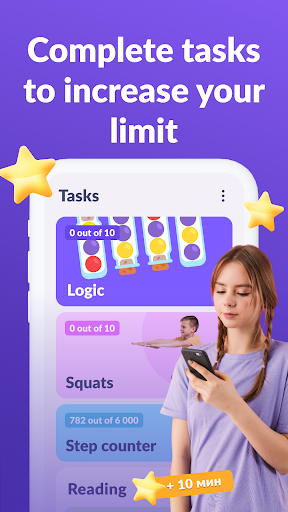
Alli360 is an innovative service designed to empower parents with effective tools for managing their children’s digital activities. Specially created as a complement to the “Kids360 for parents” app, Alli360 provides comprehensive features to help limit screen time, control app usage, and ensure safe online habits for your kids. Installing this app on your teen's device allows you to effortlessly monitor and set boundaries, fostering a healthier digital environment for your children.
Core Features of Alli360
Time Limit Management
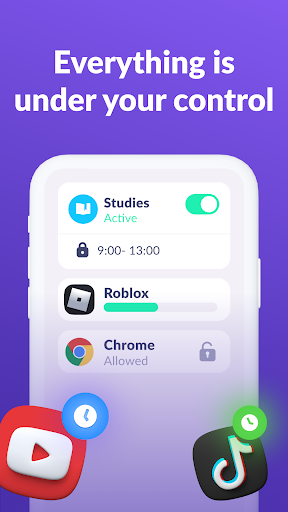
This feature allows you to set time limits for specific applications and games your children use, helping to prevent excessive screen time. Whether it’s a few minutes or an hour, customizing these limits encourages healthier device habits and reduces overuse.
Scheduling Controls
With schedule settings, you can designate specific periods for school, rest, or other activities. During these scheduled times, access to games, social networks, and entertainment apps will be automatically restricted, promoting a balanced routine and reducing distractions during study or bedtime.
Application Management
You can select particular applications to limit or block entirely. This flexibility allows parents to restrict problematic or overly addictive apps, ensuring a safer digital space for children.
Usage Monitoring
The app provides insights into how much time your teen spends on their smartphone, including data on their most frequently used applications. This feature helps parents identify patterns and discuss healthy device use with their children.
Always Connected
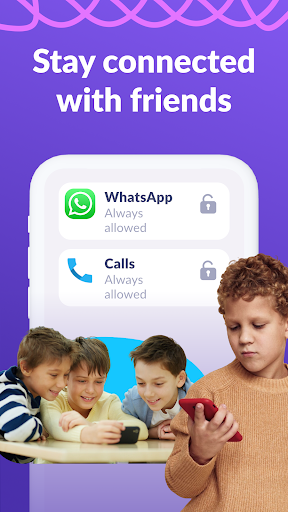
Essential communication apps such as calls, messages, and taxi services remain accessible at all times. This ensures that you can always stay in touch with your child, providing peace of mind without intrusiveness.
How to Get Started with Kids360
Setting up Alli360 is straightforward:
- Install the “Kids360 for parents” app on your device.
- Download the “Kids360” app onto your teen’s smartphone and enter the provided link code from your parental app.
- Authorize monitoring of your child’s device to activate parental controls and safety features.
In case of technical issues, there is 24/7 support available through the app or via email, ensuring smooth operation and assistance whenever needed.
Privacy and Permissions
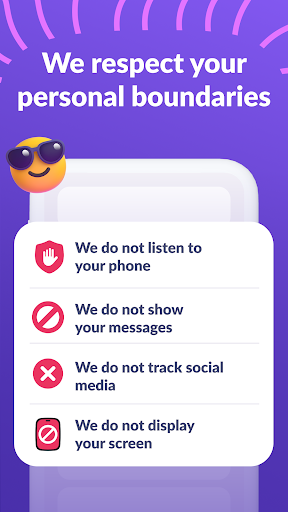
Alli360 strictly complies with privacy laws and GDPR policies. The app requests various permissions to function correctly, including:
- Display over other apps – to enforce time limits and app blocking.
- Accessibility services – to restrict usage and monitor screen time.
- Usage access – to collect app usage statistics.
- Autostart – to ensure continuous operation.
- Device admin apps – to prevent unauthorized deletion.
The Benefits of Alli360 for Modern Parenting
As a parent navigating the challenges of digital age parenting, Alli360 offers a valuable toolkit to maintain a healthy balance for children’s screen time and app usage. Its intuitive interface makes it accessible even for those not tech-savvy, while its robust features provide peace of mind regarding online safety and device management.
With real-time location tracking, you always know where your kids are, which is especially reassuring during outings or school trips. The screen time controls act as a gentle digital nanny, encouraging responsible habits without feeling overly restrictive. They help promote independent decision-making while maintaining oversight. Additionally, the ability to monitor app usage fosters transparent conversations about responsible internet use, online safety, and digital boundaries.
Whether you’re setting limits, scheduling downtime, or just keeping an eye on device activity, Alli360 by Kids360 is an essential parental control app that helps modern families stay connected and safe in a rapidly digital world. If you’re looking for a reliable, privacy-conscious, and user-friendly solution to manage your children's smartphone habits, give Alli360 a try and experience how it can make your parenting journey smoother and more secure.
Pros
- User-friendly interface
- Parental control features
- Real-time location tracking
- Customizable notifications
- Supports multiple devices
Cons
- Requires constant internet connection
- Limited features in the free version
- May drain battery quickly
- Full access requires a subscription
- Complex initial setup process










