


Parental Control App Blocker - Enhance Your Child's Online Safety and Screen Time Management
As parents navigating the digital age, managing and ensuring our children's safety online is more important than ever. The Parental Control App Blocker is an innovative solution designed to simplify this task, offering comprehensive tools to monitor, control, and communicate effectively with your children in the digital space. Whether it’s managing screen time, blocking inappropriate content, or tracking location, this app provides a robust platform to foster a safer digital environment for your kids.
Key Features of Parental Control App Blocker
• Screen Time Management
Balance your child's digital habits by setting limits on daily device usage. The app allows you to schedule usage times, ensuring your child isn’t glued to their screen late into the night or during study hours, promoting healthier screen habits.
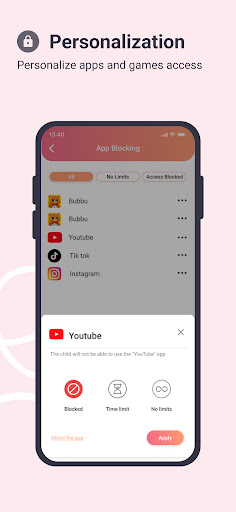
• App and Website Blocking
Take control by blocking specific applications and websites that you deem inappropriate or distracting. This feature is ideal during homework time or bedtime, allowing you to restrict access to social media sites, gaming apps, or entertainment platforms that hinder productivity.
• Live Location Tracking
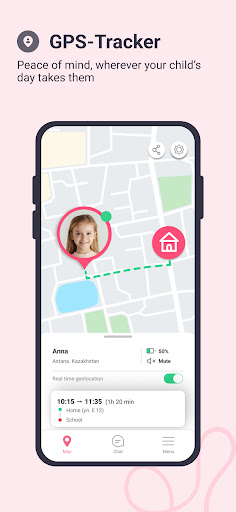
Stay informed about your child's whereabouts with real-time GPS tracking. Define safe zones such as "School" or "Home" and receive instant alerts when your child enters or exits these designated areas. This feature provides peace of mind and enhances family safety, especially when children are out and about.
• Geofence Alerts
Set up custom geofence zones and get notifications whenever your child moves beyond these boundaries. This proactive approach helps in ensuring your child's safety, giving you prompt insights into their location.
• Surroundings Listening & Audio Monitoring
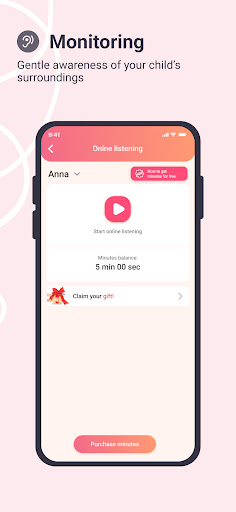
For additional safety, the app can listen to ambient sounds around your child's device, allowing you to verify their environment and confirm they are in a secure setting.
• Secure Family Communication
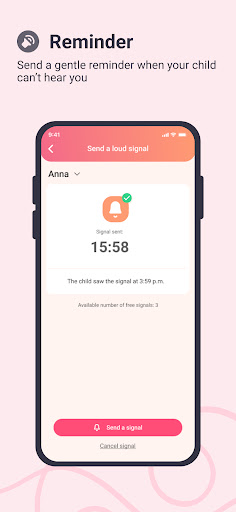
Facilitate safe and controlled communication via the integrated chat feature. Send messages, assign tasks, and motivate your children with rewards, reinforcing positive behavior in a protected environment.
• Alerts and Notifications
Receive alerts for suspicious activity, such as your child trying to access blocked sites or apps, or if their device battery is running low. These notifications keep you connected and informed about your child's digital activities.
• App Usage & Online Activity Reports
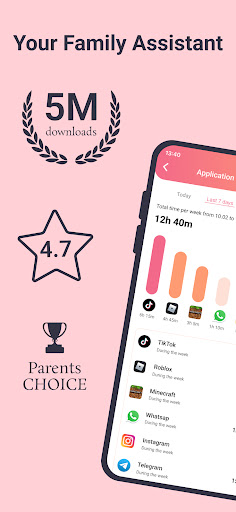
Monitor your child's app usage and online interactions across platforms like WhatsApp, Facebook, Instagram, and Viber. This transparency helps in guiding responsible online behavior and preventing exposure to harmful content.
• Tigrow App Integration for Engagement
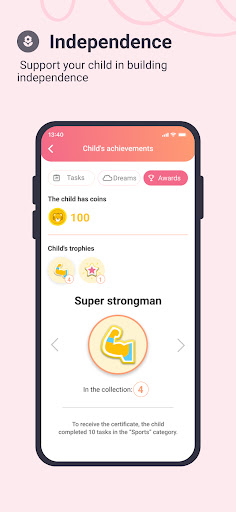
The app seamlessly integrates with Tigrow, an engaging platform where your children can complete tasks, earn rewards, and develop responsibility. This gamified approach encourages positive digital habits and accountability.
Ease of Use and Parental Experience
The Parental Control App Blocker boasts a user-friendly interface designed for simplicity and efficiency. Setup involves installing the app on both your device and your child's device, with straightforward instructions that cater to parents of all tech skill levels. The app synchronizes smoothly, ensuring you maintain control without technical frustrations.
Additionally, the vibrant parent community forums provide valuable insights, tips, and shared experiences—making your journey towards safer digital parenting more collaborative and manageable.
Why Choose Parental Control App Blocker?
With its comprehensive list of features, Parental Control App Blocker empowers parents to create a balanced digital environment for their children. From monitoring location and online activity to controlling app access and maintaining open communication, this app covers essential aspects of digital supervision. It promotes responsible device use, safety, and healthy screen habits in a non-intrusive way, fostering trust and understanding between parents and children.
Investing in this app means investing in your child's safety and well-being in the digital age. It’s a reliable tool for parents determined to guide their children toward safe and responsible technology use while enjoying peace of mind.
Pros
- Comprehensive monitoring features
- User-friendly interface
- Customizable restrictions
- Cross-platform compatibility
- Detailed activity reports
Cons
- Complex initial setup
- Occasional false alerts
- Limited free version
- May impact device performance
- Requires regular updates










