

Introduction to T-Mobile® FamilyMode™
Are you tired of managing your family's digital habits and feeling overwhelmed by screen time concerns? T-Mobile® FamilyMode™ is a comprehensive family safety solution designed to help parents stay in control while promoting healthy online behaviors. This all-in-one app allows you to locate family members in real-time, set digital boundaries, and enforce filters across various devices. Whether you're trying to encourage your kids to take breaks during homework or ensuring they only access age-appropriate content, FamilyMode provides an intuitive platform to make digital parenting easier and more effective.
Key Features of FamilyMode
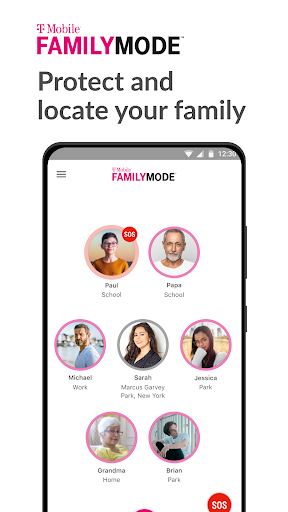
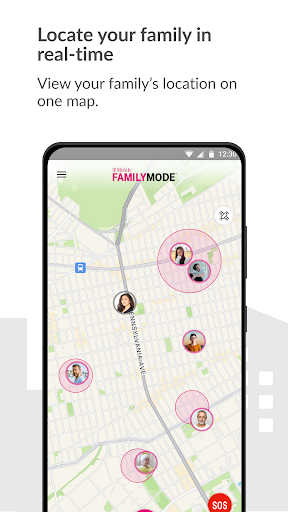
• Location Tracking: With real-time location sharing, you can easily see where your kids are and monitor their routes, giving you peace of mind. The app also enables you to check-in or alert your family members instantly with a simple touch—perfect for staying connected throughout the day.
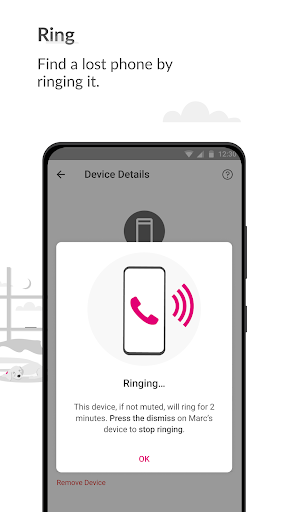
• Device Management: Worry less about lost devices by ringing them directly through the app. This feature helps quickly locate misplaced phones or tablets, reducing stress and preventing unnecessary replacements.
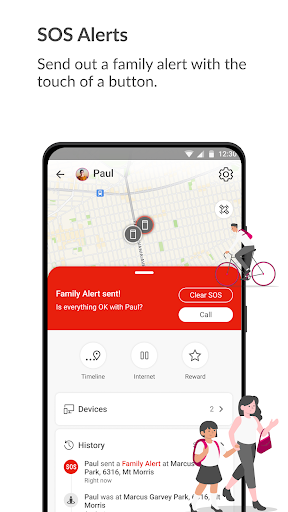
• SOS Alerts: In case of emergencies, your family can send out SOS alerts with just a tap, ensuring help arrives promptly when needed. This critical safety feature enhances family security at all times.
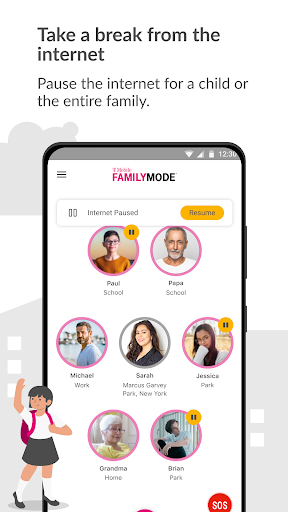
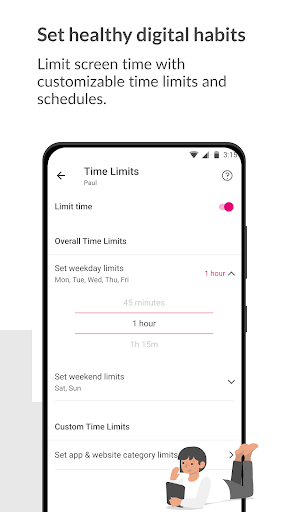
• Digital Wellbeing Tools: Set daily • time limits on device usage, pause internet access during family time or homework, and reward good behavior with additional screen time. These controls foster healthier digital habits for children and teenagers.
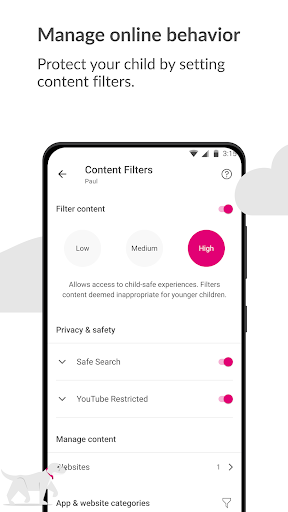
• Content Filtering: Customize or select pre-set filters to block inappropriate websites, apps, or content categories—ensuring your kids only see age-appropriate material online. FamilyMode also integrates Google Accessibility Services API, allowing you to restrict harmful content effectively without collecting personal information beyond what is necessary for blocking content.
How FamilyMode Enhances Digital Parenting
Managing your family's screen time can sometimes feel like juggling flaming torches, but FamilyMode simplifies this balancing act. Its user-friendly setup process guides parents through connecting all family devices—whether smartphones, tablets, or computers—so everyone’s safety is covered from the start. Once set up, parents can effortlessly monitor and control device usage:
- Set specific • screen time limits for each child or device
- Receive real-time • alerts when limits are reached or devices are misused
- Pause internet access instantly to promote family interaction at mealtime or during homework
The app's content filters and controls work seamlessly, allowing parents to define what online content is accessible—helping create a safer online environment for children to explore without fear of exposure to inappropriate material. This balanced approach encourages responsible digital habits while giving parents the peace of mind they deserve.
Subscription and Costs
While FamilyMode offers a rich set of features, it does come with a subscription fee. Many parents consider this a worthwhile investment considering the value of keeping their family safe, connected, and well-managed in today’s digital world. The app’s ease of use and comprehensive control options make it a valuable tool in the modern digital parenting toolkit.
Conclusion: Is FamilyMode Right for Your Family?
If you're seeking a powerful yet straightforward solution to manage your family’s digital life, T-Mobile® FamilyMode™ is worth exploring. From real-time location tracking and emergency alerts to customizable content filtering and internet pauses, this app covers all the essentials of digital safety and healthy device usage. With FamilyMode, parents can foster productive online habits, ensure device safety, and stay connected with their loved ones—all while promoting a balanced, safe digital environment at home. Embrace this digital parenting helper and take control of your family's tech world today.
Pros
- Real-time location tracking.
- Customizable screen time limits.
- Easy setup process.
- User-friendly interface.
- Compatible with multiple devices.
Cons
- Full features require a subscription.
- Occasional synchronization problems.
- Limited monitoring of social media.
- May impact device performance.
- Tech-savvy children can bypass some features.











