
Introducing SmartHQ: The All-in-One App for Smart Home Appliances
Are you tired of juggling multiple apps and remotes to manage your smart home appliances? Meet SmartHQ, a comprehensive application designed to bring seamless control and monitoring of your household devices into a single, user-friendly platform. Whether you own appliances from GE Appliances, Profile, Café, Monogram, Fisher & Paykel, or Haier, SmartHQ makes it easier than ever to keep an eye on your appliances, optimize their performance, and enjoy a smarter home experience.
Key Features of SmartHQ
• Remote Control
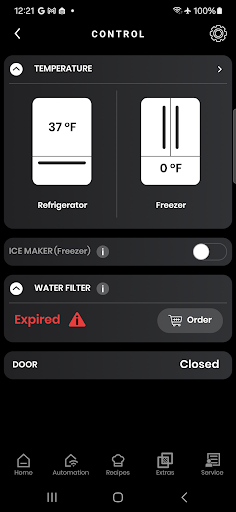
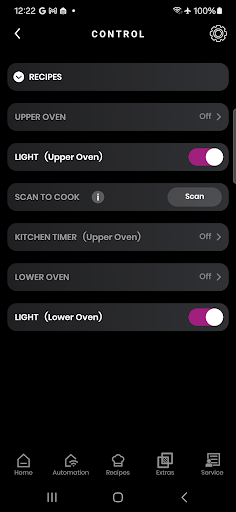
Monitor and operate your smart appliances from anywhere using your smartphone. From starting your washer during your commute to preheating your oven on your way home, SmartHQ provides ultimate convenience and peace of mind.
• Voice Integration
Manage your appliances effortlessly through popular voice assistants like Amazon Alexa and Google Assistant. Simply speak commands to control your refrigerator, oven, washing machine, and more.
• Stay Informed
Receive timely notifications and alerts about your appliances, such as cycle completion, maintenance reminders, or system updates, ensuring your household runs smoothly.
• Software Updates
Keep your appliances operating at their best with the latest software updates. Access new features and improvements as they become available, extending the lifespan and efficiency of your devices.
• Personalized Experience
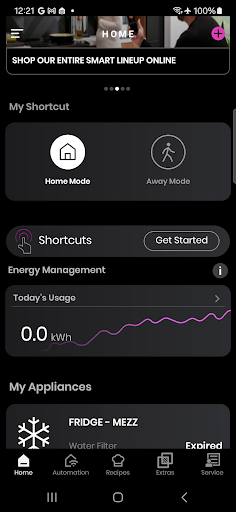
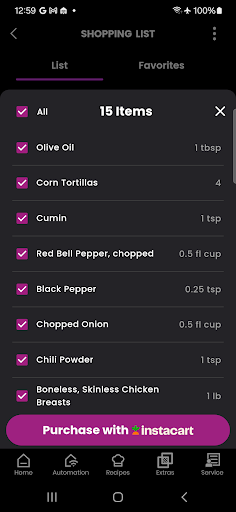
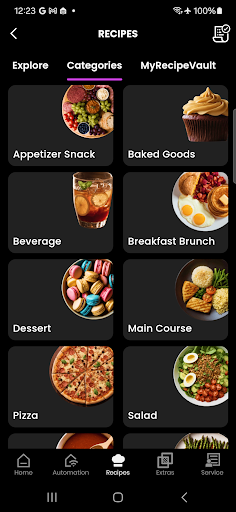
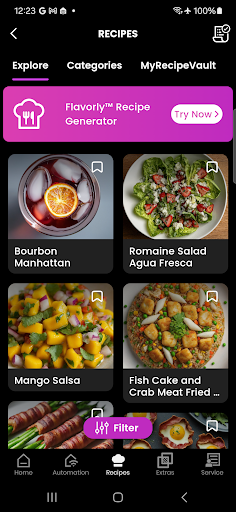
Create custom shortcuts for frequently used functions or download new modes and recipes for your appliances, tailoring your smart home setup to your lifestyle.
• Monitor Energy & Water Usage
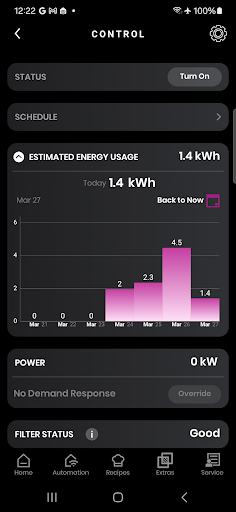
Gain insights into your appliances’ energy and water consumption. Make informed decisions to reduce costs and support sustainability efforts.
• Enhanced Cooking Experience
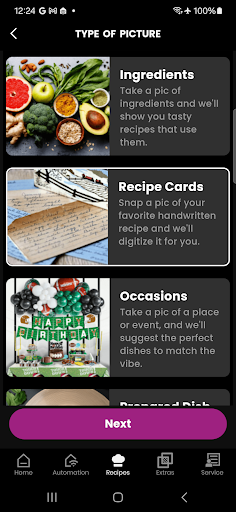
Leverage the power of Flavorly AI to generate personalized cooking recipes. Monitor your oven's progress with innovative built-in cameras, and pair accessories like smart cookware and probes for precision cooking.
• Product Registration
Easily register all your GE appliances — including non-Wi-Fi models — for quick access to manuals, specifications, and support resources.
• Get Expert Help
Access the SmartHQ Assistant to find answers to your appliance questions and troubleshoot issues efficiently.
• Proactive Service & Diagnostics
Receive alerts when your appliances need maintenance or repair. Use diagnostic tools to troubleshoot problems remotely, and schedule service appointments with ease.
Getting Started with SmartHQ
Setting up SmartHQ is straightforward. The app is compatible with a wide range of appliances, from refrigerators to dishwashers, turning your smartphone into a centralized control hub. Simply download the app on your device, connect your appliances via Wi-Fi or the SmartHQ Connect module, and you're ready to go.
Once connected, the intuitive interface guides you through setup and customization. From creating shortcuts to organizing your appliance list, SmartHQ adapts to your household's unique needs.
Enhance Your Smart Home Lifestyle
Imagine starting a load of laundry while at work or preheating your oven remotely—SmartHQ makes this possible. Its seamless connectivity and real-time responsiveness ensure your household routines are smooth and efficient. Notifications remind you about maintenance tasks like replacing filters or cleaning vents, helping to prolong your appliances' lifespan and optimize performance.
The app's ability to monitor energy and water usage not only helps reduce your bills but also supports eco-friendly living. The combination of reliable performance and thoughtful features makes SmartHQ a vital addition to any modern smart home.
Overall, SmartHQ is more than just an app; it’s your personal assistant for household management. Its powerful features foster convenience, efficiency, and smarter living, allowing you to focus on what truly matters.
Upgrade Your Home with SmartHQ Today
If you're ready to embrace the future of home automation, download SmartHQ now and discover a new level of connected convenience. Manage your appliances effortlessly, save time, and enjoy greater control over your smart home environment.
Pros
- Intuitive and easy-to-navigate interface.
- Smooth integration with smart devices.
- Remote control capabilities for household appliances.
- Consistent updates and enhancements.
- Works across multiple platforms.
Cons
- Requires a stable internet connection.
- Limited support for older devices.
- Some functionalities may necessitate a subscription.
- Occasional performance delays within the app.
- Initial setup process can be lengthy.











