
Smart Light Smart Home Control: Your Ultimate Smart Home Management App
Imagine a world where you can effortlessly control all smart devices around your home, office, or personal space with just a tap on your smartphone. The Smart Light Smart Home Control app brings this vision to life, offering an intuitive and powerful platform designed to streamline your smart home experience. Whether you're managing LED lights, smart bulbs, strip lights, or other connected devices, this app makes smart device management simpler, smarter, and more convenient than ever before.
Seamless Device Control and Management
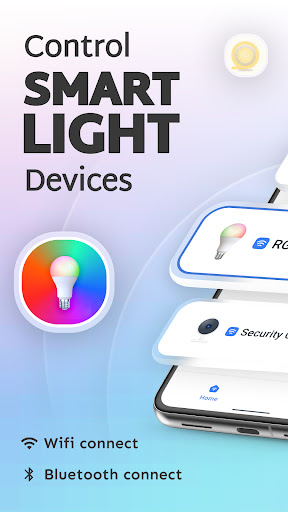
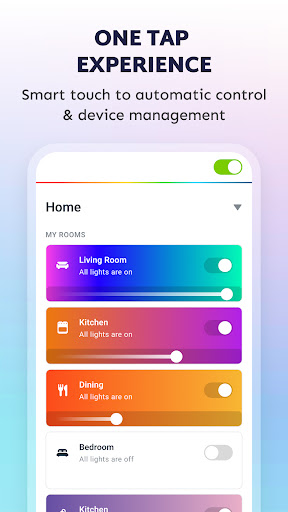
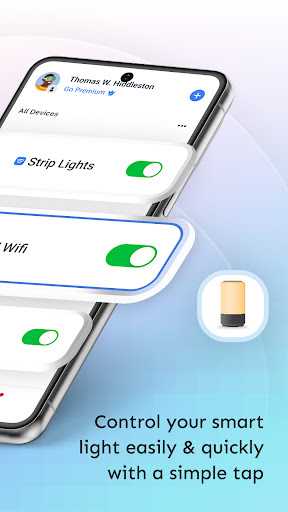
The app supports a wide range of smart wifi & Bluetooth devices, allowing you to easily control all your smart lighting including LEDs, bulbs, strip lights, and lighting fixtures. Manage your devices from anywhere—be it your home, office, or any other space—thanks to the app's reliable connectivity and user-friendly interface.
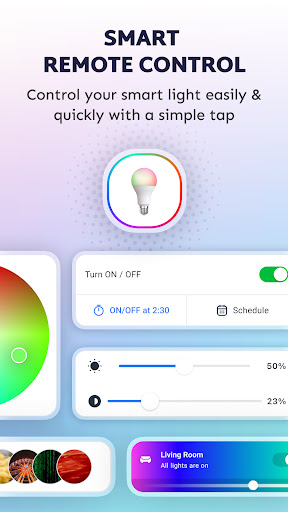
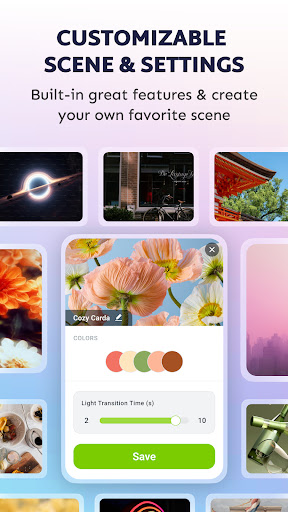
With features such as fast control & one-tap automatic connections, you can switch or adjust lighting instantly. Create customized scenes and settings to match your mood, event, or daily routine—even before you arrive home. The app also supports the creation of personalized schedules based on time, weather, location, or your daily mood, ensuring your environment is tailored precisely to your preferences.
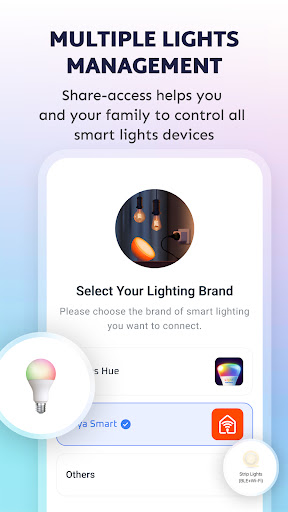
Sharing management access is straightforward, enabling you to share device control with family and friends, fostering collaborative smart home management. You'll also stay informed with real-time notifications about device status and alerts, adding an extra layer of security and convenience.
Enhanced Features for a Smarter Home
The Smart Light Smart Home Control app isn’t just about basic lighting control; it’s an evolving platform with additional features designed to elevate your smart home experience. Support for emerging devices and add-on functionalities means your system can grow and adapt over time. The app's compatibility with multiple smart gateways consolidates all your connected devices into a single, cohesive control hub, removing the need for multiple apps and interfaces.
Easy Setup for Everyone
Getting started with Smart Light Smart Home Control is a breeze. The setup process guides you step-by-step through connecting your Wi-Fi network and pairing your smart bulbs or devices. Even if you're new to smart home technology, you'll find the process straightforward, allowing you to start enjoying a smarter, more automated environment in no time.
Customizable Lighting and Intelligent Scenes
One of the standout features is the ability to create custom lighting scenes. Whether you're hosting a dinner, relaxing in the evening, or waking up in the morning, you can configure the lighting to match your desired ambiance. Adjust brightness, color, and transition effects effortlessly. The schedule option also lets you automate lights to turn on or off at specific times, giving your home a lived-in look even when you're away, thereby enhancing your home security.
Voice Control and User-Friendly Interface
The app seamlessly integrates with popular voice assistants like Alexa and Google Assistant. This means you can operate your lights with simple voice commands—no need to open the app for every adjustment. The interface is sleek, intuitive, and organized, enabling you to navigate effortlessly. This ensures an enjoyable, smooth user experience where your smart lighting responds instantly and accurately to your commands.
Why Choose Smart Light Smart Home Control?
If you're considering upgrading to a smarter living environment, this app is definitely worth exploring. Its combination of easy setup, robust features, and support for a broad spectrum of devices makes it stand out in the smart home market. Whether you’re a tech novice or a seasoned enthusiast, the Smart Light Smart Home Control app offers everything needed to create a personalized, automated, and secure smart lighting system.
Transform your living space into a futuristic paradise with just a few taps, and enjoy the benefits of smarter lighting, increased convenience, and enhanced security today!
Pros
- User-friendly interface
- Compatible with multiple smart devices
- Remote control access
- Energy-saving mode
- Customizable settings
Cons
- Limited compatibility with older devices
- Requires stable internet connection
- In-app purchases for premium features
- Occasional connectivity issues
- No offline functionality











