
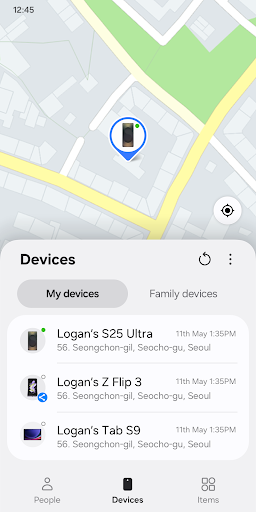
Samsung Find: Location Sharing
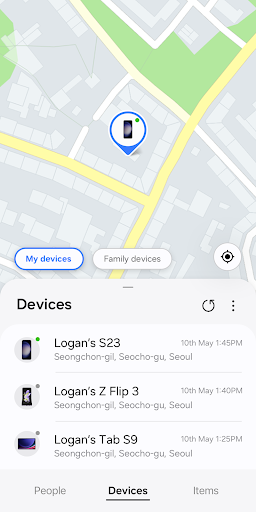
Samsung Find: Location Sharing is a powerful app designed to help you stay connected with your loved ones and keep your Galaxy devices safe. With its real-time GPS location tracking feature, you can effortlessly share your whereabouts with family and friends, ensuring peace of mind for everyone involved. Whether you're worried about the safety of your loved ones or trying to locate a misplaced device, Samsung Find offers a comprehensive solution that combines ease of use with robust security features.
This innovative app allows you to share your location selectively, view the real-time positions of your connected devices, and even track valuable items with GPS-enabled SmartTags. It's especially useful for busy families, individuals who often misplace their devices, or anyone wanting enhanced safety and convenience with their Galaxy ecosystem.
Key Features of Samsung Find
• Location sharing and location notifications
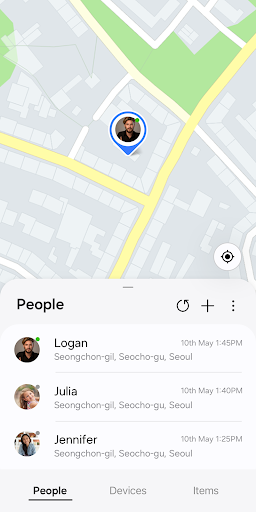
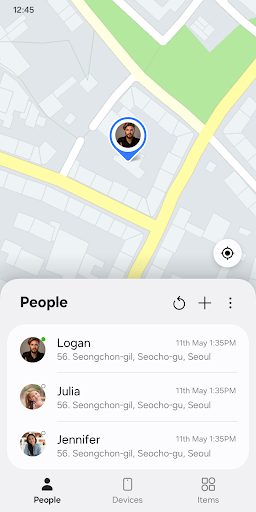
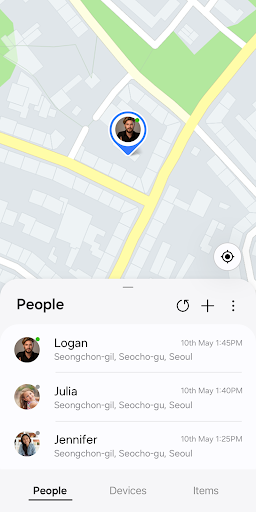
Worried about the safety of your loved ones? Want to keep tabs on their whereabouts without bothering them constantly? Samsung Find makes it easy to share your location securely with family and friends. You can choose who to share your location with through the "People" tab and set specific sharing durations, so your location isn't shared all the time. This feature proves invaluable for emergencies or simply staying connected in busy schedules.
The app also facilitates sending location notifications, alerting family members or friends when they arrive at or leave certain places, enhancing safety and coordination.
• Device-finding and security features
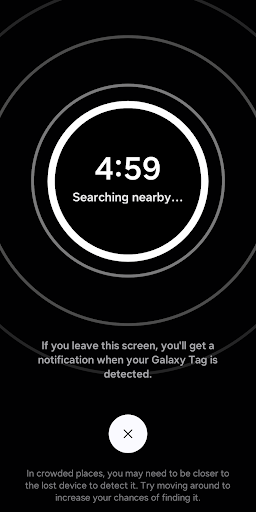
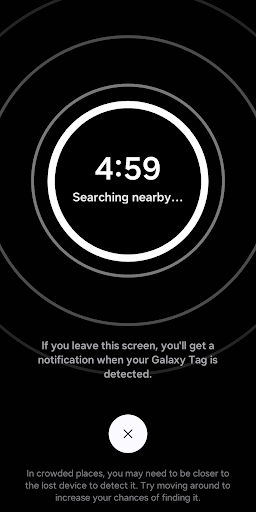
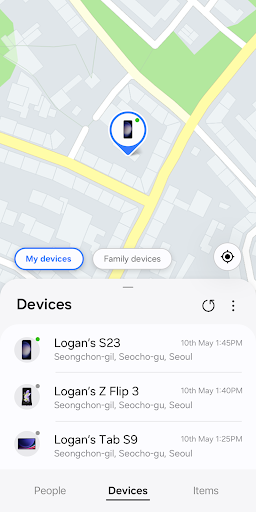
If you've ever lost your Galaxy device, Samsung Find provides a handy solution. You can locate your phone, tablet, Galaxy Watch, or Buds on the map and navigate directly to them. The "Search nearby" function allows you to scan 360 degrees around your current location, making it easier to find smaller devices like Earbuds or SmartTags.
Need your device to make a sound? The app's "Make sound" feature can do that even if your device is on silent mode. In case your device is truly lost, you can track its location and battery status remotely via the Samsung Find website. For added security, you can lock your device or erase all data remotely to prevent unauthorized access.
• Tracking valuable items
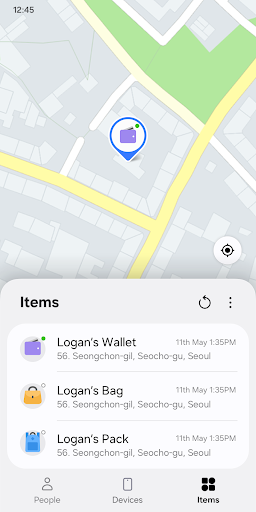
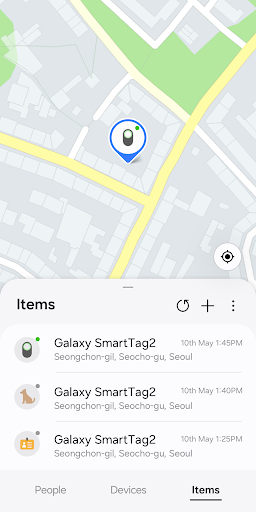
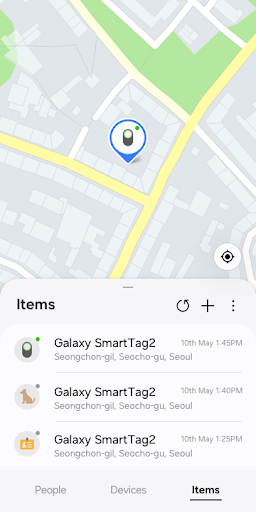
Attach a SmartTag to your precious belongings—such as your pet, bike, or suitcase—and register them with Samsung Find. The app lets you monitor their location in real-time, helping you prevent loss or theft. This feature adds an extra layer of security for your valuables, giving you peace of mind on-the-go.
Usage Environment and Permissions
Samsung Find is compatible with Galaxy devices supporting One UI 2 or later versions. To function properly, the app requires certain permissions, including Contacts for sharing location with people, Location for tracking devices or sharing your whereabouts, and Notifications to receive alerts.
Optional permissions like Camera and Nearby devices enhance device searching capabilities but are not mandatory for core features.
User Experience and Practical Benefits
Many users find Samsung Find to be intuitive and straightforward. The clean, modern interface makes navigation simple, even for those who aren't tech-savvy. The real-time location sharing feature is particularly praised for its ease of use—allowing quick updates with just a few taps, whether you're checking on family members during a busy day or ensuring your devices are safe.
Performance-wise, the app is optimized for minimal battery drain, ensuring that it can be used regularly without significantly impacting your device's battery life. This balance of efficiency and functionality makes Samsung Find a reliable companion for everyday safety and device management.
Privacy is a top priority for Samsung, and the app offers detailed controls over who can see your location and when. This ensures your data remains secure and shared only with trusted contacts.
Overall, Samsung Find: Location Sharing is more than just a device locator—it's a comprehensive safety tool that helps you stay connected and protect what matters most. Perfect for family safety, device security, or just peace of mind, this app reliably enhances your Samsung Galaxy experience.
Pros
- User-friendly interface suitable for users of all ages.
- Provides real-time updates of location data.
- Consumes minimal battery power.
- Allows customization of location alerts.
- Supports sharing location information with groups.
Cons
- Necessitates an ongoing internet connection.
- Offers limited features in the free version.
- Heavy usage may lead to increased battery drain.
- Raises privacy issues related to data sharing.
- Location accuracy can sometimes be inconsistent.











