

RAM App Description
Whether you’re off-roading in your Ram vehicle, cruising city streets, or unwinding at home, the RAM app keeps you connected and in command like never before. It’s more than a digital dashboard; it’s your bridge between road-ready performance and everyday convenience, designed to adapt to your routine whether you’re behind the wheel or planning a trip.
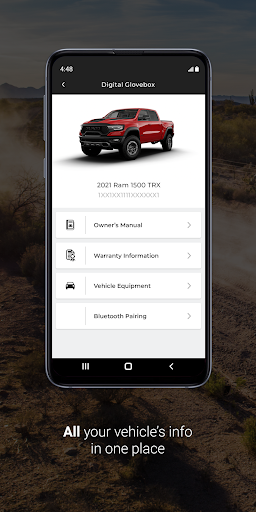
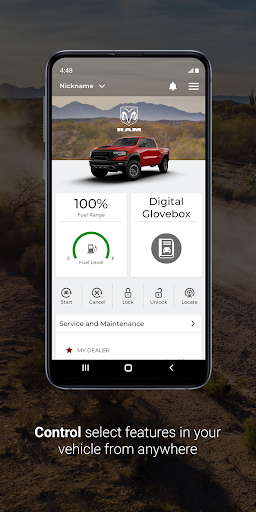
With the RAM app, you can access core vehicle information on demand. My Garage and Digital Glovebox bring the owner’s manual, service history, warranty details, and important documents to your phone in a secure, organized way. This seamless access helps you stay informed and prepared, no matter where you are.
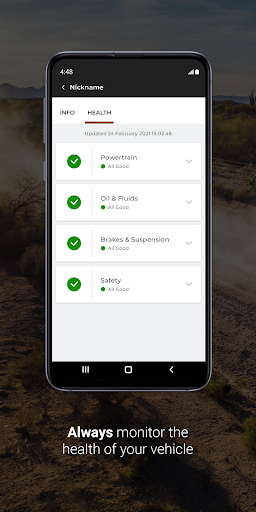
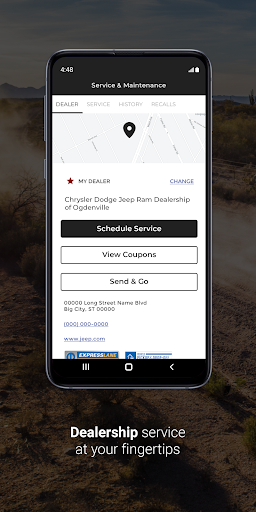
Stay proactive with Recall Alert and maintenance reminders, helping you anticipate service needs and avoid surprises. This proactive approach ensures your vehicle stays in peak condition and you’re never caught off guard by a recall or overdue service.
Remote features extend your car’s capabilities beyond the driveway. If your vehicle supports it, you can start or stop the engine, lock or unlock doors, and trigger the horn or exterior lights for safety and peace of mind—whether you’re near the vehicle or miles away.
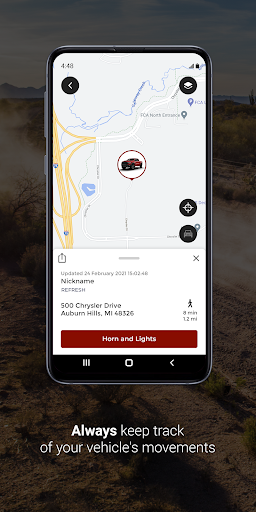
The RAM app also enhances everyday life with in-car entertainment, convenient Navigation, and safety and security services that align with your schedule. Whether you’re planning a road trip or running errands, you’ll appreciate the added degree of control and convenience that brings the driving experience to the palm of your hand.
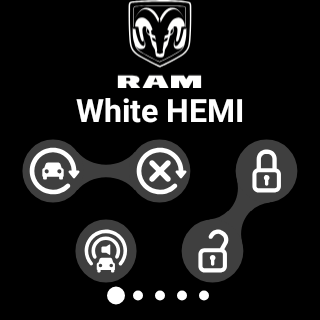
For convenience, some features work with compatible smartwatches, including the Wear OS watch. The companion Wear OS app extends the RAM experience to your wrist, providing quick vehicle status checks and simple remote commands right from your smartwatch.
As with any connected service, responsible use matters. You’ll want to use remote features in line with local laws, and an active subscription to Ram Connect, SiriusXM Guardian, or Uconnect Access is required to access the remote capabilities. Terms of Service outline any limits that may apply.
Designed for drivers who value both performance and peace of mind, the RAM app blends vehicle intelligence with everyday life. It grows with you—delivering essential information, flexible controls, and timely notifications to help you stay in control on every journey.
Key Features
Vehicle information at your fingertips, including the owner’s manual and service history, through My Garage and the Digital Glovebox.
Recall alerts to keep you informed about safety recalls and upcoming maintenance needs.
Remote commands such as start/stop, lock/unlock, and activate horn or exterior lights for added convenience and security.
Entertainment, navigation, and safety services that enrich every drive and help you plan ahead with confidence.
Wear OS compatibility for a smartwatch companion experience that keeps vehicle status just a glance away.
RAM Booster Overview
RAM Booster is a practical tool designed to optimize and accelerate your phone by managing memory more efficiently. It acts like a personal trainer for your device, helping apps run smoother and multitask with less lag.
Getting started is simple. Available on both Android and iOS, you can download it from the respective app stores and set it up in minutes. The clean, intuitive design makes it approachable for users of all skill levels—no complicated menus, just a straightforward way to rebalance memory.
Once installed, you’ll notice an immediate improvement in performance as the app monitors real-time RAM usage and helps free up memory with a tap. This can translate into faster app launches, smoother scrolling, and improved responsiveness during heavy use or when switching between apps.
Beyond RAM management, RAM Booster includes a junk cleaner to remove unnecessary files and a battery saver to extend your device’s longevity. For mobile gamers, a dedicated game booster can reduce lag and improve frame rates, helping you enjoy uninterrupted play sessions.
Whether you’re a power user who wants maximum performance or a casual user seeking a smoother experience, RAM Booster offers practical tools that work behind the scenes to keep your device running at peak efficiency.
Pros
- Efficient memory management
- Improves device performance
- Boosts multitasking
- Reduces app crashes
- Frees up storage space
Cons
- May consume battery quickly
- Can close background apps
- Requires regular updates
- Might cause device overheating
- Limited features in free version











