

Introduction to the Radar, HUD, Map, Speed Camera App
If you are passionate about driving and want to enhance your journey with safety and convenience, the Radar, HUD, Map, Speed Camera app is designed to be your ultimate driving companion. This all-in-one application combines advanced features such as radar detection, head-up display (HUD), real-time maps, and speed camera alerts to keep you informed, protected, and compliant with traffic laws. Whether you drive a car, motorcycle, bicycle, or truck, this versatile app is tailored to suit all kinds of vehicles and driving styles.
One of the standout advantages of this application is its ability to help you avoid speeding tickets by alerting you about speed traps and upcoming radars. Its intuitive interface ensures ease of use, while its lightweight design ensures your phone’s storage and processing power are preserved, enabling seamless multitasking such as listening to music or using other navigation tools simultaneously. With features like voice alerts and customizable settings, you can focus entirely on the road while staying updated about potential hazards and restrictions ahead.
Key Features of the Radar, HUD, Map, Speed Camera App
Real-Time Radar & Speed Camera Detection
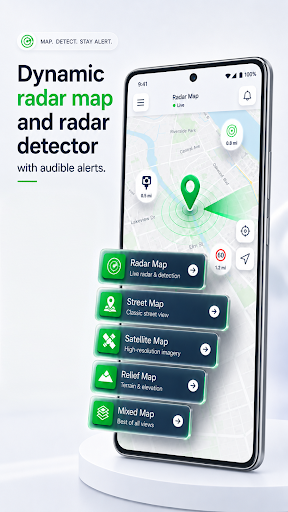
The heart of this app lies in its robust radar detection capabilities. It provides instant alerts about speed cameras and speed traps, helping drivers keep their speeds in check and avoid penalties. Even in tunnels where GPS signals may be weak, the app leverages calculated data to forecast upcoming radars, ensuring you don’t miss crucial warnings. This proactive approach acts as a personal co-pilot, continuously monitoring for law enforcement cameras and radar guns, and presenting warnings well in advance.
Heads-Up Display (HUD)
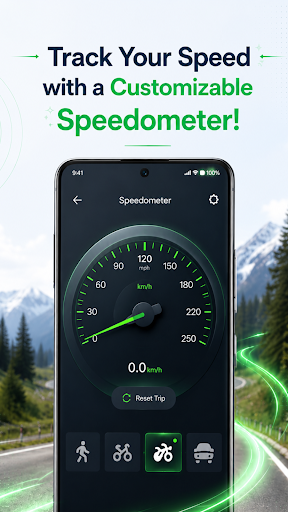
The head-up display feature is a revolutionary addition that projects vital driving information directly onto your vehicle’s windscreen. This means you can effortlessly monitor your current speed, navigational directions, and radar alerts without diverting your attention from the road. The HUD mirrors data from your phone, requiring no additional GPS setup, and can be easily activated or deactivated based on your preference. Its clarity and simplicity make it ideal for both daily commutes and long journeys.
Mapping & Navigation
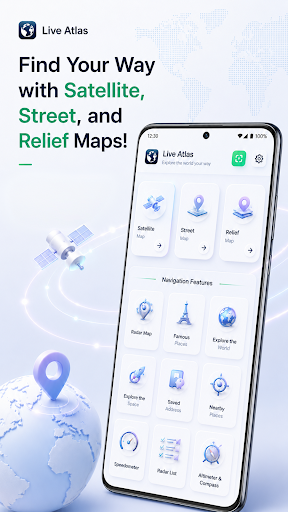
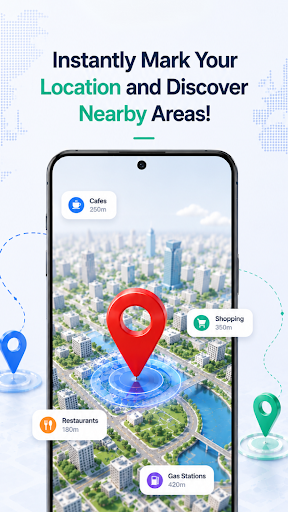
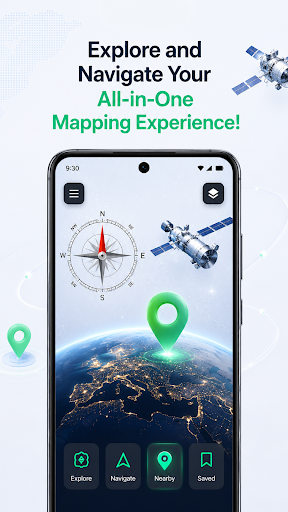
This app provides detailed, real-time maps with traffic data to help you find the fastest routes, avoid congestion, and reach your destination efficiently. The clear interface includes turn-by-turn voice guidance, making navigation effortless even in unfamiliar areas. Unlike generic map apps, this navigation system is integrated with radar alerts, offering a comprehensive driving aid that combines route planning with safety notifications.
Additional Benefits
The app is designed with performance in mind, ensuring smooth operation without lag or delay. It has minimal storage requirements and uses less phone memory compared to traditional navigation or radar apps, allowing you to enjoy uninterrupted music or other apps while driving. The software also warns you with distinct voice alerts when approaching a radar or police patrol, reducing stress and enhancing driving confidence.
Why Choose This App for Your Driving Needs?
If you're searching for a comprehensive traffic safety app that combines features like radar detection, HUD, and navigation, look no further. This application offers a free and user-friendly experience that helps you stay compliant and avoid unnecessary fines. Its lightweight design ensures fast performance, and its ability to alert you ahead of time about law enforcement tools makes it a must-have for cautious drivers.
By choosing this all-in-one driving companion, you can enjoy a safer, more relaxed journey, while saving time and reducing expenses associated with traffic violations. Whether you're a daily commuter or an adventurous road tripper, this app adapts seamlessly to your lifestyle. Share it with friends and family, and make your journeys smarter and more secure.
Pros
- Provides real-time alerts for speed cameras.
- Offers precise GPS navigation.
- Features an intuitive and easy-to-use interface.
- Allows customization of settings.
- Provides access to maps offline.
Cons
- Requires a constant internet connection.
- Consumes battery power rapidly.
- Displays occasional advertisements that may interrupt usage.
- Has limited features in the free version.
- May not detect all speed cameras.











