

Introducing the Passport Parking App
Are you tired of endlessly circling blocks, desperately searching for a parking spot, or wrestling with traditional parking meters? Passport Parking is here to revolutionize your parking experience. This innovative mobile app offers a seamless and stress-free way to pay, extend, and manage your parking sessions with just a few taps on your smartphone. Whether you're in a busy city center or at a popular event, Passport Parking acts like your personal parking assistant, making parking as easy as it should be.
Key Features of Passport Parking
Effortless Payment and Management
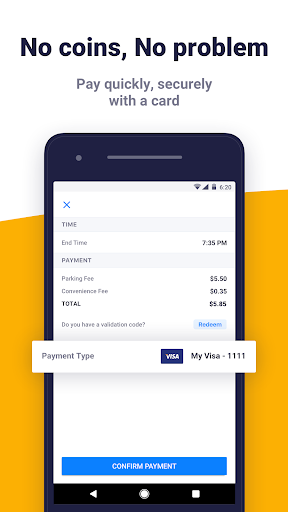
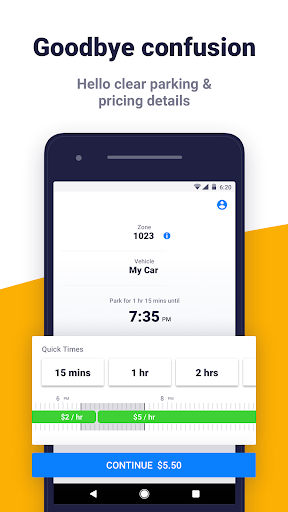
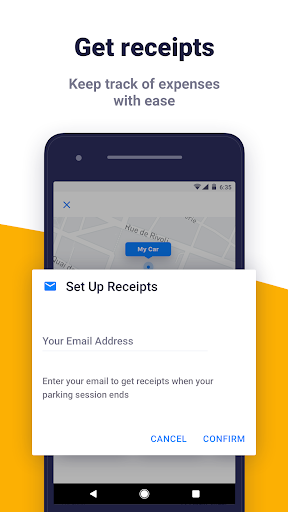
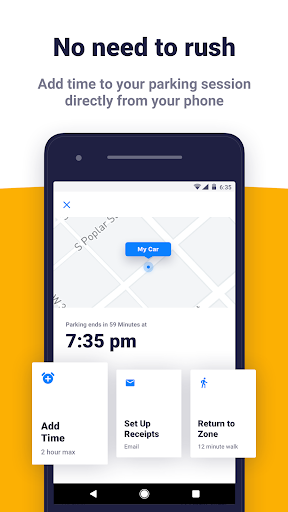
With Passport Parking, paying for parking is quick and secure. Simply open the app when you arrive, select your location, and pay directly from your mobile device—no more searching for loose change or struggling with outdated meters. The app provides clear information on parking rates and alerts you about upcoming rate changes, even during free parking periods, so you're always informed. After your session, you receive an email receipt, keeping your parking expenses organized and accessible. This feature is perfect for managing your parking history and expense tracking effortlessly.
Stress-Free Parking Experience
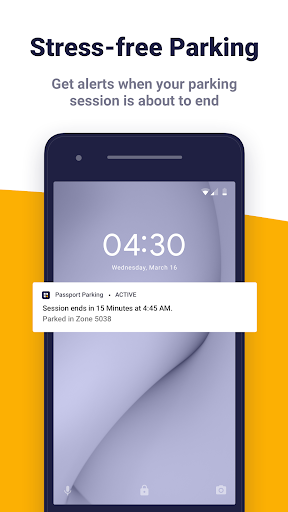
One of the standout features is the real-time alerts reminding you when your parking session is about to expire, eliminating worries about hefty parking tickets. Additionally, if your plans change or you wish to extend your parking, the app allows you to add more time directly from your phone. This flexibility means you can enjoy your meeting, brunch, or shopping trip without rushing back to your vehicle. The convenience of remotely extending parking sessions provides peace of mind and saves valuable time.
Getting Started in Simple Steps
Getting started with Passport Parking is straightforward:
- Download the Passport Parking app from your device’s app store.
- Look for Passport Parking signage at parking locations.
- Pay securely for your parking session via the app.
- Relax — enjoy your time knowing parking is handled effortlessly.
Future Enhancements and App Updates
The Passport Parking app is continually evolving. Based on user feedback, the developers are dedicated to adding new features and improvements to enhance your parking experience further. Expect regular updates that keep the app user-friendly, reliable, and packed with innovative functionalities.
How Passport Parking Simplifies Your Parking Needs
Imagine no longer having to cruise around endlessly or stress over finding change for parking meters. Passport Parking harnesses your device’s location services to quickly identify nearby parking zones, letting you pay for and manage your parking sessions with just a few taps. Its intuitive user interface and real-time parking spot maps make finding and securing parking faster and easier. For busy urban dwellers and travelers, this app simplifies parking logistics, minimizes stress, and even helps you be more eco-friendly by reducing vehicle idling and emissions.
Why You Should Choose Passport Parking
In today’s fast-paced world, Passport Parking offers a crucial advantage: convenience. If you often park in crowded areas or busy city centers, this app is an essential tool that saves time, reduces parking-related frustrations, and helps prevent parking violations. Plus, by streamlining the entire process—from paying to extending your session—it’s a smart choice for anyone seeking a smarter, more efficient parking solution. Experience the future of parking management today with Passport Parking and enjoy parking as it should be—simple, stress-free, and easily managed from your smartphone.
Pros
- Easy to find parking spots.
- Supports integration with various city parking systems.
- Fast payments using saved credit card information.
- Receipts and parking history are accessible.
- Remote extension of parking duration is possible.
Cons
- Limited to certain cities.
- GPS may occasionally be inaccurate.
- App may unexpectedly crash.
- Customer support response times can vary.
- Transaction fees might be applicable.











