

Nintendo Switch Parental Controls App: A Comprehensive Guide
The Nintendo Switch Parental Controls™ app is a powerful and free tool designed to help parents monitor and manage their child's gaming activities on the Nintendo Switch 2 or Nintendo Switch console. Developed with ease of use and safety in mind, this app allows parents to keep a close eye on game time, chat activity, and content restrictions, fostering a healthier gaming environment for children while maintaining family-friendly fun.
Essential Requirements and Setup
To make the most of the Nintendo Switch Parental Controls app, you'll need a compatible Nintendo Switch 2 or Nintendo Switch system. The app is available for both Android and iOS devices, making it accessible to most smartphone users. Setting up the app is simple: download it from the Google Play Store or Apple App Store, install, and pair it with your child's Nintendo Switch. Once linked, you gain remote control over the console's settings through the app, offering a seamless and convenient way to supervise gaming activities from anywhere.
Key Features for Parents and Guardians
The Nintendo Switch Parental Controls app offers a suite of features designed to help parents manage their children’s gaming in a practical and non-intrusive way:
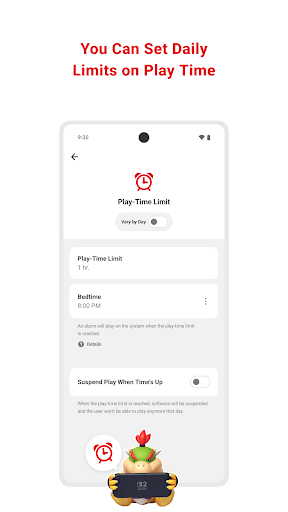
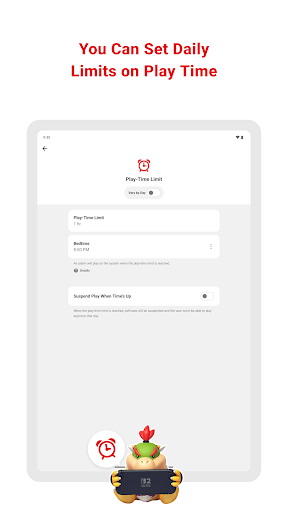
- • Set a daily play-time limit: Parents can establish customized timers that limit how long their children can play each day. Different schedules can be configured for each day of the week, and once the limit is reached, the system can automatically suspend gameplay, helping kids develop balanced gaming habits.
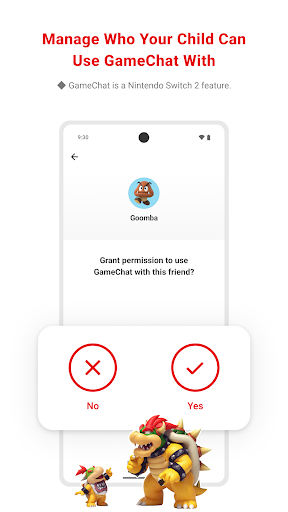
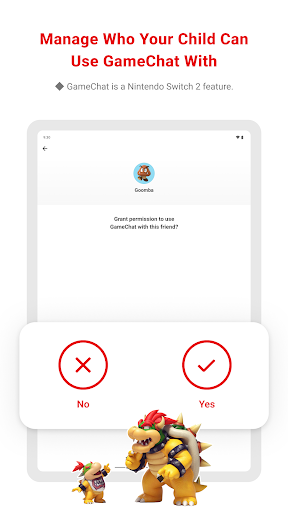
- • Manage GameChat settings: If online chatting is enabled, parents can approve or restrict friends their children can communicate with and control video chat usage. Note that the GameChat feature is exclusive to Nintendo Switch 2 systems.
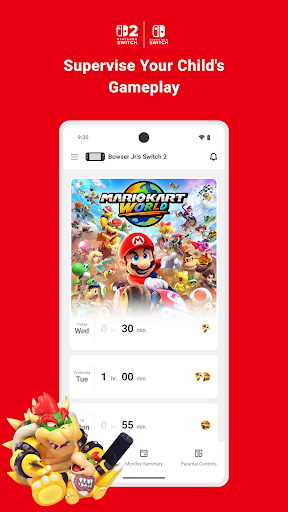
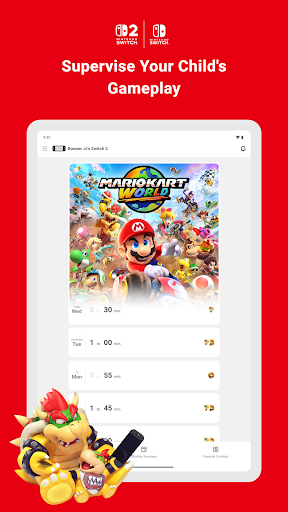
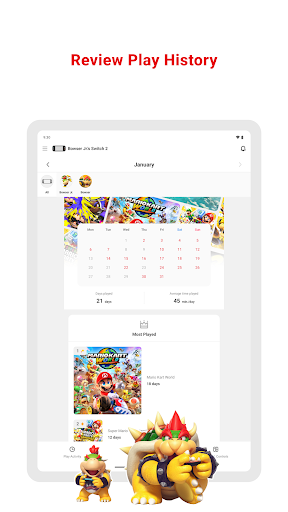
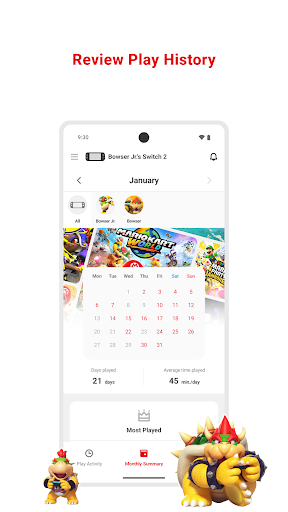
- • View play activity: The app displays detailed information about what games children are playing and for how long, along with a monthly overview, giving parents insights into gaming patterns and habits.
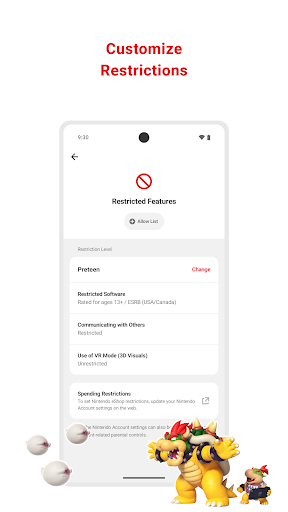
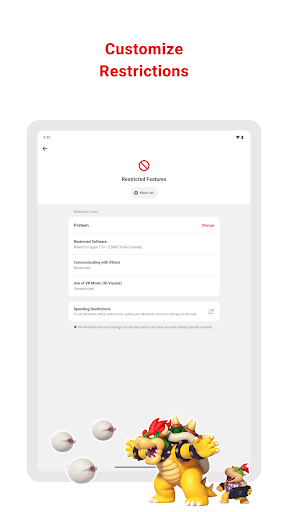
- • Set age-based restrictions: You can configure content restrictions based on your child's age to block access to unsuitable games or features, ensuring a safer gaming environment tailored to their maturity level.
Additional Important Information
While the app provides robust control options, there are some important considerations:
- To use the Nintendo Switch Parental Controls app, a parent or guardian aged 18 or above must have a Nintendo Account.
- Restrictions on purchasing content and services through Nintendo eShop can be managed via the Nintendo Account settings.
- All linked Nintendo Switch 2 and Nintendo Switch consoles should be updated to the latest system version to utilize the full range of features.
- For in-depth details about the GameChat feature, visit support.nintendo.com.
Why Parents Love the Nintendo Switch Parental Controls App
The Nintendo Switch Parental Controls app is truly a game-changer for parents seeking to supervise their children’s gaming habits without feeling overly restrictive. Compatible with both Android and iOS devices, it combines powerful features with intuitive design, making it easy for even non-tech savvy parents to set boundaries effectively.
With this app, parents can set playtime limits to prevent gaming sessions from extending into bedtime or study hours, and receive alerts when time's up—thus avoiding negotiation battles over "just five more minutes." Content restrictions based on age ratings ensure kids are kept away from games that aren't suitable for their age, promoting a safer gaming experience. Plus, the monthly summaries provide valuable insights into gameplay durations and which titles are most popular, helping parents make informed decisions about their child's gaming activities.
The app's user-friendly interface makes managing these settings straightforward, providing a seamless way for parents to oversee gaming without constantly hovering in the background. It strikes a perfect balance between fostering responsible gaming habits and respecting a child's need for fun and independence.
In summary, the Nintendo Switch Parental Controls app is an essential tool for any parent with a young gamer. It promotes healthy gaming behaviors, offers peace of mind, and encourages a balanced approach to screen time, making it a top choice for family-friendly gaming management.
Pros
- User-friendly interface for easy navigation.
- Customizable settings for different age groups.
- Supports multiple profiles for family use.
- Allows remote management via smartphone.
- Provides comprehensive activity reports for parents.
Cons
- Limited to Nintendo Switch console only.
- Some settings might be complicated for beginners.
- Requires internet connection for certain features.
- Limited options for game restrictions.
- Notifications may sometimes be delayed.











