
Introducing the Nest App: The Heart of Your Smart Home
Ever wished your home could take care of itself? The Nest app offers a comprehensive solution that transforms your living space into a fully integrated, intelligent environment. Think of it as your personal digital assistant for your house—making everyday living more comfortable, secure, and energy-efficient.
Smart Control at Your Fingertips
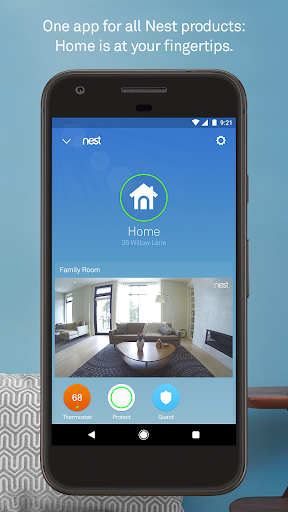
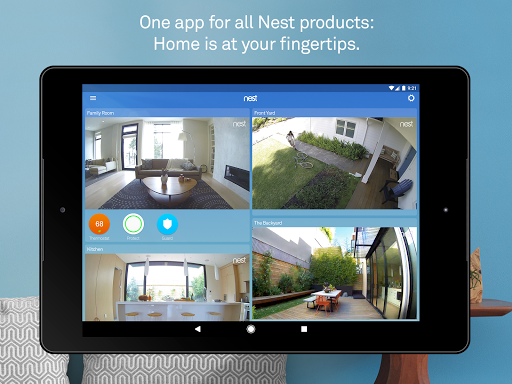
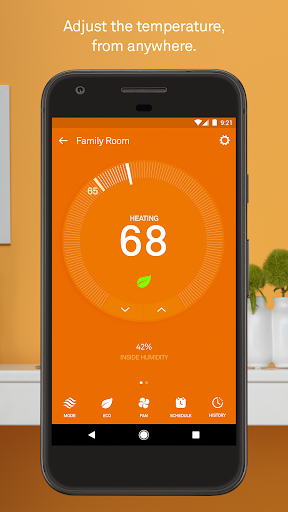
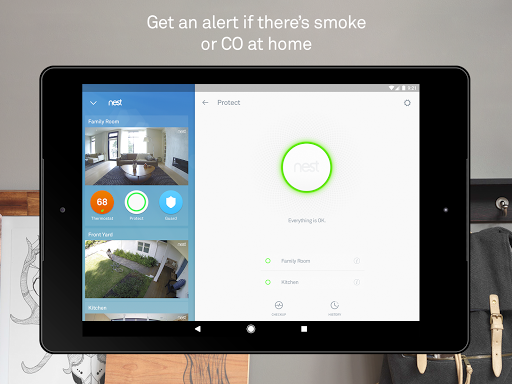
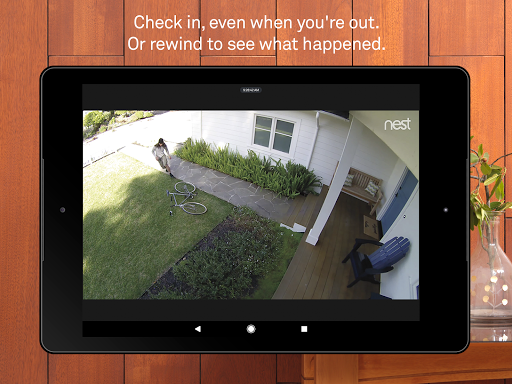
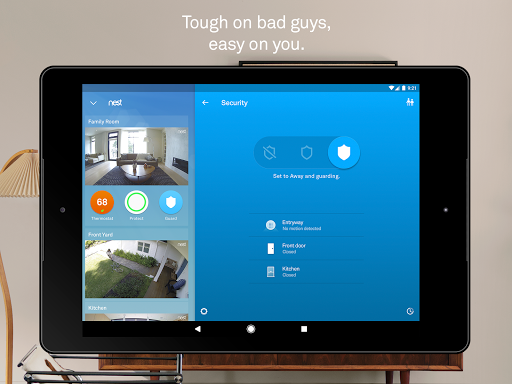
The Nest app empowers you to control a wide range of smart home devices effortlessly from your smartphone. Whether you're adjusting the •Nest Thermostat• to set the perfect temperature, checking the live feed from your •Nest Cam• security cameras, or managing your •Nest Protect• smoke and carbon monoxide alarms, everything is accessible in one intuitive interface.
Imagine tweaking your home climate from the comfort of your couch or analyzing your energy consumption while on the go. The app's sleek and user-friendly design ensures that even those new to smart home technology can navigate with ease. With the ability to receive real-time notifications, you'll stay informed about your home's status, whether it's a security alert or a temperature change.
Seamless Integration for a Cohesive Smart Ecosystem
One of the most impressive features of the Nest app is its capability to integrate seamlessly with various smart devices and platforms. Compatible with Google Home, Amazon Alexa, and other third-party ecosystems, it ensures your smart home devices work together harmoniously. No more juggling multiple apps—manage everything smoothly from one centralized location.
This interoperability simplifies your smart home experience, making automation and device control less complicated and more reliable. Whether your lights, security system, or thermostats, all communicate effectively through the Nest app.
Energy Saving Made Simple
Concerned about rising energy costs? The Nest app helps you monitor and optimize your energy consumption effortlessly. Features like energy usage reports, tips for saving energy, and the ability to adjust your thermostat remotely mean you can reduce waste and lower utility bills without sacrificing comfort.
With tools that show you how much energy you use and why, it’s like having an eco-conscious advisor by your side—guiding your lifestyle toward greener choices and smarter savings.
Enhanced Security for Peace of Mind
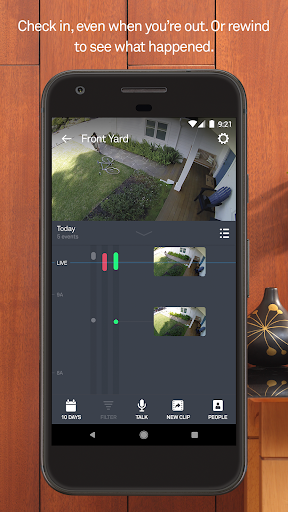
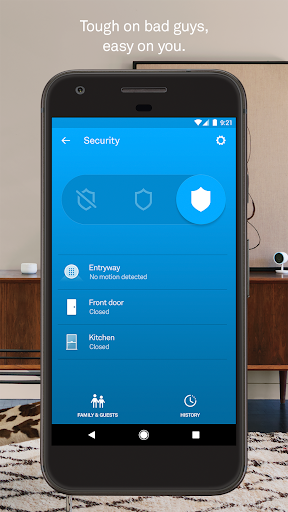
The security features within the Nest app ensure your home remains protected whether you're there or away. With real-time alerts about activity detected by your •Nest Cam• or when doors are opened with your •Nest x Yale Lock•, you always stay in the know.
Functions such as receiving security alerts, viewing live footage, and even speaking to visitors through HD Talk and Listen features make it easier to protect your loved ones and property. For added peace of mind, optional subscriptions offer extended video history, ensuring you don’t miss any critical moments.
Specialized Devices Controlled via the App
Nest Learning Thermostat & Nest Thermostat E
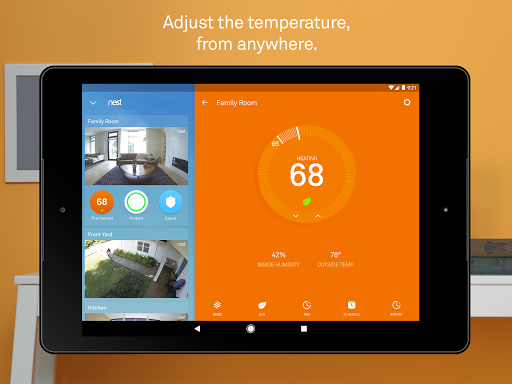
These thermostats learn from your behavior to program themselves automatically, helping you save energy and stay comfortable. Adjust temperatures from anywhere—whether you're on the subway or relaxing at home—and view your energy reports to understand your usage better.
Nest Secure Alarm System
Arm or disarm your home remotely, and if you forget to set the alarm, the app sends you gentle reminders. It also alerts you if any door or window opens unexpectedly, adding an extra layer of security.
Nest Protect Smoke & CO Alarm
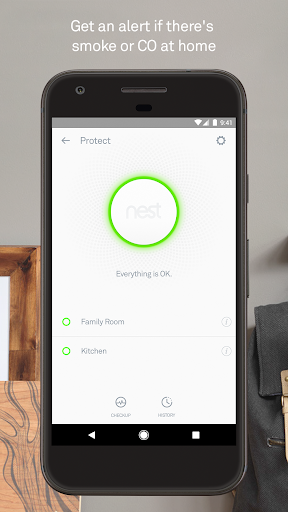
This intelligent alarm detects smoke and carbon monoxide, not only alerting you through the app but also speaking and providing status updates on batteries and sensors. With Safety Checkup and History features, you can ensure your home’s safety at all times.
Nest Cam IQ & Dropcam
Keep an eye on your home with high-definition indoor and outdoor cameras. Receive activity alerts, check recent footage, and engage in two-way conversations with visitors—all accessible remotely. Subscription plans offer extended video history and advanced person recognition.
Nest Hello Video Doorbell
Know who’s at your door at any time. With 24/7 HD streaming and motion detection, the Nest Hello delivers clear visuals and notifications, even when visitors don’t ring the bell. Its smart detection clearly distinguishes between people and objects, ensuring you're only notified when it matters.
Nest x Yale Lock
This smart lock replaces traditional keys with passcodes managed via the app. Receive alerts when your door is locked or unlocked, and enjoy auto-lock features that secure your home when you leave—no more forgotten keys or lockouts.
Conclusion: The Future of Connected Living
The Nest app epitomizes the modern smart home experience—combining convenience, security, and energy efficiency into one powerful platform. Its ability to control a diverse range of devices, seamlessly integrate with other smart systems, and provide detailed insights makes it essential for anyone looking to enhance their home automation.
If you're ready to elevate your living space to the next level of intelligence and ease, the Nest app is your ideal companion. Embrace the future of connected homes and enjoy peace of mind, savings, and comfort—all from the palm of your hand.
Pros
- Seamless integration with smart home devices
- User-friendly interface enhances experience
- Energy-saving features reduce utility bills
- Remote access offers convenience and control
- Regular updates improve functionality
Cons
- Initial setup can be time-consuming
- Compatibility issues with older devices
- Subscription required for premium features
- Occasional connectivity issues
- Limited support for third-party apps











