Introducing the MTA TrainTime App: Your Ultimate Transit Companion
The MTA TrainTime app is a versatile and user-friendly tool designed to enhance the commuting experience for Long Island Rail Road and Metro-North Railroad passengers. Whether you're a weekly commuter or an occasional traveler, this app consolidates essential features such as purchasing tickets, trip planning, real-time train tracking, and more—all in one convenient platform.
Key Features of the MTA TrainTime App
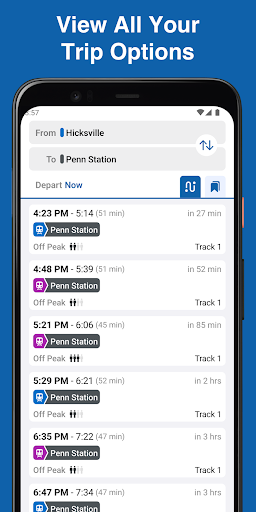
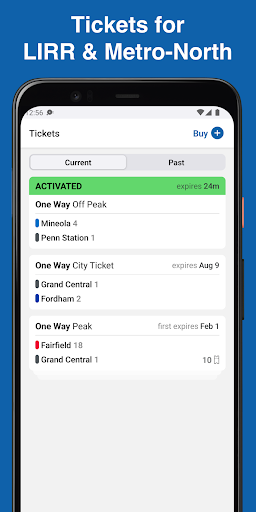
With the TrainTime app, riders can buy tickets seamlessly using popular payment methods including Google Pay or credit/debit cards. Moreover, it supports split payments across two cards, providing flexibility for users. Planning trips becomes effortless as users can specify departure times and transfer details before heading out. The app also allows searching for two origin and/or two destination stations simultaneously, making route customization simple and efficient.
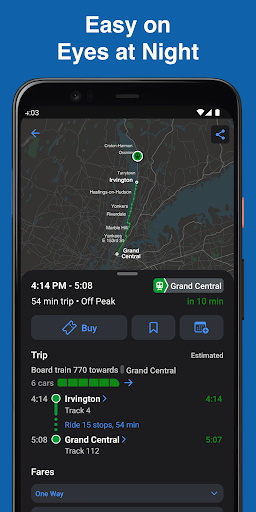
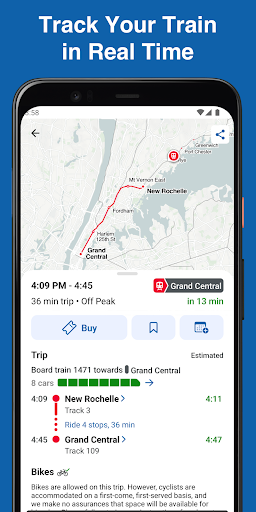
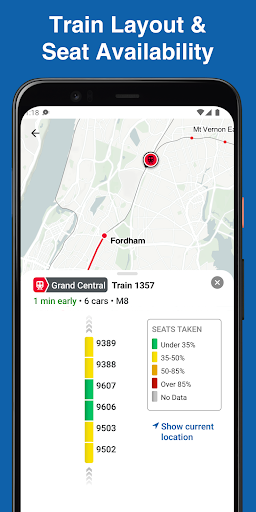
Frequent travelers can save their regular trains for quick access, while sharing trip details with family and friends helps keep loved ones informed about your estimated arrival. The real-time GPS tracking feature updates train locations every few seconds, so you can follow your train's progress live. For a more comfortable journey, the app displays train car layouts and indicates how crowded each car is, helping you choose the best spot for a hassle-free ride.
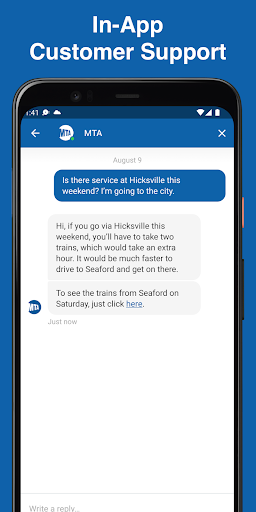
In addition, the app provides an in-app chat feature to connect instantly with customer support from either LIRR or Metro-North. This ensures assistance is just a message away, offering peace of mind and reliable support whenever needed.
Transforming Your Commute with Real-Time Updates and User-Friendly Design
Have you ever found yourself waiting endlessly at a train platform, uncertain about when your ride will arrive? The MTA TrainTime app eliminates this frustration by offering real-time updates on train schedules, delays, and track changes. Available on both Android and iOS devices, it has become an essential tool for anyone who depends on the MTA transit system.
Intuitive Interface for All Users
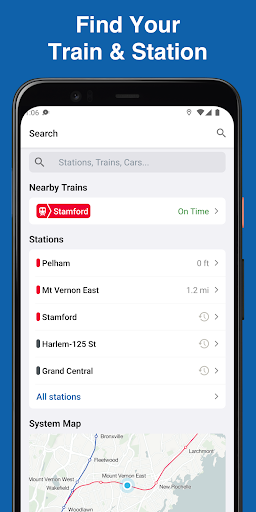
Upon opening the app, users are greeted with a sleek and intuitive interface designed for easy navigation. The straightforward menus let you find important information quickly, whether you are tech-savvy or not. One standout feature is the ability to favorite your regular routes, granting instant updates on your usual trains without the need to search repeatedly. Such thoughtful touches make the TrainTime app accessible and efficient for a broad user base.
Stay Informed with Alerts and GPS Tracking
The app truly excels in providing real-time updates and alerts. Notifications inform you promptly about delays or schedule changes, allowing you to adjust your plans accordingly. This feature reduces stress and enhances your overall travel experience. The GPS tracking feature gives a live view of your train's current location, enabling precise planning and reducing uncertainty during your commute.
Additional Benefits and Support
Beyond schedule tracking, MTA TrainTime offers detailed train car layouts, helping you find seats or choose proximity to exits, especially during busy hours. The in-app chat support ensures you can quickly resolve issues or ask questions, making your journey smoother. Having such a reliable tool keeps you informed and confident in your daily transit routine.
Final Thoughts: A Must-Have Transit App for Every Commuter
Overall, the MTA TrainTime app is an indispensable companion for navigating the complexities of New York City’s commuter rail system. Its collection of practical features, user-friendly design, and real-time updates make every trip more predictable and less stressful. Whether you’re catching a train to work, school, or leisure, this app empowers you with the information needed to travel confidently. If you haven’t downloaded it yet, now is the perfect time to experience a smarter, more efficient way to ride the rails—your future self will thank you!
Pros
- User-friendly interface
- Real-time train tracking
- Customizable notifications
- Offline schedule access
- Multi-language support
Cons
- Limited to MTA service area
- Occasional app crashes
- Battery consumption issues
- Ads in free version
- Requires internet for updates