

Discover the Convenience of the MBTA mTicket App
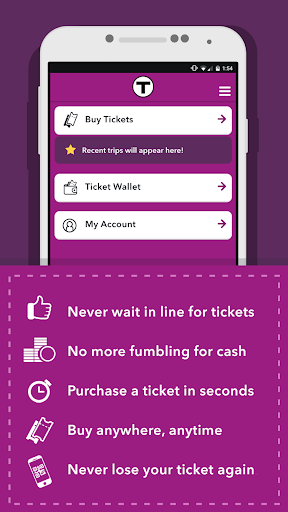
Are you tired of standing in line at ticket machines or fumbling with paper tickets before your commute? The MBTA mTicket app offers a modern, easy-to-use solution, transforming your smartphone into a virtual ticket office. With this innovative app, Boston commuters and visitors alike can quickly purchase and store tickets for MBTA Commuter Rail and Ferry services, making travel more seamless than ever before.
Buy Tickets Anywhere, Anytime in Seconds
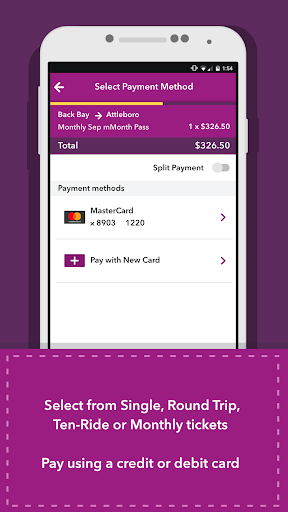
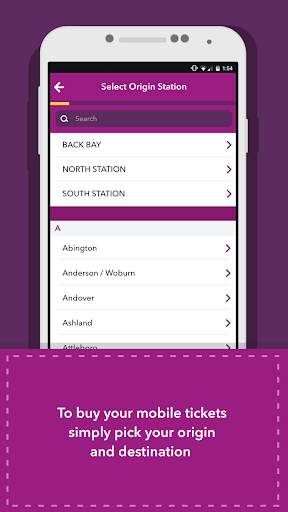
The MBTA mTicket app allows you to purchase tickets with just a few taps, right from your mobile device. Whether you need a Single Ride, Round-Trip, 10 Ride, or Monthly pass, the process is secure and straightforward. Select your origin and destination, choose your preferred ticket type, input your payment details, and your smartphone instantly becomes your valid travel ticket. This eliminates the need for paper tickets and ensures you always have your fare ready, even on the go.
Key Features that Enhance Your Commuting Experience
Secure Ticket Purchasing
The MBTA mTicket app offers safe and reliable payment options, supporting various credit and debit cards. Your transactions are protected, giving you peace of mind every time you buy a ticket.
Your Smartphone as Your Ticket
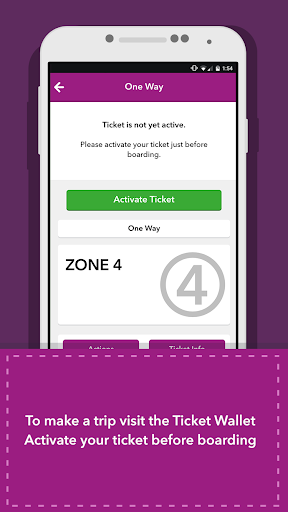
Once purchased, tickets are stored securely within the app’s My Tickets section, ready to be activated during boarding. No more worrying about losing or damaged paper tickets. If your device is lost or stolen, you can easily transfer your tickets to a new device, ensuring hassle-free travel continuity.
Real-Time Schedules and Service Alerts
Stay informed with live updates on Commuter Rail schedules, maps, and service alerts. The app keeps you connected to the latest transit information, helping you plan your trip more effectively and avoid unexpected delays.
Special Offers and Promotions
The MBTA mTicket app frequently features exclusive deals from partners like JustRide, giving users access to special discounts and promotions, making your commute more budget-friendly.
Getting Started with the MBTA mTicket App
Downloading and setting up the app is simple. Available for both Android and iOS devices, you can find it on Google Play or the App Store. Creating an account involves just entering your email and creating a password, after which you can begin purchasing tickets immediately. The clean, intuitive interface ensures that both tech-savvy commuters and newcomers will find it easy and efficient to use.
Why the MBTA mTicket App Is a Game Changer for Boston Transit
Imagine avoiding long lines at the station and skipping the hassle of cash transactions—this is what the MBTA mTicket app delivers. With its user-friendly design and instant ticketing capabilities, the app makes daily commuting more convenient and environmentally friendly by reducing paper waste. Plus, it provides real-time updates, so you stay informed about any service disruptions or schedule changes—like having a personal transit assistant in your pocket.
The Future of Commuting with MBTA mTicket
Whether you're a regular rider or a visitor exploring Boston, the MBTA mTicket app transforms how you access public transportation. Its combination of simplicity, security, and real-time information ensures a smooth travel experience. Say goodbye to paper tickets and hello to a smarter, more efficient way to navigate the city’s transit system. Once you experience the convenience of this digital ticketing solution, you'll wonder how you ever traveled without it.
Pros
- Easy to purchase tickets at any time
- Accessible from anywhere
- Supports various payment methods
- Intuitive and user-friendly interface
- Fast ticket activation process
- Allows saving favorite trips for quick purchases
Cons
- Occasional app crashes
- Limited options for customer support
- Requires internet connection for ticket validation
- No offline access to schedules
- Can cause battery drain during extended use











