Discover the Benefits of Life360: Stay Connected & Safe
In today’s fast-paced world, keeping family members and loved ones safe and connected is more important than ever. Life360 is a leading family connection and safety app designed to provide peace of mind by offering real-time location tracking and a suite of safety features. With over 66 million users worldwide, Life360 seamlessly integrates into daily life, reducing the need for endless "where are you?" texts and ensuring you stay updated on everyone and everything that matters most.
By leveraging advanced safety tools and location sharing capabilities, Life360 transforms your smartphone into a comprehensive safety hub. Whether you're keeping tabs on your children, pets, or essential belongings like keys and wallets, the app helps you stay informed and secure, anytime and anywhere.
Key Features of Life360
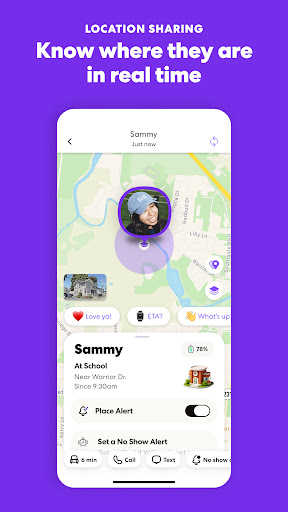
Real-Time Location Sharing
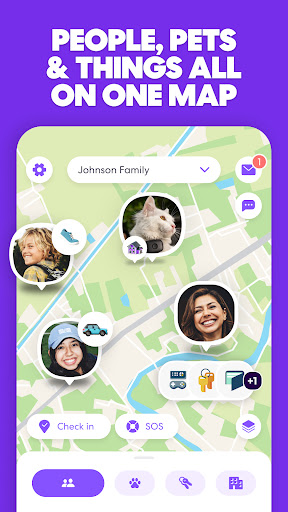
One of the core features of Life360 is live location sharing. Once you set up your circles, you can see your family members and friends on a dynamic map. This eliminates the need for constant check-ins, as everyone’s whereabouts are displayed in real time. The app also supports creating multiple circles, such as a family circle, a friend group, or a carpooling group, making it easy to organize and manage your loved ones' locations.
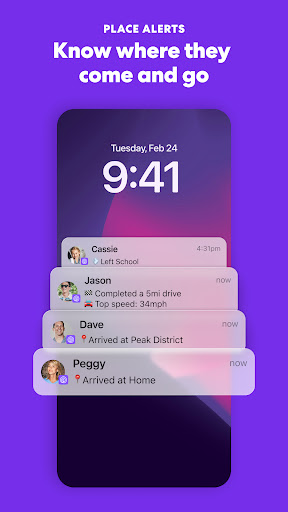
Geofencing & Place Alerts
The geofencing feature allows you to set up designated zones, such as home, school, or work. You can receive notifications when someone enters or leaves these areas, enhancing safety and punctuality. For example, you’ll know immediately when your kids arrive home from school or if a family member is on their way back from work.
Safety and Emergency Tools
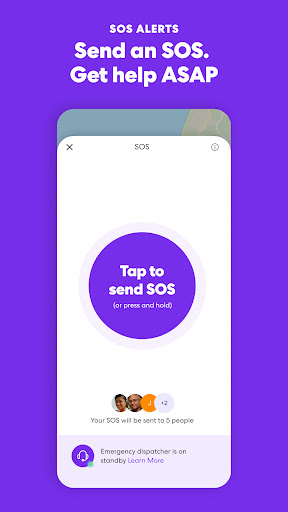
SOS Alerts: Send silent emergency notifications with your precise location to trusted contacts, emergency services, or responders, providing immediate assistance during urgent situations.
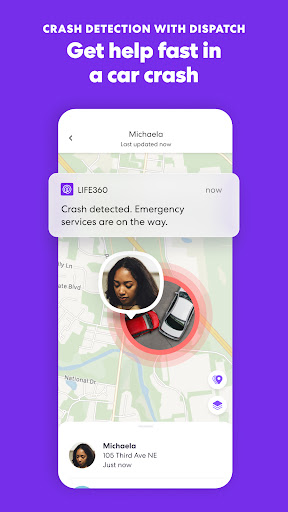
24/7 Emergency Dispatch: The app offers around-the-clock emergency response services, giving you peace of mind knowing help is available whenever needed.
Roadside Assistance: Life360 members benefit from free towing, jumpstarts, tire changes, and lockout help, ensuring support when you need it most.
Identity Theft & Data Protection: Keep digital information safe with features like digital protection services, backed by expert restoration support.
Driving & Location History
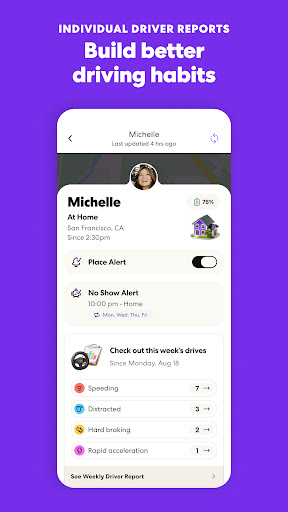
The app provides driving insights such as speed, phone usage while driving, and braking patterns, making it a useful tool for new drivers or fleets. Additionally, with location history, you can review where your loved ones have been over the past days or weeks, contributing to overall safety and accountability.
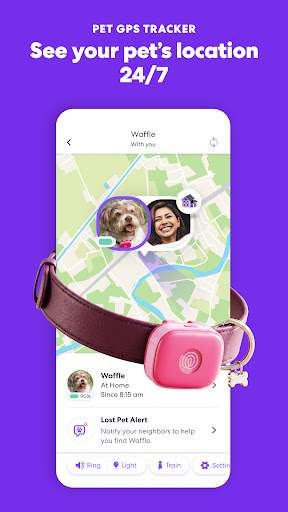
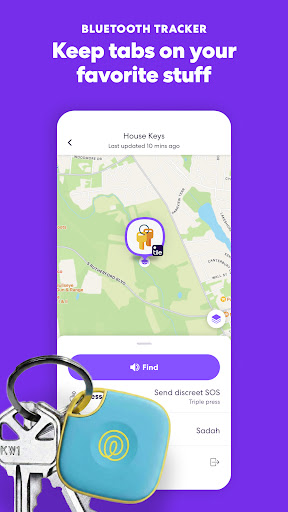
Pet & Item Tracking with Tile
Life360 extends its connection beyond family members with Tile trackers that help locate pets and essential items like keys, wallets, luggage, or bikes, ensuring you never lose track of your valuables.
Membership Tiers & Benefits
Life360 Silver
Start with the essentials: unlimited place alerts for 2 locations, 2 days of location history, crash detection, safety alerts, and emergency features that simplify your safety routine.
Life360 Gold
Upgrade to enhanced safety with 30 days of location history, unlimited place alerts, individual driver reports, live agent support during crash detection, roadside assistance, and significant protections against theft with reimbursement policies.
Life360 Platinum
Experience the ultimate safety package: coverage for $1 million in stolen fund reimbursement, 50 miles of free towing, additional stolen phone coverage, disaster support, and comprehensive medical assistance, ensuring comprehensive protection in any situation.
Privacy & App Permissions
Life360 takes privacy seriously, incorporating end-to-end encryption and allowing users to customize who can see their location. Permissions such as access to camera, microphone, contacts, and location are optional and designed to enhance functionality. You can still use the app without granting all permissions, though some features may be limited.
Always have open and honest conversations within your circle about how and when to share location data to maintain trust and security.
Why Choose Life360?
If you’re seeking an all-in-one safety solution that combines live location sharing, emergency assistance, driving insights, and item tracking, Life360 is a compelling choice. It offers user-friendly interfaces and powerful features for families, friends, and individuals who prioritize security, safety, and peace of mind.
Whether you’re a parent concerned about your children’s whereabouts, someone who wants to keep tabs on their car or belongings, or simply looking for a reliable way to stay connected, Life360 provides the tools you need to navigate daily life confidently.
Download Life360 today and enhance your safety measures by staying connected with the people and valuables that matter most.
Pros
- Real-time location sharing
- Family safety alerts
- Location history tracking
- Battery efficient
- Supports multiple platforms
Cons
- Privacy concerns
- Premium features require subscription
- May drain device battery
- Location accuracy problems
- Complex setup process