
Introduction to the Kasa Smart App
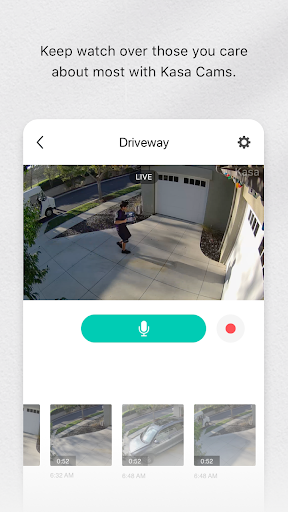
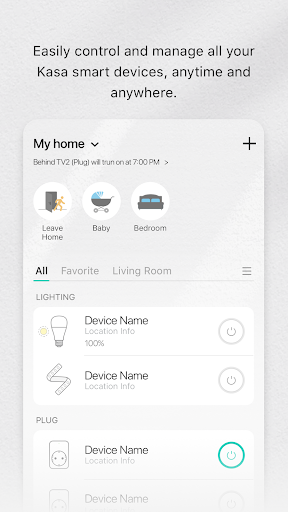
The Kasa Smart app is a versatile and user-friendly solution designed to give you seamless control over your TP-LINK Smart Home devices. Whether you want to turn on your lights before you arrive home, schedule appliances to operate at specific times, or monitor your property remotely, Kasa Smart makes managing your smart home effortless. Compatible with a range of devices including smart plugs, bulbs, switches, power strips, cameras, routers, and range extenders, this app is your all-in-one remote for a smarter living experience.
Device Compatibility and Features
The Kasa Smart app currently supports a variety of TP-LINK devices such as:
- Smart Plugs: HS100/110/107, KP200/400/EP10, HS103/105, KP105
- Smart Switches: HS200/210/220
- Smart Power Strips: HS300/303
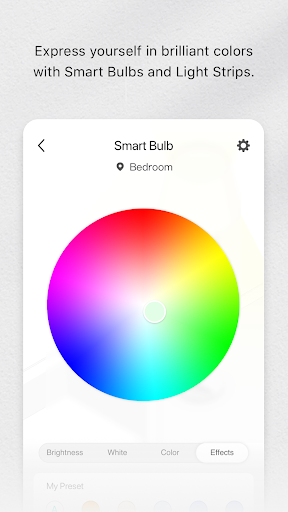
- Smart Bulbs: LB100/110/120/130/200/230, KL50/60/110/120/130
- Smart IP Cameras: KC100/105/110/115/120/200/300/310/400/410S/420WS
- Networking Devices: Smart Router SR20, Range Extender RE270/370/350K
Getting Started with Kasa Smart
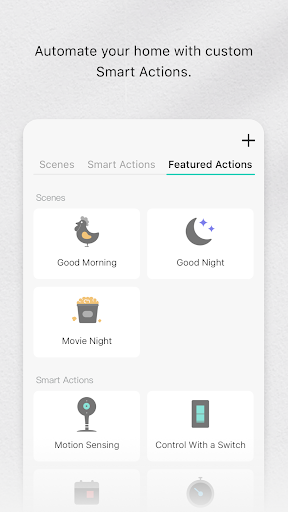
If you're new to smart home management, you'll find the Kasa Smart app straightforward to set up. Available on both Android and iOS, simply download the app from your respective app store. The installation process is intuitive, and the user interface is designed for simplicity. Once installed, the app automatically detects compatible Kasa devices on your network, allowing you to add them quickly. In just minutes, I was able to toggle lights, adjust device settings, and create custom schedules without any hassle.
Key Features and Benefits
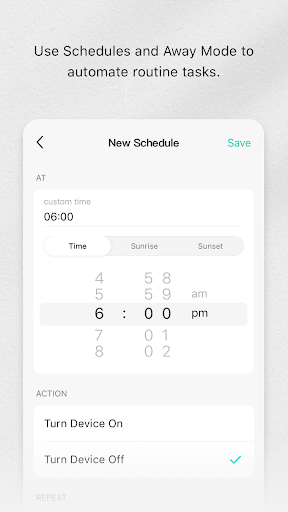
One of the standout features of the Kasa Smart app is remote control—you can manage your devices whether you're inside or outside your home. The app's scheduling capabilities allow automation, such as turning lights on at sunset or powering down electronics at bedtime, enhancing convenience and energy efficiency. Additionally, integration with popular voice assistants like Alexa and Google Assistant means you can control your devices with simple voice commands—for example, saying "Alexa, turn off the living room lights" to switch off your smart bulbs instantly. This voice compatibility significantly enhances hands-free operation and adds to the overall smart experience.
Potential Limitations and Improvements
While the Kasa Smart app offers many benefits, it does have some minor quirks. For instance, there might be slight delays in device responses, particularly when controlling devices remotely outside your home network. Additionally, although the app supports a broad range of TP-LINK devices, integrations with third-party systems could be expanded to enhance cross-platform compatibility. Users who enjoy mixing multiple brands might find more universal control options desirable.
Final Thoughts
Overall, the Kasa Smart app is a reliable and intuitive platform that simplifies smart home management. Its easy setup, comprehensive control features, and seamless integration with voice assistants make it suitable for both beginners and tech enthusiasts. Despite some minor limitations, it significantly contributes to making daily routines more convenient and energy-efficient. If you're looking to enhance your home with smart technology, the Kasa Smart app is an excellent choice to start your journey into smarter living. With just a few taps, you can optimize your home environment, improve security, and enjoy the convenience of modern smart home automation.
Pros
- Easy to set up and operate interface.
- Supports a variety of smart home devices.
- Very dependable remote control functionality.
- Integrates smoothly with voice assistants.
- Includes energy monitoring capabilities.
Cons
- Restricted to TP-Link devices only.
- Occasional connectivity disruptions.
- Lacks advanced automation features.
- Potential privacy issues due to data sharing.
- Needs a stable internet connection.











