

Overview of the iRobot Home (Classic) App
The iRobot Home (Classic) app is a user-friendly application designed specifically for older models of Roomba®, Braava®, and Klaara™ series. If you own a Roomba® or Roomba Combo® e, i, s, m, j, Essential, Essential 2, or 10 Max series robot, this app is your perfect companion for managing your cleaning routines effortlessly. It offers a range of features that allow you to control your robotic vacuum or mop with ease, making home maintenance more convenient and efficient.
Key Features of the iRobot Home (Classic) App
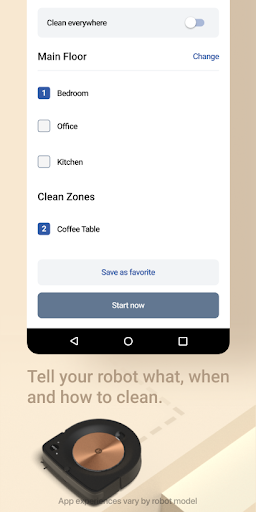
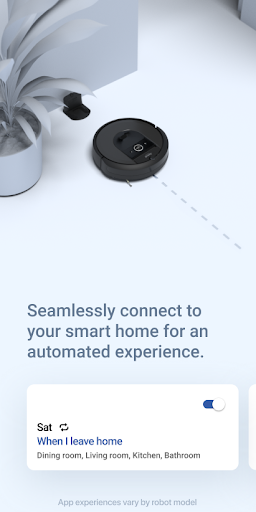
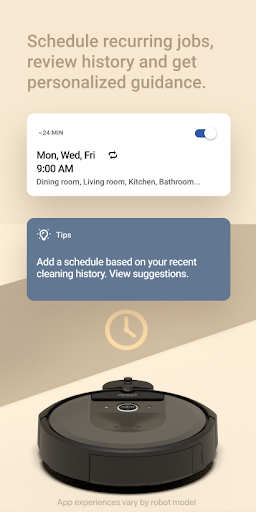
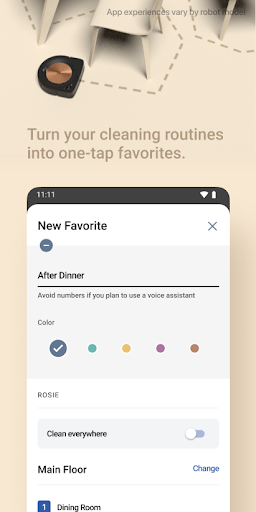
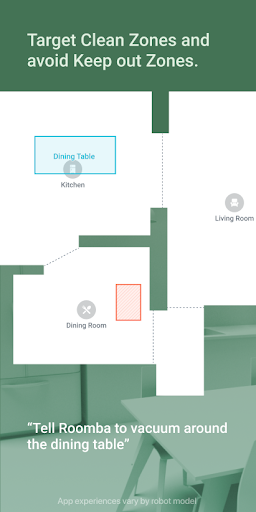
Take control of your cleaning with an array of powerful tools integrated into the iRobot Home app. With enhanced maps, you can visualize the layout of your home and specify targeted cleaning zones, rooms, or objects that require special attention. The app's customized scheduling lets you set up cleaning routines that fit your lifestyle, whether it's a quick daily sweep or a thorough weekly clean. Additionally, personalized cleaning suggestions adapt over time according to your usage patterns.The app also supports seamless smart home integrations with voice assistants like Alexa, Siri, and Google Assistant (note that functionality may vary depending on your device or region). This allows you to start, pause, or stop cleaning sessions using simple voice commands—adding futuristic convenience to your smart home ecosystem. Keep in mind that feature availability can differ based on your specific Roomba® model, so always check compatibility before setup.
Ease of Setup and User Experience
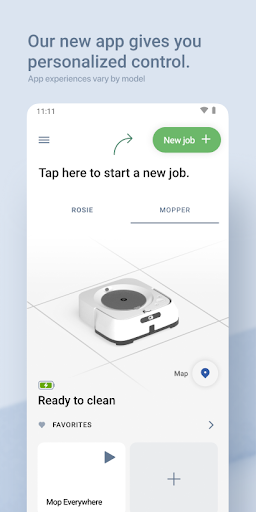
Getting started with the iRobot Home app is straightforward. The setup process is designed to be intuitive, guiding you step-by-step through connecting your robot to Wi-Fi without any hassle. Downloading and installing the app takes just a few moments, after which you can have your robot up and running in no time. The clean, well-organized interface makes it easy to manage and monitor your cleaning tasks without requiring any technical expertise.Once your robot is connected, the app displays real-time maps of your space, along with the current status of cleaning jobs. You can manually start or schedule sessions, adjust settings, or create virtual boundaries to keep your robot away from sensitive areas like pet bowls or delicate carpets. The app learns from your habits, gradually optimizing cleaning paths and preferences to improve efficiency over time, almost like having a smart cleaning assistant that gets better with each use.
Why Choose the iRobot Home (Classic) App?
In our busy lives, saving time and effort is invaluable. The iRobot Home app embodies this by offering a seamless experience that makes maintaining a clean home simpler than ever. Its ability to customize cleaning schedules, define specific zones, and integrate with popular voice assistants enhances convenience—allowing you to set it and forget it. The app’s adaptive intelligence ensures your robot learns your home's unique layout and cleaning preferences, providing smarter service with each session.Whether you just need a quick sweep before guests arrive or a deep clean after a lively gathering, this app helps you tailor your cleaning routines effectively. The integration with voice controls makes it easy to operate your robot hands-free, turning mundane chores into a futuristic experience. If you're a homeowner seeking a reliable, easy-to-use app that maximizes your robot's potential, the iRobot Home (Classic) app is undoubtedly a solid choice. Remember, a cleaner home is just a tap—or a voice command—away.
Pros
- User-friendly interface with intuitive controls
- Seamless integration with smart home devices
- Customizable cleaning schedules and zones
- Real-time cleaning progress updates
- Supports multiple user profiles for family use
Cons
- Requires stable internet connection for optimal performance
- Limited features without a premium subscription
- Occasional app crashes reported by users
- Setup process can be time-consuming for new users
- Privacy concerns regarding data sharing policies











