
Discover the Power of the GPS Navigation, Map Directions App
The GPS Navigation, Map Directions app is your ultimate travel companion, designed to make navigation seamless and stress-free. Whether you're heading to a new destination or exploring local spots, this app provides accurate route directions, real-time traffic updates, and detailed maps to ensure you reach your destination safely and efficiently. With features like route guidance and traffic avoidance, it helps you save time and avoid congestion, making daily commutes and road trips more enjoyable. Additionally, the app offers a handy compass navigation mode to find directions during travel and provides current weather conditions for your location or any other city you may be curious about. Its user-friendly interface ensures an effortless experience, even for those who are not tech-savvy.
Key Features and Functionalities
Route Guidance and Address Search
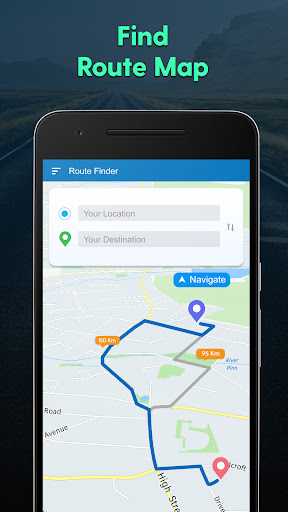
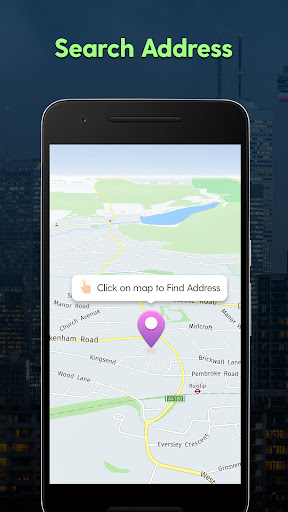
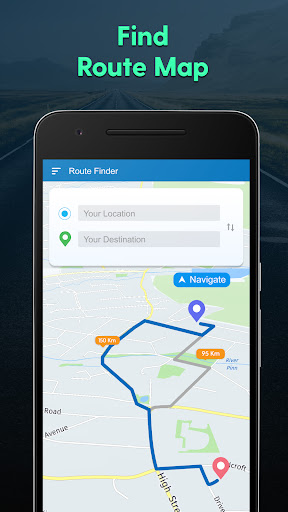
With the GPS Navigation feature, you can easily find directions to any destination address. The app quickly provides the shortest path for your travel, helping you reach your location in the most efficient way possible. You can also check your current location on the map, making it simple to trace out your position and determine your next steps. The ability to share your location with friends and family adds an extra layer of convenience and safety, especially during long journeys or unfamiliar routes.
Compass Navigation Mode
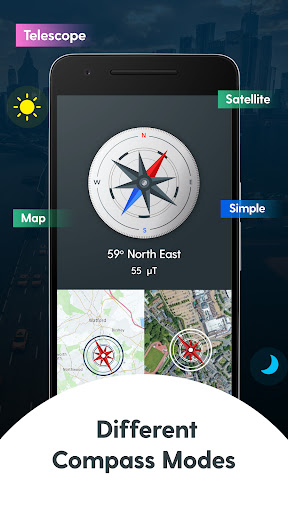
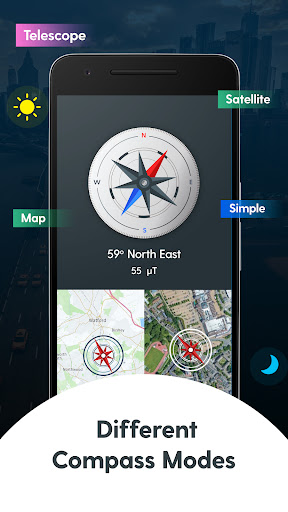
Navigation during travel becomes easier with multiple compass views. Whether you prefer the Standard, Map, Satellite, Telescope, or Compass modes, the app offers versatile options to suit your navigation style, ensuring you remain oriented no matter where you are.
Traffic and Weather Updates
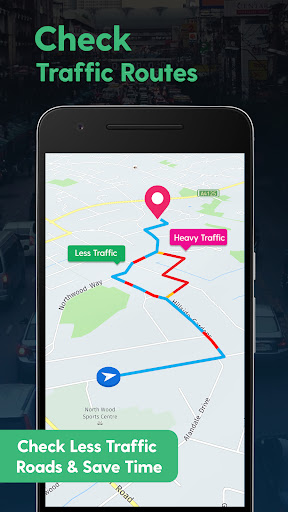
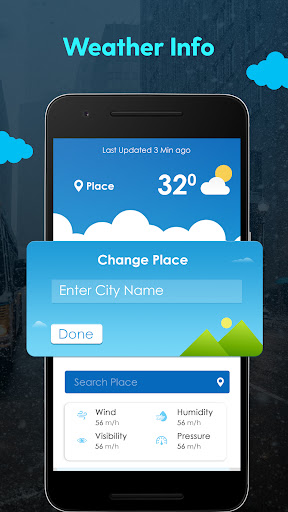
One of the standout features is the ability to check live traffic updates. This helps you avoid heavy routes and find alternative paths in real-time, saving valuable time during your commute. The weather feature keeps you informed about current weather conditions and temperatures at your location or in multiple cities. With just a single tap, you can stay updated on weather forecasts, making it easier to plan your day.
Nearby Places and Points of Interest
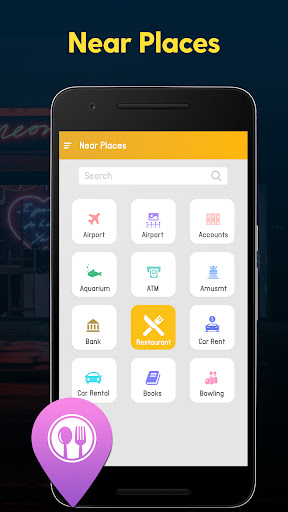
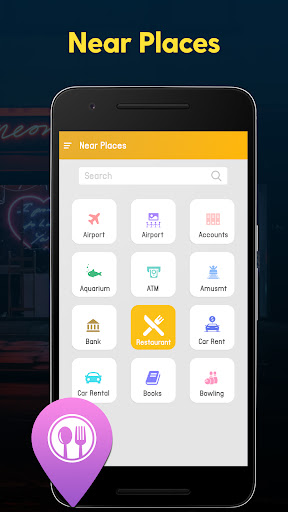
Need to find a nearby restaurant, gas station, or any other point of interest? The app allows you to get the nearest places with one tap. You can filter categories and see all relevant locations close to your current position or a specified area, enhancing your travel experience and convenience.
Additional Features
This app comes equipped with numerous helpful features for daily routines, including speed limit notifications, offline map downloads to navigate without internet, and support for multiple languages. These extras make it a comprehensive travel tool suited for various needs and situations.
User Experience and Personal Insights
Let me share a bit about my personal experience with the GPS Navigation, Map Directions app. As someone who frequently gets lost even in familiar neighborhoods, I was eager to test whether this app could become my reliable navigator. Setting it up was straightforward—its intuitive interface made inputting addresses and selecting destinations hassle-free, even for someone not very tech-savvy. The real-time traffic updates feature was particularly impressive. It kept me informed of delays and suggested alternative routes, preventing me from getting stuck in traffic jams. The detailed map directions, including street names and landmarks, gave me confidence while driving through unfamiliar city streets. I appreciated the offline map capability, which allowed me to navigate rural areas without internet, ensuring seamless guidance throughout my trip. Beyond navigation, the app also notified me about speed limits and points of interest, turning it into more than just a basic route planner—it's like a complete travel assistant. The ability to check weather for multiple cities with a single tap added convenience for planning outdoor activities. Overall, this GPS navigation app proved to be an incredibly reliable and user-friendly tool. Whether you're commuting daily or embarking on an exciting road trip, it offers the perfect mix of ease-of-use, accurate data, and extra features to enhance your journey.
Pros
- Provides accurate real-time traffic updates.
- Features a user-friendly interface for easy navigation.
- Offers offline maps suitable for remote areas.
- Includes voice-guided navigation for hands-free operation.
- Provides multiple route options to help avoid congestion.
Cons
- Consumes a significant amount of battery power.
- Sometimes experiences GPS signal loss.
- Displays frequent advertisements in the free version.
- Has restricted features without a premium subscription.
- Needs substantial storage space for offline maps.











