

GPS Emulator: The Ultimate Fake GPS Location App
Are you looking to move your phone to any place in the world with ease? The GPS Emulator app offers an innovative solution by setting up a fake GPS location, allowing your device and other apps to perceive you as being anywhere on the globe. Whether you're testing location-based applications, fooling your friends with your virtual whereabouts, or enhancing development workflows, this app is designed to give you full control over your device's position.
Key Features of the GPS Emulator
The GPS Emulator app is packed with features that make manipulating your location simple and engaging. One of its core capabilities is the ability to change the location and altitude of your phone, so you can virtually be anywhere in the world. You can also tweak the accuracy of the fake signal and retrieve the current time of the fake position for better synchronization.
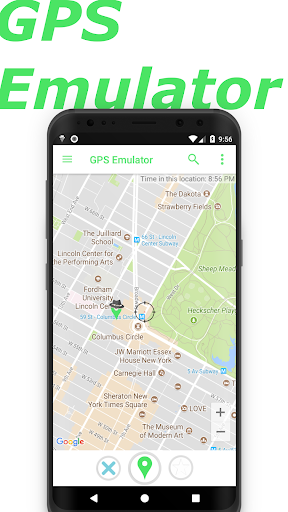
The app provides three map types—normal, satellite, and terrain—giving you flexible visualization options for selecting your desired fake location. Furthermore, for developers and testers, fake GPS coordinates injection can be enabled or disabled for Google Play Location Services, enhancing testing capabilities.
How to Use the GPS Emulator
Getting started with GPS Emulator is straightforward and user-friendly. After installing the app, you'll be welcomed with a simple, intuitive interface—no advanced technical knowledge required. To set a new fake location, you can either drop a pin on the map or manually enter specific coordinates. This makes location customization quick and effortless—almost as easy as placing an order online!
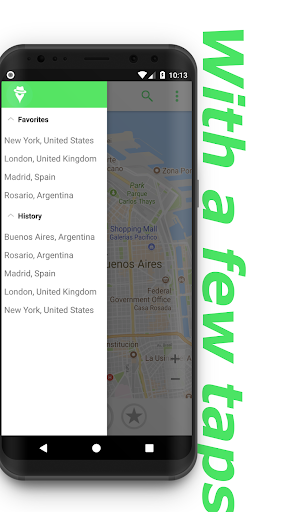
The app also allows saving your favorite locations, switching seamlessly between map types, and customizing the update interval to simulate movement. For more technical users, there's an option to operate in developer mode, enabling detailed testing of your own applications that rely on GPS data.
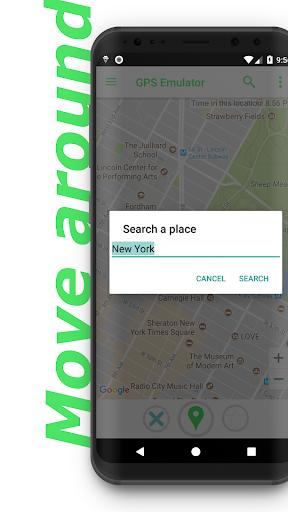
Need to find a particular place quickly? The integrated search bar lets you search for any location on the planet, saving you from endless scrolling—think of it as holding a mini globe right in your pocket.
Performance and User Experience
Over weeks of use, the GPS Emulator has proven to be a reliable and efficient tool. It loads maps swiftly and operates smoothly without crashing or lagging, which is crucial for effective testing and seamless user experience. Unlike some GPS apps that drain battery life quickly, this app is optimized for energy efficiency, allowing prolonged use without unnecessary power consumption.
The user interface is designed for ease of use, ensuring that even those new to location spoofing can navigate it confidently. All features are logically arranged, and common functions are accessible with just a few taps, making the process of changing or simulating GPS locations both simple and enjoyable.
Final Thoughts: Is the GPS Emulator App Worth It?
Absolutely! The GPS Emulator app is a versatile tool that fulfills its promise of providing a reliable fake GPS location experience. Perfect for developers, gamers, and curious users alike, it offers a rich set of features in a user-friendly package. Whether you're testing apps, exploring new virtual locations, or just having some fun fooling friends, this app is an excellent choice. Remember to use it responsibly and ethically to ensure a positive experience for everyone.
Pros
- Highly accurate location simulation
- User-friendly interface
- Supports various location modes
- Customizable configurations
- Free to use without advertisements
Cons
- May quickly deplete battery life
- Some features are unavailable offline
- Occasional issues with location updates
- Limited compatibility with older devices
- Requires a certain level of technical expertise











