


Introduction to Ghostalker
Have you ever been fascinated by the supernatural world? If so, Ghostalker might be the app you've been searching for. Designed to bridge the gap between our reality and the mysterious realm of spirits, this innovative application offers an intriguing experience for both skeptics and believers alike.
What is Ghostalker All About?
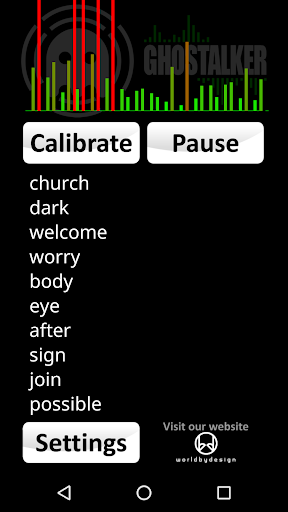
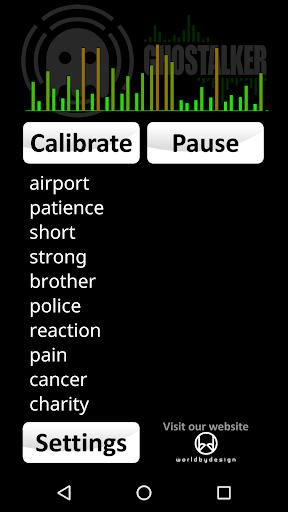
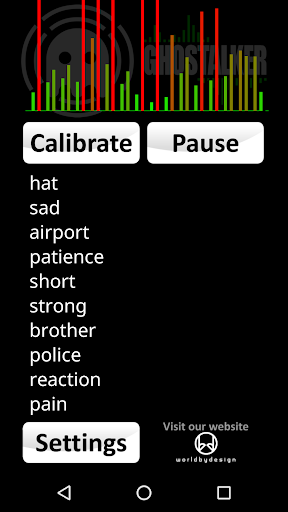
Ghostalker is a cutting-edge app built for paranormal enthusiasts and curious explorers. Its primary function is to detect and communicate with spirits using advanced technology. With an intuitive and sleek interface, Ghostalker is accessible to everyone, even those who are not tech-savvy. The app aims to create a bridge to the mysterious realm of spirits by converting sensor data into spoken words and displaying them in real-time.
Getting Started
After downloading and installing Ghostalker, users are welcomed with a simple tutorial. This guidance introduces you to its main features—ranging from spirit detection to communication tools—ensuring you understand how to operate the app effectively. Whether you’re a beginner or an experienced ghost hunter, Ghostalker provides a straightforward setup to jumpstart your paranormal investigations.
Features That Make Ghostalker Unique
Spirit Detection and Communication
One of the most compelling features is the Electronic Voice Phenomena (EVP) recorder. This tool captures potential spirit voices, allowing users to listen back to recordings that may contain messages from beyond. The eerie sounds often provide a fascinating glimpse into the unknown.
Electromagnetic Field (EMF) Detection
Another standout feature is the EMF detector, frequently used by professional ghost hunters. It monitors variations in electromagnetic fields, which some believe are caused by spiritual presence or activity. Watching the EMF readings fluctuate adds an extra layer of excitement and curiosity.
Sensor Integration
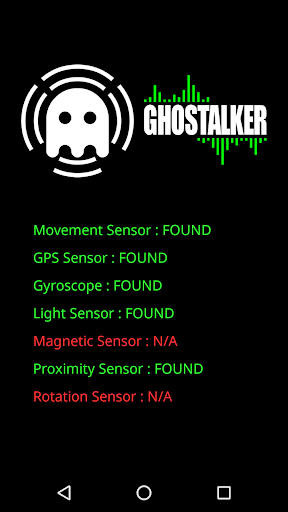
Ghostalker utilizes a wide array of device sensors—such as vibrations, rotation, GPS, gyroscope, light, magnetic fields, and proximity sensors—to detect subtle environmental changes. The app interprets raw sensor data, converting these signals into words that are displayed on-screen and spoken aloud. This sensor-driven approach differentiates Ghostalker from simpler random word generators.
Logging and Customization
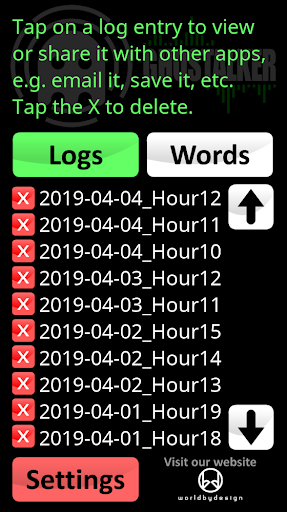
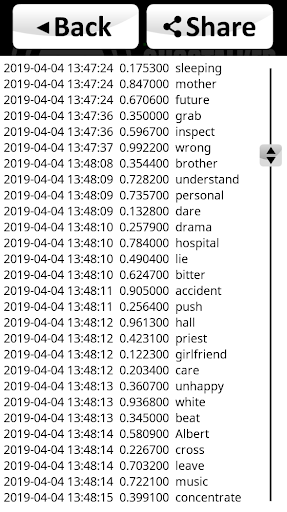
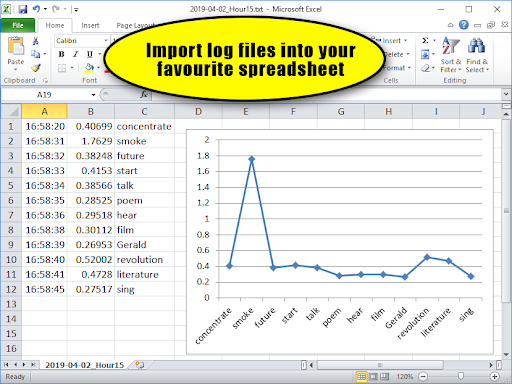
As a full version, Ghostalker allows you to log all spoken words, sensor changes, and timestamps. These logs are stored in CSV format, making it easy to analyze data using programs like MS Excel or Google Sheets. You can view, save, delete, or email logs at your convenience.
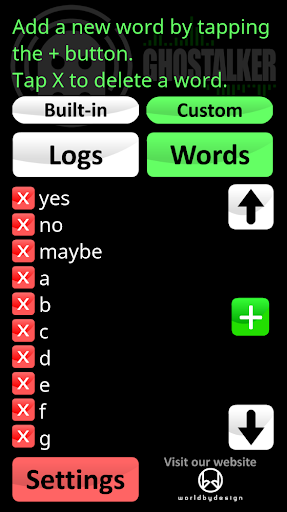
Additionally, you can manage a custom dictionary of up to 10,000 words. This feature enables you to tailor responses—such as adding simple words like 'yes', 'no', or 'maybe', or even creating a custom set of answers for specific questions. From version 0.5 onward, you can switch between the built-in dictionary, your custom list, or both.
Sensor Management and Troubleshooting
Intervals of interference may cause certain sensors to trigger constantly. To mitigate this, Ghostalker allows you to enable or disable individual sensors, ensuring more accurate readings. Users can also calibrate the device to reduce background noise, though this might slightly decrease sensitivity. If persistent issues arise, you can check which sensor is causing the interference under the Settings menu and adjust accordingly.
Tips for Effective Use
Tip 1: Using the custom dictionary, you can program specific limited responses like 'yes', 'no', or 'maybe'. You can even add numbers or alphabet letters—perfect for creating a digital Ouija board experience.
Tip 2: Paranormal investigators believe that leaving Ghostalker running for extended periods increases the likelihood of spirits understanding and adapting to the energy patterns, potentially leading to more meaningful communication.
Tip 3: If constant triggers occur, try relocating your device or using the Calibrate function to reduce background interference. You can also use the sensors menu to identify and disable problematic sensors.
Tip 4: You can import word lists from text files or online resources to enhance custom dictionaries. These can be pasted into Ghostalker or exported from it. Visit our website for free word lists and more resources.
Technical Notes
This app does not require an internet connection and has no advertisements, making it suitable for remote investigations. It is compatible with most devices, though higher-end phones with more sensors may provide richer data. Keep in mind that sensor sensitivity can vary depending on your device.
Conclusion
Whether you're an avid paranormal investigator, a hobbyist exploring the unknown, or simply curious about spirits, Ghostalker offers an engaging and immersive experience. Its innovative sensor-based approach allows for a unique interaction with the supernatural, making every session an intriguing journey into the unseen. Give it a try, keep an open mind, and see what responses you can uncover from the other side!
Pros
- Intuitive user interface
- Variety of voice effects
- Real-time voice changing
- Lightweight and fast
- Great for pranks and fun
Cons
- Limited free features
- Ad-supported version
- May not work on all devices
- Occasional glitches
- No voice export option











