
Geotab Drive: A Blog-Style Feature Description
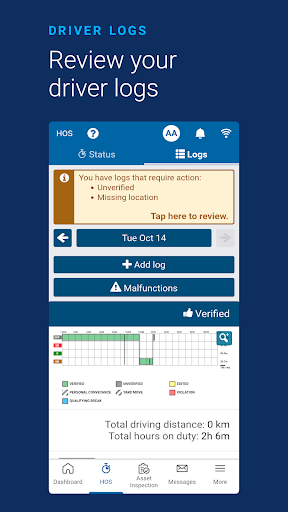
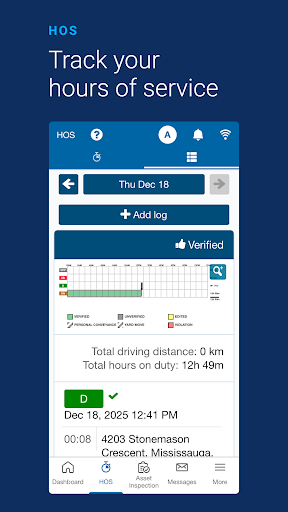
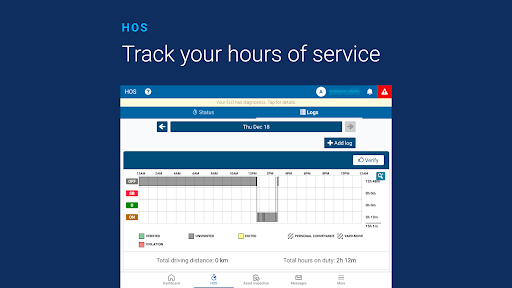
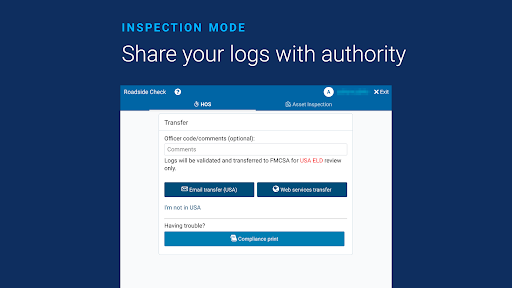
Geotab Drive is the all-in-one driver compliance solution that streamlines ELD compliance, asset inspection, driver identification and more. This smart mobile app works with the Geotab GO telematics device to help you meet compliance regulations, improve fleet productivity, and keep your drivers safe. Easily record Hours of Service status and complete vehicle inspections from a tablet or smartphone. In practice, Geotab Drive serves as a central hub for fleet operations, blending regulatory readiness with practical fleet insights to simplify day-to-day management.
Unified capabilities for modern fleets
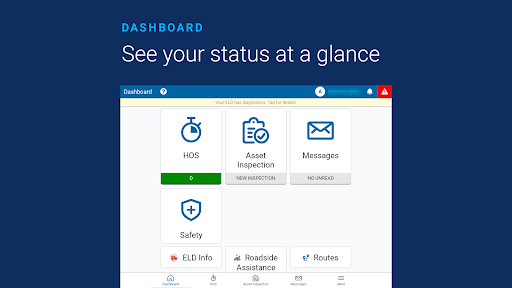
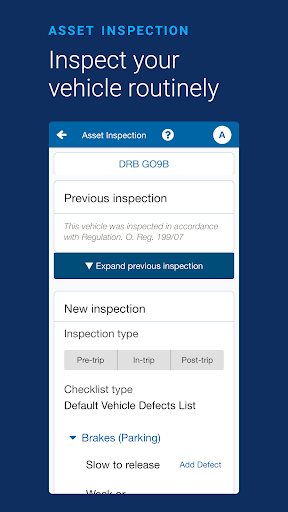
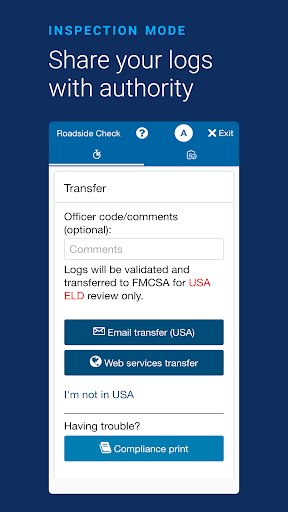
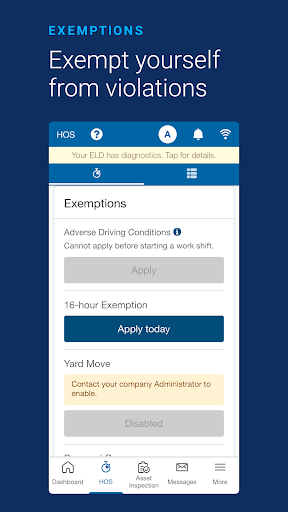
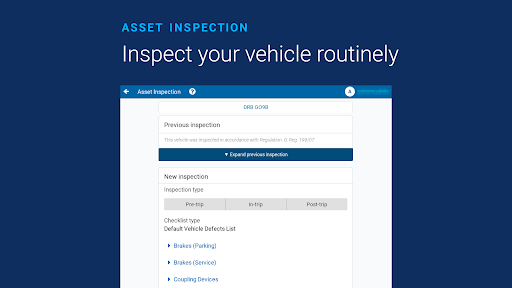
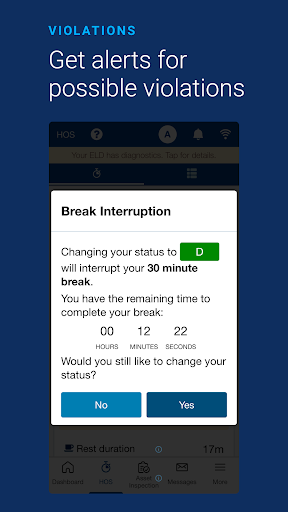
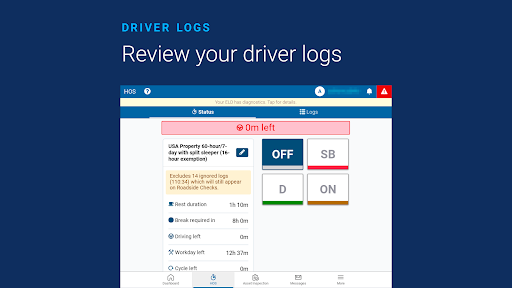
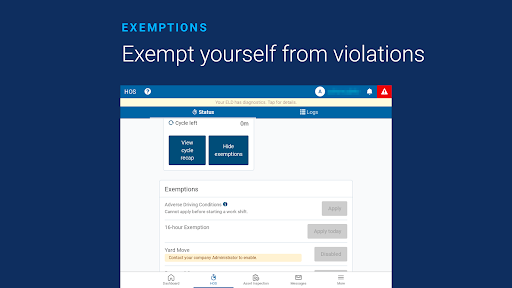
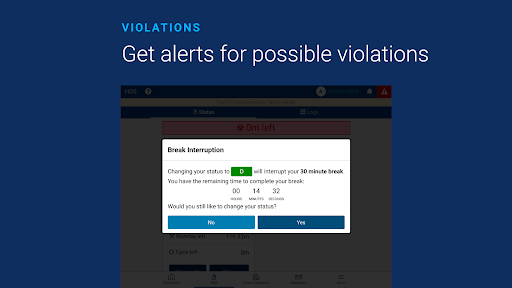
Geotab Drive is built around essential fleet needs. It helps you stay FMCSA compliant with a streamlined Hours of Service workflow, while a user-friendly dashboard makes monitoring statuses and trends straightforward. Automatic duty status changes reduce manual steps, and alerts for violations or drivers not logged in help maintain accountability. The app guides you through an end-to-end vehicle inspection workflow and supports driver identification, enabling a smoother, safer operation. With plug-and-play installation, over-the-air software and firmware updates, and compatibility with off-the-shelf Android and iOS devices, Geotab Drive is an open, flexible solution that can grow with your fleet.
Intuitive experience and real-time visibility
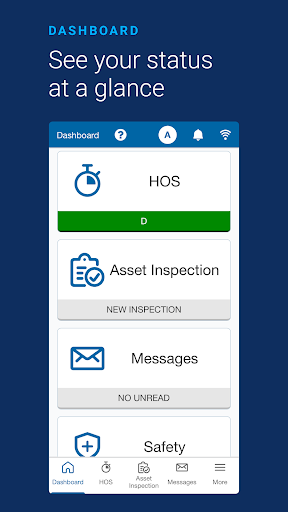
When you fire up Geotab Drive, the clean, intuitive interface feels welcoming—almost like a co-pilot that makes fleet management easy. Real-time vehicle tracking, driver logs, and instant notifications provide the visibility you need to stay on top of operations. You can monitor vehicle health and driver behavior, which is incredibly useful for scheduling maintenance and identifying training opportunities. The design keeps complexity at bay, with straightforward menus and clear icons that make navigation effortless, while seamless integration with the Geotab GO device keeps data flowing smoothly.
Reliability on the road and automatic compliance
Performance on the road is a standout, with reliable, swift updates about location, detours, and status changes. Automatic compliance tracking helps you adapt to evolving regulations without the usual headaches, turning regulatory complexity into a manageable workflow. Even in remote stretches, Geotab Drive maintains responsiveness, ensuring you stay in the loop and can respond quickly to changing conditions. OTA updates ensure you always have the latest features and compliance rules integrated into your daily operations.
Bottom line for fleet operations
Geotab Drive blends efficiency, reliability, and simplicity into a comprehensive fleet-management app that fits both small teams and large operations. It streamlines ELD and HOS processes, supports thorough vehicle inspections, and automates routine tasks so your team can focus on performance and safety. If you’re seeking an app that makes fleet management feel less like a chore and more like a strategic advantage, Geotab Drive is worth exploring—delivering measurable improvements in productivity, compliance, and driver safety.
Pros
- User-friendly interface for easy navigation.
- Efficient real-time GPS tracking.
- Comprehensive vehicle diagnostics.
- Supports compliance with FMCSA regulations.
- Customizable dashboard for individual needs.
Cons
- Requires constant internet connection.
- Limited offline functionality.
- Can be complex for new users.
- Monthly subscription costs.
- Occasional sync issues with data.











