
Discover the Power of Garmin ActiveCaptain®: Your Ultimate Boating Companion
Are you seeking a more connected and seamless boating experience? Look no further than Garmin ActiveCaptain®—the innovative app designed to elevate your time on the water. Whether you're into cruising, fishing, sailing, or diving, this all-in-one digital tool transforms your compatible mobile device into a powerful remote control for your Garmin chartplotter. With its wide array of features, Garmin ActiveCaptain® helps you plan your trips, stay connected with fellow boaters, and keep your vessel monitored—all from the comfort of your smartphone or tablet.
Seamless Connectivity and Control at Your Fingertips
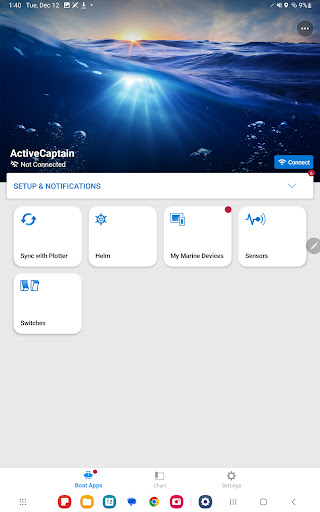
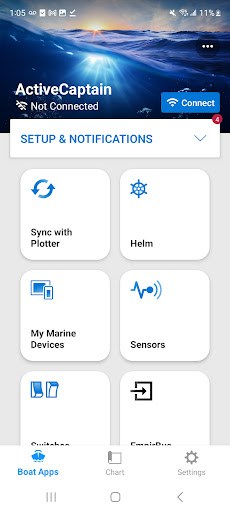
Garmin ActiveCaptain® bridges the gap between your mobile device and Garmin chartplotters, creating a smooth digital ecosystem for boating. By pairing your compatible device with the app, you gain wirelessly access to detailed charts, maps, and updates, making navigation more intuitive and safer. One of the most appreciated features is the Helm™ control, which lets you view and operate your chartplotter remotely, even when someone else is at the helm. This means you can manage routes, set waypoints, or check your position without leaving your seat.
Advanced Charting for Better Navigation
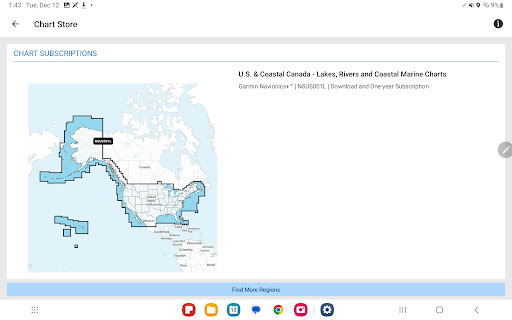
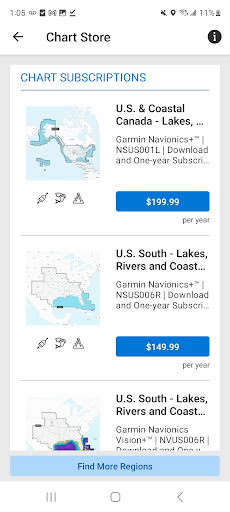
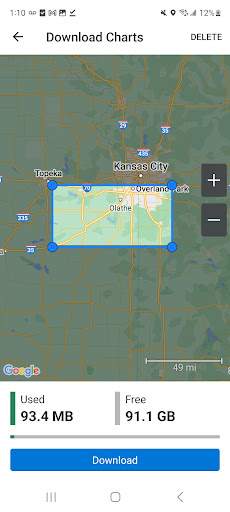
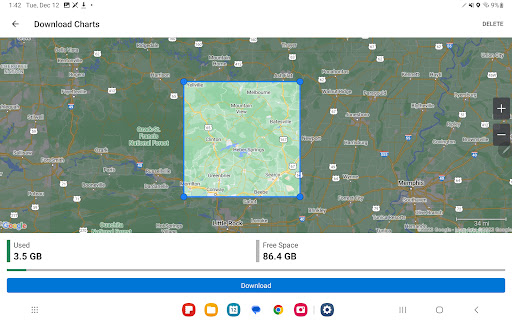
One of the standout features of Garmin ActiveCaptain® is its access to ONECHART™—which includes premium Garmin Navionics Vision+™, Navionics+™, and BlueChart® g3 charts. These charts deliver exceptional coverage, clarity, and detail, featuring Garmin and Navionics integrated data. With advanced Auto Guidance+ technology, you can plan routes with confidence, minimizing hazards and optimizing your trip. Plus, you can purchase and upload new charts directly from your mobile device, ensuring you always have the latest navigation data. For North America and Europe, you also get free NOAA raster cartography, which enhances your underwater mapping experience.
Trip Planning and Community Engagement
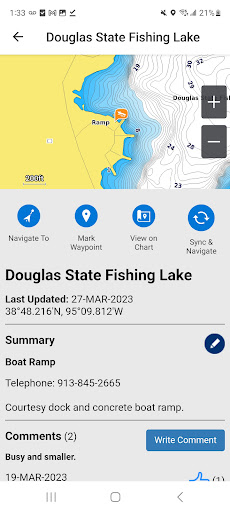
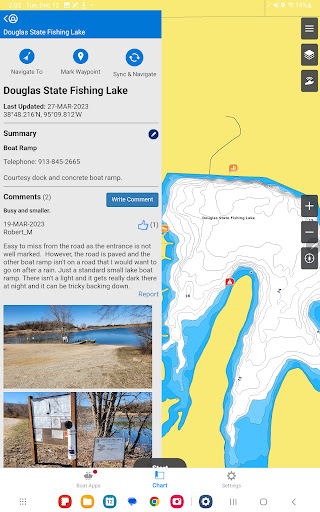
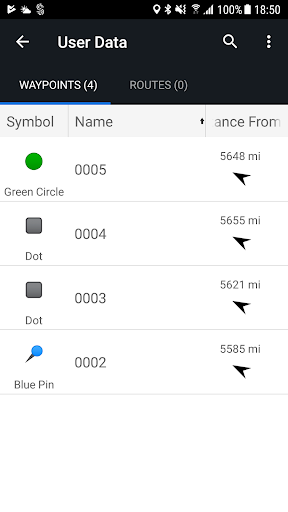
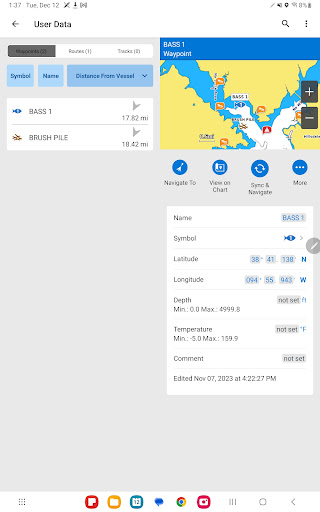
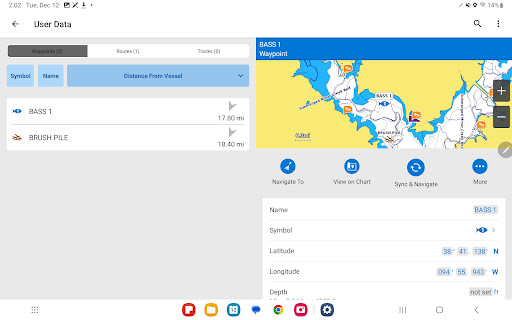
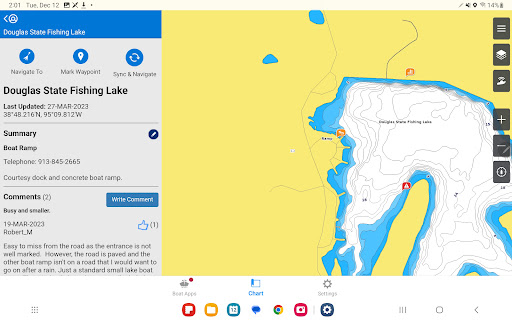
Planning your adventures is made simple with Garmin ActiveCaptain®. Whether you’re organizing a fishing expedition or charting a course to an island, the app allows you to pre-plan routes and save waypoints for easy access. Before heading out, you can even e-scout new fishing spots or marinas, then transfer these plans directly to your chartplotter. The app also fosters an active boating community where you can read reviews, view photos, and share feedback about marinas, boat ramps, and points of interest. This crowd-sourced data helps you make informed decisions on the water, making your excursions more enjoyable and safer.
Stay Connected and Keep Your Boat Secure
Garmin ActiveCaptain® offers features focused on safety and remote management. With smart notifications, you’ll receive calls, texts, and alerts directly on your chartplotter, so your phone stays dry and safe. For boat monitoring, the app pairs with the OnDeck™ system, allowing you to track, monitor, and control various switches and systems from nearly anywhere—perfect for checking if the door is closed or bilge is running, even when you’re ashore. Notifications alert you to any issues, providing peace of mind during your voyage.
Ease of Use and Customization
Getting started with Garmin ActiveCaptain® is straightforward. The user-friendly interface guides you through setup, making it accessible whether you’re a seasoned captain or new to boating technology. Once configured, you can personalize your experience by customizing map layers, organizing data, and setting preferences, ensuring the app suits your specific needs. Wireless software updates keep your system current, enhancing features and performance over time.
Additional Features for the Modern Boater
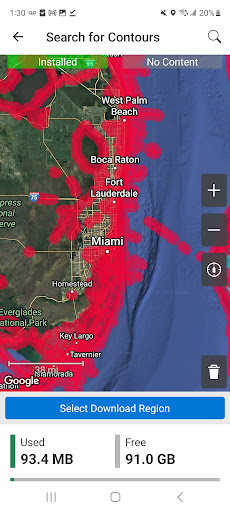
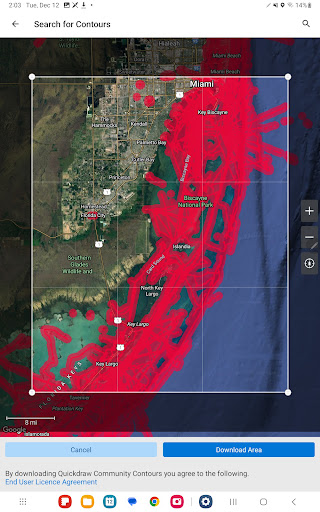
Beyond navigation, Garmin ActiveCaptain® introduces QuickDraw™ Community, where you can download and share detailed contour Maps with fellow boaters, adding even more customization to your charts. The app also enhances safety through the integration of smart notifications, so you won’t miss important calls or messages while enjoying the water.
In Summary
Garmin ActiveCaptain® is more than just a boating app; it’s your all-in-one digital co-pilot. By uniting navigation, community interaction, remote control, and vessel monitoring in one intuitive platform, it creates a smarter, safer, and more connected boating experience. Whether you’re planning an adventurous voyage or just enjoying a relaxing day on the water, this innovative app helps you make the most of every nautical moment. Dive into the world of Garmin ActiveCaptain® and discover how technology can transform your time on the water into unforgettable adventures.
Pros
- Seamless integration with Garmin devices
- User-friendly interface for easy navigation
- Real-time data synchronization
- Extensive database of nautical charts
- Customizable alerts for safety
Cons
- Limited offline functionality
- Requires a Garmin account for full features
- Occasional syncing issues reported
- Some features are locked behind a paywall
- High battery consumption while in use











