


Introducing Family Space: Your Ultimate Digital Family Assistant
In today's digital age, staying connected with family members while ensuring a safe and productive online environment is more important than ever. Family Space is designed to provide peace of mind for families seeking to manage their digital interactions effectively. This innovative app helps create a secure digital space tailored to your family's unique needs, fostering healthy device usage and promoting meaningful engagement. Whether you want to limit screen time for children, monitor activity, or keep everyone connected, Family Space offers comprehensive solutions that emphasize safety, productivity, and connection.
Key Features of Family Space
Spaces for Young Family Members
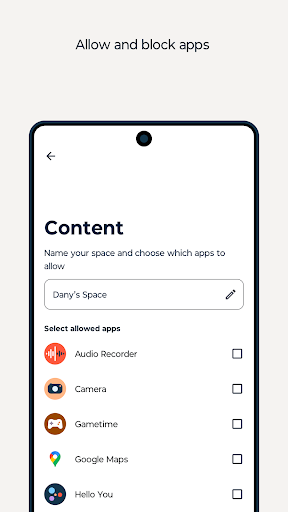
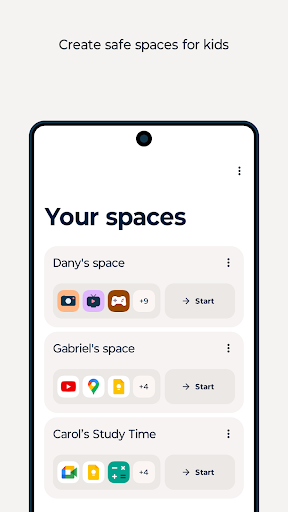
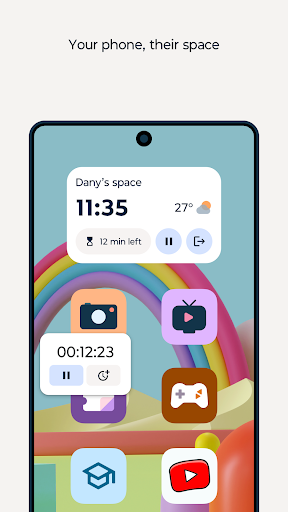
One of the core features of Family Space is the •Spaces functionality. Designed specifically for the youngest users, this feature allows parents to lend their devices to children while maintaining control over what they access. Simply pass your phone to your little ones, and they will only be able to access a curated selection of apps suitable for their age. This effectively prevents accidental responses to messages, in-app purchases, or encountering inappropriate content. It turns device use into a safe, educational, and fun experience, giving parents peace of mind that their children are engaging with age-appropriate material.
Family Hub for Control and Monitoring
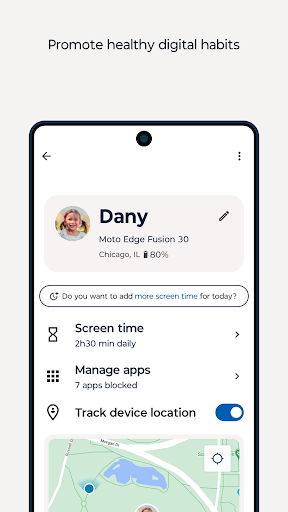
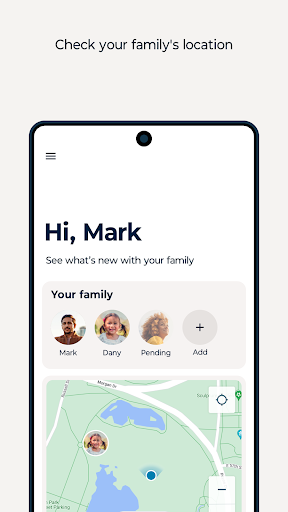
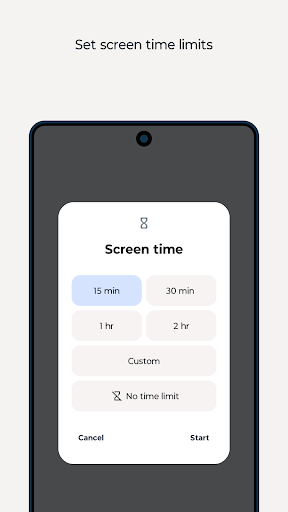
The •Family hub feature empowers parents with parental control capabilities. You can set •time limits, monitor app usage, see your children's •location, and oversee content to ensure it aligns with your family values. This helps to strike a balance between screen time and quality family moments, encouraging healthier digital habits and fostering better communication.
Customizable Experience for Unique Families
Recognizing that every family has different needs, Family Space allows extensive customization. You can tailor settings according to your family dynamics, making the digital environment truly work for your household. From adjusting controls to managing access, the app adapts to your lifestyle, ensuring a seamless integration of technology into daily routines.
Accessibility and Device Management
To function effectively, Family Space utilizes Accessibility services. Specifically, its •screen time management features require accessibility permissions to monitor and control daily device usage. This includes •app blocking—both on-demand and scheduled—on children’s devices, helping enforce limits and promote healthier, safer device habits.
Why Families Love Family Space
For modern families juggling busy schedules, Family Space offers a comprehensive solution that easy to implement and user-friendly. When launching the app, users are greeted with an intuitive interface featuring a warm, inviting design that caters to users of all ages. Managing your family’s digital life becomes simple with straightforward navigation, making it accessible whether you're an experienced parent or new to digital management.
Enhancing Family Communication and Coordination
Beyond parental controls, Family Space fosters meaningful communication among family members. The app includes features such as a shared calendar to keep everyone up-to-date on appointments and activities, a secure family chat for sharing updates, photos, and memes, and location sharing to keep track of family members—especially children—when they are out and about. Additionally, the task manager allows assigning chores or grocery lists, instilling responsibility and fostering cooperation within the family unit.
Seamless Performance and Cross-Device Compatibility
Designed for both Android and iOS, Family Space performs smoothly without draining device resources. Its lightweight design ensures quick installation and simple setup, so families can start coordinating and managing digital activities quickly. Helpful tooltips and FAQ sections guide users through any setup or usage questions, ensuring a comfortable experience for all family members.
Final Thoughts: A Must-Have Tool for Modern Families
To sum up, Family Space is more than just a scheduling or monitoring app—it's a comprehensive digital family assistant that enhances communication, promotes safe device usage, and simplifies family coordination. Whether you're a parent aiming to regulate screen time or a family member wanting to stay connected remotely, this app helps bring your family closer together. Its customizable features and focus on safety make it an essential tool in today’s digital landscape. Once you start using Family Space, you'll wonder how you managed family life without it—it's truly a game-changer for digital family management.
Pros
- User-friendly interface suitable for all ages.
- Customizable parental controls.
- Supports multiple child profiles.
- Real-time location tracking feature.
- Provides comprehensive activity reports.
Cons
- Some features require a premium subscription.
- Occasional app crashes have been reported.
- Limited monitoring of social media activities.
- Battery usage can be relatively high.
- Compatibility issues with certain devices.











