

Introduction to the eero WiFi System App
Key Features of the eero WiFi App
Easy Setup and Expansion
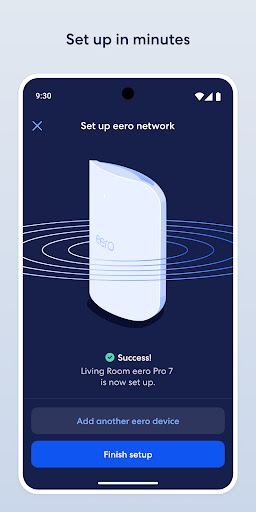
Setting up your eero wifi system is quick and straightforward. The app guides you through each step with clear instructions and visuals, allowing even non-technical users to establish a robust home network in minutes. As your needs grow, you can expand your network by adding additional eero devices, thanks to the system's mesh networking technology that eliminates dead zones and buffering issues throughout your home.
Automatic Updates and Performance Improvements
The eero app automatically delivers software updates that introduce new features, enhance performance, and reinforce security standards like WPA3 encryption. This ensures your network stays current with the latest technology without manual intervention, providing a secure and optimized Wi-Fi experience.
Remote Management and Network Monitoring
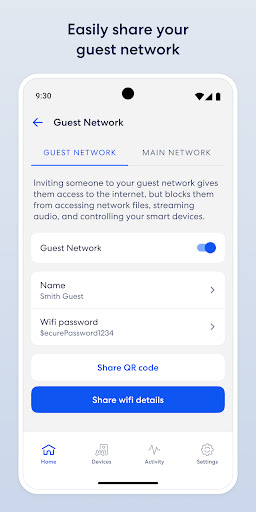
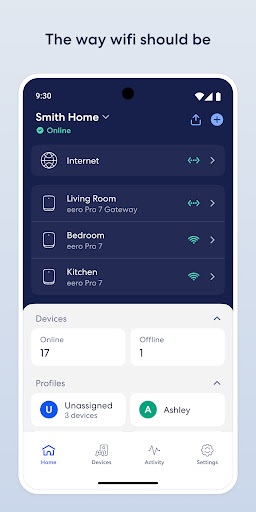
With the app, managing your home Wi-Fi is effortless—whether you're at home or away. View connected devices, run speed tests, and even pause internet access to manage screen time for family members. The intuitive interface gives you complete control over your network performance and device security from any location.
Safety and Parental Controls
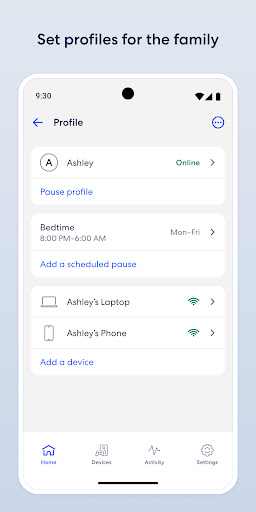
Protection of your family’s online safety is a core aspect of the eero system. The app features comprehensive parental controls, enabling you to set schedules for internet access, block inappropriate websites, and monitor online activity. This makes it easier to provide a safe online environment for children and manage usage effectively.
Enhanced Security with eero Plus
For advanced security features, you can subscribe to eero Plus (sold separately). This subscription includes robust online security solutions such as a password manager, antivirus, VPN powered by Guardian, and additional parental controls. Automatic updates and advanced security protocols ensure your network remains protected against emerging threats.
Integration and Compatibility
The eero wifi system seamlessly integrates with smart home devices like Amazon Alexa, allowing voice control of your network. It’s compatible with both Apple and Android platforms, giving you flexibility regardless of your device preferences, and enriching your connected home experience.
Why Choose the eero WiFi System App?
Pros
- Easy setup and management through the app
- Smooth connectivity across multiple devices
- Significantly enhances Wi-Fi coverage
- Regular updates to software
- Compatible with voice control via Alexa
Cons
- Requires a stable internet connection during setup
- Limited options for advanced network configurations
- Priced higher than comparable alternatives
- Additional subscription needed for extra features
- Full functionality depends on the app











