

Introduction to Diary Pro - Diary With Lock
Diary Pro - Diary With Lock is a versatile and secure digital diary application designed to help users record their lives with confidence. It offers robust privacy features, including locking mechanisms, which ensure that your private thoughts and memories remain protected from curious eyes. Whether you're tracking daily moments, writing about your work, or preserving personal reflections, Diary Pro provides a safe and user-friendly platform. This application is especially suitable for users who prioritize security without compromising accessibility and customization. Its intuitive interface combined with powerful editing tools makes it a top choice among digital journaling apps.
Key Features of Diary Pro - Diary With Lock
Advanced Content Editing
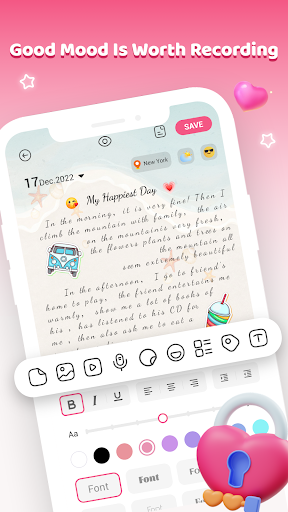
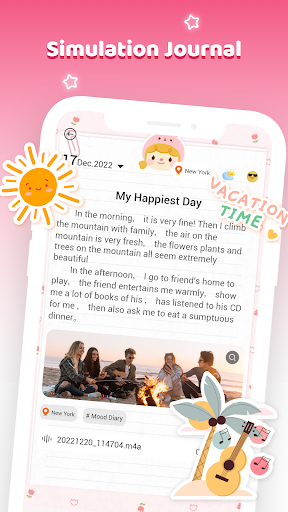
Diary Pro supports a wide range of content inputs to make your entries more lively and expressive. You can add text to capture thoughts and details, include voice recordings to save quick memos, embed images and videos to visually document moments, and decorate entries with stickers and tags. These features allow for a rich journaling experience, helping you relive memories vividly. Additionally, you can enhance entries by specifying location, weather, and mood indicators, making each journal more personal and contextual.
Secure Locking Solutions
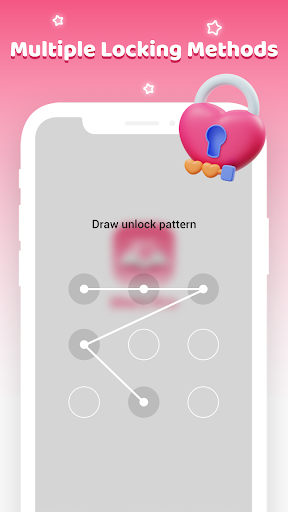
Protection is paramount in Diary Pro. The app offers multiple locking options, including an easy-to-use Nine Palace Grid pattern, a digital password, and security questions for password recovery. Such layered security ensures that your private thoughts are safeguarded against unauthorized access. Rest assured, your entries stay private, giving you peace of mind to express yourself freely.
Themes and Display Options
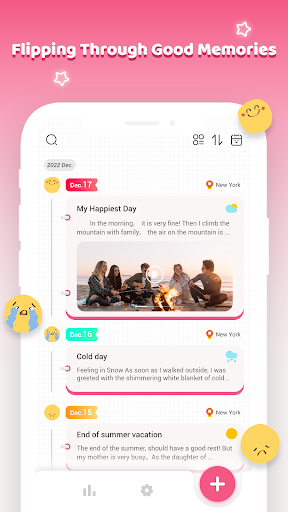
Personalization is made simple with Diary Pro. It provides a variety of themes to match your mood and aesthetic preferences. You can customize fonts and background styles, allowing you to create a diary that feels uniquely yours. Furthermore, the app offers two different display views so you can choose the layout that suits your reading and writing style best. Whether you prefer a list view or a grid view, Diary Pro adapts to your preferences.
Organizational and Search Features
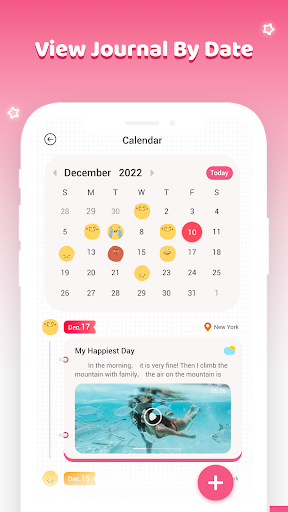
Keeping your entries organized is effortless. The app supports viewing journals by date, and you can search for entries using keywords. It also allows filtering entries based on content type, such as those containing images, videos, or audio, as well as entries tied to specific location or mood settings. This makes revisiting particular memories or entries a seamless task.
Progress Tracking and Rewards
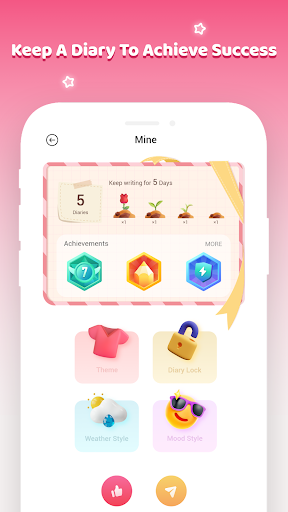
To motivate consistent journaling, Diary Pro counts the number of days you keep your diary and rewards your perseverance with a small red flower. This feature adds a fun and encouraging element to your journaling routine, making it more engaging and rewarding.
Why Choose Diary Pro - Diary With Lock?
When selecting a digital diary app, security and accessibility are critical considerations. Diary Pro excels by seamlessly combining these features. Its sleek and customizable interface makes journal entry a pleasant experience, whether you're a casual diarist or someone who documents every detail of their day. The app’s simple setup process ensures you can start recording quickly, without any technical hassle.
Easy Setup and User-Friendly Experience
Getting started with Diary Pro is straightforward. After downloading from the app store, you’re greeted with an intuitive interface that requires no advanced technical knowledge. The onboarding process is smooth, allowing you to begin journaling immediately.
Uncompromising Security
The standout feature of Diary Pro is its robust security measures. With options like password protection and biometric authentication, your private entries are shielded. I personally tested the lock features and found them highly reliable, giving me confidence that my secrets are safe.
Aesthetic and Personalization
The app offers diverse themes and customizable fonts, enabling you to tailor the interface to your style. Whether you prefer a bright, cheerful theme or a more subdued, mysterious look, Diary Pro provides the tools to make your journaling environment truly yours.
Seamless Synchronization
One of the major advantages of Diary Pro is its ability to sync across multiple devices. I tested the synchronization feature by switching between my phone and tablet, and it worked flawlessly, ensuring your diary is always accessible whenever you need it.
Final Thoughts
Overall, Diary Pro - Diary With Lock delivers a powerful combination of security, customization, and convenience. It is an excellent choice for anyone looking to keep their personal thoughts protected while enjoying a smooth and engaging journaling experience. Whether you're new to digital diaries or an experienced storyteller, this app offers all the features you need to organize your memories securely and beautifully. Give Diary Pro a try and start locking away your secrets today!
Pros
- Intuitive interface facilitating easy navigation
- Robust security with password protection
- Advanced rich text editing for detailed entries
- Seamless synchronization across multiple devices
- Customizable themes to match user preferences
Cons
- Restricted features in the free version
- Occasional synchronization problems reported
- Intrusive advertisements in the free version
- Lack of offline mode for free users
- Limited options for exporting entries











