


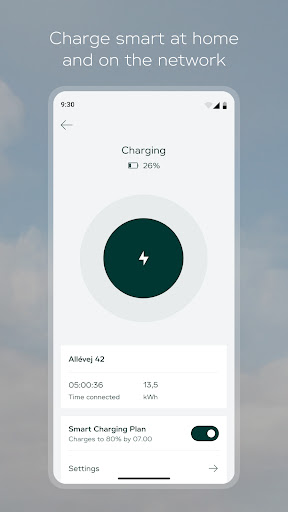
Introducing the Clever App: Your Ultimate EV Charging Companion
Finding a reliable charging station for your electric vehicle shouldn't be a hassle. The Clever app transforms the way you power up by guiding you directly to the nearest Clever charging station with ease. Whether you're planning a long road trip or just need a quick top-up in the city, this app is designed to make every charging session smooth, intuitive, and stress‑free. With a clean interface and powerful features, it's the perfect tool for both new and experienced EV drivers.
Find and Navigate to the Perfect Charging Spot
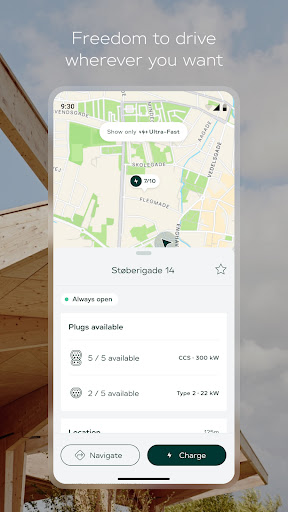
One of the standout capabilities of this EV charging app is its smart search functionality. You can quickly browse available charging stations with power outputs ranging from 11 kW to 300 kW, covering everything from overnight charging to ultra‑fast en‑route stops. The integrated map lets you filter results by plug types that are compatible with your car — including Type 1, Type 2, CCS, and CHAdeMO — so you never arrive at a station that doesn't fit your vehicle. Once you've chosen a location, easy navigation via Google Maps gets you there without any detours. This charging station finder is built with real‑world driving in mind, helping you save time and eliminate range anxiety.
Seamless Payment and Charging Control
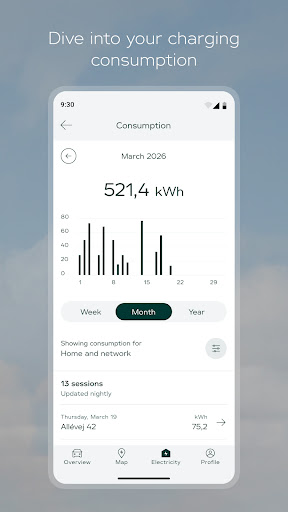
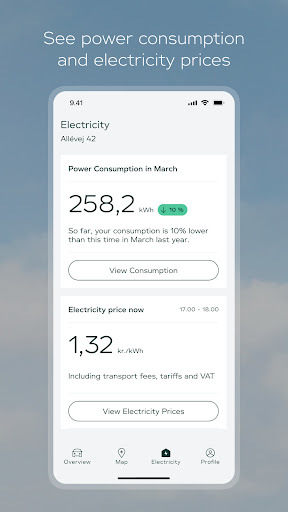
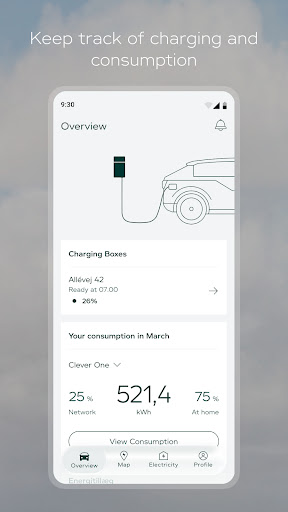
Waiting in line or fumbling with multiple payment methods is a thing of the past. The Clever app supports convenient payments through Google Pay or your credit card, allowing you to secure your charging session in seconds. You can also start a charge using your digital chargetoken — a contactless and secure way to activate the station without needing a physical card. After each session, the app provides a clear consumption overview, so you can track energy used, costs, and charging history. This level of transparency helps you manage your EV expenses and plan future charges more effectively.
Step‑by‑Step Guidance for Any Charging Hardware
Encountering an unfamiliar charging unit can be intimidating, especially if you're new to electric vehicles. The Clever app addresses this by offering step‑by‑step instructions whenever you connect to a new type of charging hardware. From plugging in to initiating the charge, each action is clearly explained, reducing confusion and ensuring a safe, successful session every time. This feature is particularly helpful when traveling to areas with different charging infrastructure, giving you the confidence to charge anywhere.
Why the Clever App Stands Out
Beyond its core functions, the Clever app is designed with the modern EV driver's lifestyle in mind. The ability to filter stations by connector type means you can avoid incompatible plugs and focus on what matters — getting back on the road quickly. The integration of Google Maps makes navigation effortless, while the digital chargetoken adds an extra layer of convenience. Whether you're a daily commuter or a weekend adventurer, this electric vehicle charging platform combines search, payment, and guidance into a single, elegant experience. With its focus on user‑friendliness and comprehensive coverage, the Clever app is becoming an essential tool for anyone who drives electric. Download it today and discover how simple charging can be.
Pros
- Extensive charging network covering Denmark and Europe
- Intuitive app providing real-time station availability and pricing
- Flexible payment options including credit cards and monthly subscriptions
- Supports fast charging up to 300 kW for compatible EVs
- Reliable customer support with transparent billing history
Cons
- Less coverage in rural areas compared to cities
- Occasional app glitches or connectivity issues during peak usage
- Subscription model is confusing for infrequent users
- Some stations require an RFID card in addition to the app for authentication
- Charging speeds may decrease when multiple vehicles use the same station











