Introduction to Dr. Driving
Dr. Driving is a popular mobile driving simulation app that tests your skills through a variety of challenging missions. While it may not boast the high-end graphics of big-budget games, this game stands out with its engaging gameplay and realistic driving physics. Perfect for quick gaming sessions, Dr. Driving offers hours of fun and learning for players of all ages. Whether you're a casual gamer looking for entertainment or someone eager to refine their driving abilities, this app provides a compelling experience. With online multiplayer capabilities, you can compete against friends or players worldwide, making each race even more exciting. The game is developed by SUD Inc. and is accessible on multiple mobile platforms.
Gameplay and Key Features
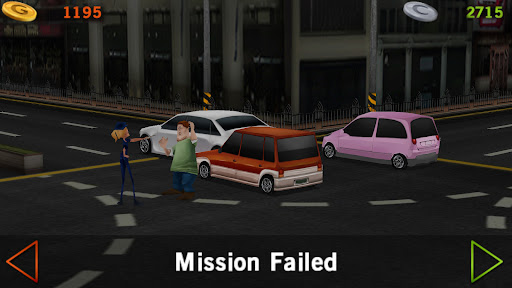
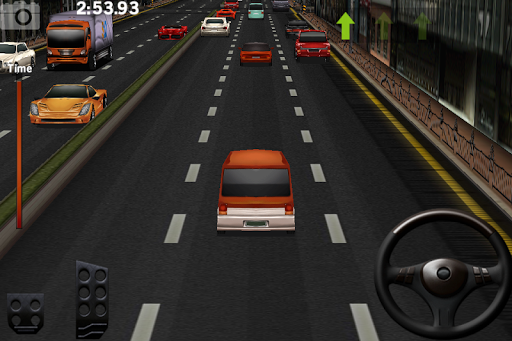
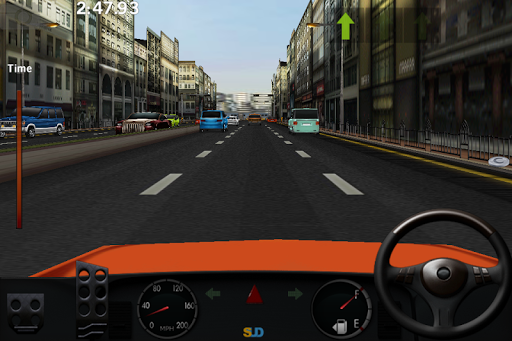
The core appeal of Dr. Driving lies in its straightforward yet immersive gameplay. Upon launching the app, you are immediately placed behind the wheel, facing a range of driving scenarios designed to test your skills. Missions include parking challenges, speed trials, and overtaking obstacles—each crafted as a mini driving lesson involving real-world skills in a fun setting. The game emphasizes realistic driving physics, which are portrayed through intuitive controls like a steering wheel, brake, and acceleration pedals, mimicking actual vehicle handling. Successfully completing tight parking jobs or overtaking with precision gives players a genuine sense of achievement. As you progress, you'll find your driving skills improve, encouraging repeated play and mastery.
Graphics, Sound, and Performance
While Dr. Driving doesn’t feature the most cutting-edge visuals, its graphics are clean, detailed, and optimized for a smooth experience on various devices—including older smartphones and those with limited data plans. The visual style provides enough detail to keep the game visually appealing without draining device resources. The accompanying sound effects maintain simplicity but enhance realism—engine roars, tire screeches, and honks come together to create a convincing driving environment. Eliminating complex soundtracks ensures players can focus solely on honing their driving skills without distraction.
User Experience and Accessibility
One of the app's significant advantages is its incredible accessibility. Dr. Driving is easy to pick up and enjoy, suitable for players of all ages and skill levels. The game keeps the experience free from incessant ads or mandatory in-app purchases, offering a stress-free environment to learn and have fun. Its small file size ensures quick downloads and minimal device storage use, making it an ideal game for those who want entertainment during commutes or waiting times. Additionally, the multiplayer mode enhances engagement by allowing you to challenge friends or compete with players worldwide, adding a competitive edge to the game that keeps motivation high.
Conclusion: Why Choose Dr. Driving
In summary, Dr. Driving is a standout mobile game that combines entertainment and driving skills in a balanced, accessible package. Its realistic physics, simple controls, and wide appeal make it an excellent choice for anyone interested in driving simulations or casual gaming. The app provides a perfect blend of challenge and fun, encouraging players to improve their skills with each session. Whether you’re a casual gamer or a driving enthusiast, Dr. Driving offers an engaging experience that’s hard to put down. If you haven't tried it yet, now is the perfect time to start your driving adventure—who knows, you might just get hooked!
Pros
- Smooth and user-friendly controls improve gameplay experience.
- A wide range of missions keeps the game engaging.
- Consumes minimal data and loads quickly.
- Realistic driving physics for an immersive experience.
- Multiplayer mode to compete with friends.
Cons
- Graphics are somewhat outdated compared to newer titles.
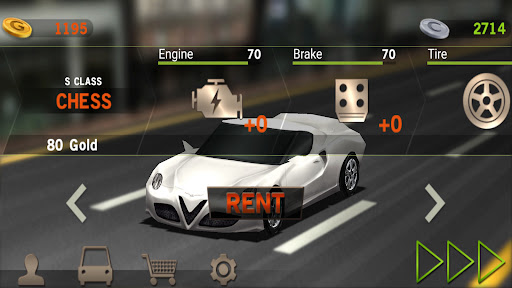
- Limited options for vehicle customization.
- In-app purchases can be costly.
- Some advertisements interrupt gameplay.
- Offline mode is unavailable for uninterrupted play.