Introduction to the Xbox App
The Xbox app is a comprehensive gaming companion that seamlessly connects players with their gaming universe. Whether you are a casual gamer or a dedicated enthusiast, the app offers a rich set of features designed to enhance your gaming experience. Available on both Android and iOS devices, the Xbox app provides an intuitive and user-friendly interface that makes navigating your gaming world easier than ever. From managing your game library to connecting with friends through voice and text chat, this app is your ultimate gaming hub, wherever you like to play.
Main Features of the Xbox App
Stay Connected with Friends and Community
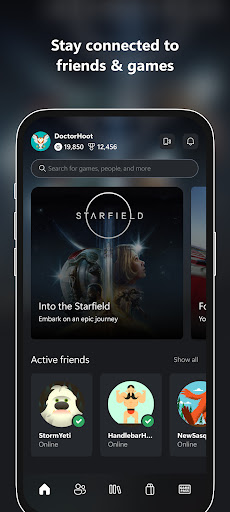
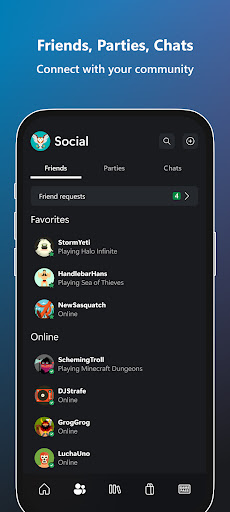
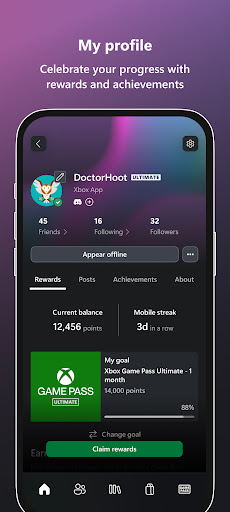
The Xbox app allows you to stay in touch with friends and gaming parties through voice and text chat. You can see notifications for achievements earned by you and your friends, receive party invites, and read messages—all from your mobile device. The app creates a mini social network where your gaming friends are just a tap away, whether they are on console or PC.
Game Management and Shopping
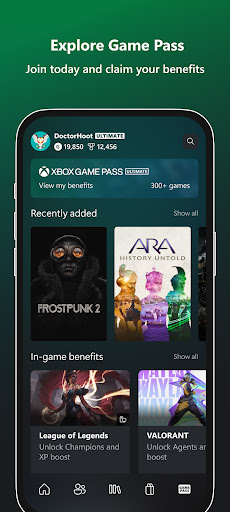
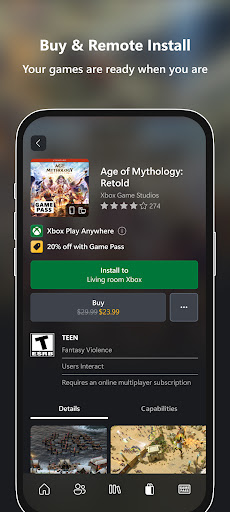
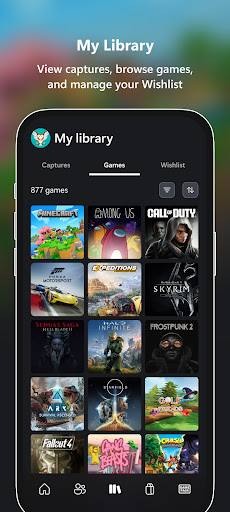
With the Xbox app, you can effortlessly buy games and add-on content without leaving the app interface. Planning to expand your library? Browse the extensive Game Pass catalog, view exclusive Perks, and redeem them on the spot. The app also enables you to download games to your console remotely, ensuring they are ready to play whenever you are. It’s a practical way to manage your digital collection and keep your gaming setup organized.
Sharing and Social Media Integration
Capture your favorite gaming moments by easily sharing game clips and screenshots directly from your console to your preferred social networks. It’s simple to showcase your achievements, funny moments, or epic gameplay—enhancing your social presence within the gaming community.
Additional Functionalities
The Xbox app is also designed to keep you updated with notifications about new game launches, updates, and other important announcements. For the ultimate convenience, you can manage your console remotely, install or delete games, and even use your mobile device as a remote control.
Performance and Usability
The app is optimized for smooth performance across various devices, providing a reliable experience with minimal lag. Its responsive design ensures that users with both high-end and older smartphones can enjoy all features without issues. Whether you’re checking your notifications, joining a party, or browsing the Game Pass library, the Xbox app delivers a seamless experience tailored to your gaming needs.
Legal and Feedback Terms
By installing the Xbox app, users agree to the XBOX APP AGREEMENT, which supplements any accompanying software license terms and the Microsoft End User License Agreement. Microsoft also welcomes user feedback, which they may use, share, or commercialize without charge, ensuring continuous improvements and innovation within the app. For more details, users can refer to the official Microsoft Software License Terms.
Conclusion
Overall, the Xbox app is an essential tool for modern gamers looking to stay connected, manage their gaming library, and share their gameplay highlights effortlessly. Whether you’re playing on your console, PC, or mobile device, this app brings the best features of Xbox right to your fingertips. If you haven't already, downloading and exploring the Xbox app could revolutionize how you interact with your gaming universe. From managing downloads to social sharing, it’s a comprehensive platform that keeps you engaged and connected in the dynamic world of gaming. Happy gaming!
Pros
- Seamless integration with Xbox consoles.
- Access to a wide selection of games.
- High-quality graphics and performance.
- Strong online multiplayer features.
- Regular updates and new functionalities.
Cons
- Subscription required for full access.
- Needs large storage capacity.
- Some games necessitate additional purchases.
- Occasional connectivity problems.
- Limited backward compatibility.